MongoDB 生产环境中的高可用性:副本集、分片和 Kubernetes 运算符
具有副本集、分片和 Kubernetes 运算符的 MongoDB HA
 Balinder Walia2026年4月12日16 min read
MongoDB 在数据库领域占据着独特的地位。它的文档模型自然地映射到应用程序对象,其灵活的模式无需迁移即可适应不断发展的数据结构,其内置的复制和分片原语为关系数据库需要外部工具才能实现的高可用性和水平扩展奠定了基础。但地基并不是一座完工的建筑。在生产中运行 MongoDB 并实现真正的高可用性(节点故障、网络分区或整个区域离线不会导致停机或数据丢失)需要深思熟虑的架构、仔细的调整和严格的操作纪律。
本指南介绍了 MongoDB HA 的每一层:从支持自动故障转移的副本集共识协议和 oplog 复制,到支持水平扩展的分片集群架构,到自动化生命周期管理的 Kubernetes Operator,以及使用 Rancher 的 AWS、Azure、GCP 和裸机 k3s 上的部署选项。每个部分都包括具体配置、YAML 清单以及您可以适应您的环境的操作过程。
MongoDB 副本集架构
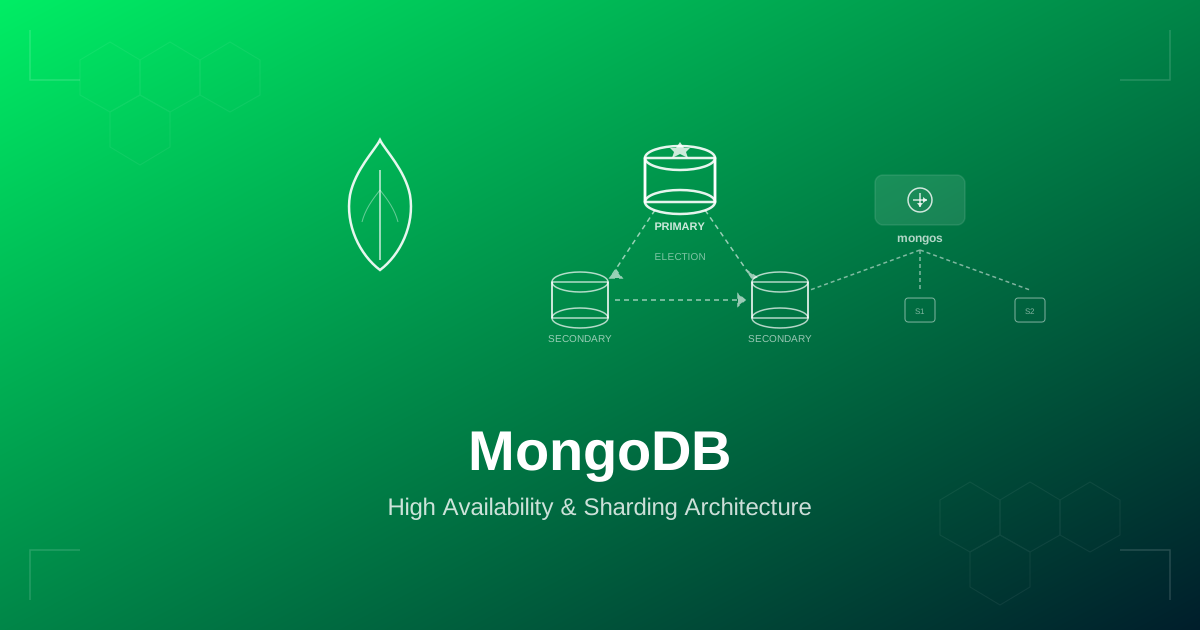
副本集是 MongoDB 高可用性的基本单位。它是一组维护相同数据集的mongod进程。其中一个成员是主,它接收所有写入操作。其余成员是辅助,它们通过跟踪其操作日志 (oplog) 来从主服务器复制数据。如果主节点变得不可用,副本集会进行选举,从符合条件的辅助节点中选择新的主节点 - 通常在 10 到 12 秒内。
生产副本集应至少具有三个数据承载成员,最好分布在不同的故障域(可用区、机架或数据中心)。这确保了副本集能够在任何单个成员丢失的情况下幸存下来,并且仍然保持多数用于选举目的。可选的仲裁器参与选举,但不保存数据 - 它的存在只是为了在拥有偶数个数据承载成员时打破平局,尽管 MongoDB 最佳实践是使用奇数个数据承载成员。
Oplog 和复制机制
oplog 是一个有上限的集合 (local.oplog.rs),它以幂等形式记录主节点上的每个数据修改操作。辅助节点不断跟踪主节点的 oplog 并在本地应用操作。 oplog 大小决定了辅助节点在需要完全重新同步之前可以落后多远 — 对于生产工作负载,请将 oplog 大小设置为容纳至少 24 到 72 小时的写入活动。 MongoDB 4.4+ 支持通过replSetResizeOplog动态调整 oplog 大小。
# Check current oplog size and window
rs.printReplicationInfo()

# Resize the oplog to 50 GB
db.adminCommand({ replSetResizeOplog: 1, size: 51200 })

# Check replication lag on secondaries
rs.printSecondaryReplicationInfo()
选举和基于 Raft 的协议
MongoDB 4.0+ 使用 Raft 启发的共识协议进行副本集选举。当辅助设备检测到主设备不可达时(默认electionTimeoutMillis为 10,000 毫秒),它可能会发起选举。要获胜,候选人必须获得大多数投票成员的选票。如果多个候选者符合资格,则具有最新 oplog 条目和最高优先级的成员获胜。您可以通过设置成员优先级来影响选举结果 - 具有priority: 0的成员永远无法成为主要成员,这对于分析副本或远程区域中的成员非常有用。
# Initiate a 3-member replica set
rs.initiate({
  _id: "rs-production",
  members: [
    { _id: 0, host: "mongo-0.mongo-svc:27017", priority: 10 },
    { _id: 1, host: "mongo-1.mongo-svc:27017", priority: 5 },
    { _id: 2, host: "mongo-2.mongo-svc:27017", priority: 5 }
  ],
  settings: {
    electionTimeoutMillis: 10000,
    heartbeatTimeoutSecs: 10,
    chainingAllowed: true
  }
})

# Check replica set status
rs.status()

# Step down the primary (for maintenance)
rs.stepDown(60)   // step down for 60 seconds

# Force reconfiguration (emergency)
rs.reconfig(newConfig, { force: true })
读偏好和写关注
读取首选项控制驱动程序发送读取操作的位置。选项有:
primary— 所有读取都转到主存储器。最强的一致性,但没有读取扩展。primaryPreferred— 读取将转到主节点(除非它不可用),然后再转到辅助节点。secondary— 所有读取均传输至辅助设备。提供读取缩放,但可能返回过时的数据。secondaryPreferred— 读取将转到辅助设备,除非没有可用的辅助设备。nearest— 无论角色如何,读取都会转到网络延迟最低的成员。最适合地理分布式部署。
写入关注控制在操作返回到客户端之前必须有多少副本集成员确认写入。
w: 1— 只有主器件必须确认。速度最快,但如果主数据库在复制之前发生故障,则存在数据丢失的风险。w: "majority"— 大多数数据承载成员必须确认。这是推荐的生产默认值。它保证写入在初选中幸存下来。w: <number>— 必须确认特定数量的成员。j: true— 在确认之前必须将写入提交到磁盘日志。与w: "majority"结合,提供了最强的耐用性保证。
# Connection string with write concern and read preference
mongodb://mongo-0:27017,mongo-1:27017,mongo-2:27017/appdb?replicaSet=rs-production&w=majority&j=true&readPreference=secondaryPreferred&readPreferenceTags=region:us-east

# SRV connection string (DNS-based discovery)
mongodb+srv://appuser:password@cluster.example.com/appdb?w=majority&retryWrites=true&readPreference=nearest
MongoDB 分片集群架构
副本集提供高可用性,但不提供水平写入扩展 — 所有写入都发送到单个主数据库。当您的数据集超出单个服务器的容量或您的写入吞吐量超出一台主服务器的处理能力时,您需要分片。分片集群使用分片键将数据分布在多个副本集(分片)上,从而实现存储和写入吞吐量的水平扩展。
分片集群具有三种组件类型。mongos路由器是无状态查询路由器,可将客户端操作定向到适当的分片。至少部署两个以实现冗余。配置服务器形成一个存储集群元数据的副本集 - 哪些块位于哪些分片上、分片键范围和平衡器状态。分片服务器是副本集,每个副本集保存分片数据的子集。
片键选择
分片键是分片集群中最重要的决定。它决定数据如何跨分片分布,并直接影响查询性能、写入分布和扩展能力。好的分片键具有高基数(许多不同的值),在分片之间均匀分布写入,并通过有针对性的操作而不是分散聚集来支持最常见的查询模式。
# Enable sharding on a database
sh.enableSharding("appdb")

# Shard a collection with a hashed shard key (even distribution)
sh.shardCollection("appdb.events", { "event_id": "hashed" })

# Shard with a ranged shard key (supports range queries)
sh.shardCollection("appdb.orders", { "customer_id": 1, "order_date": 1 })

# Check shard distribution
db.orders.getShardDistribution()

# View chunk distribution across shards
use config
db.chunks.aggregate([
  { $group: { _id: "$shard", count: { $sum: 1 } } },
  { $sort: { count: -1 } }
])常见的分片键策略包括:用于统一写入分布的散列键(当您不需要对分片键进行范围查询时最好)、将粗略分组字段与高基数字段相结合的复合键(例如,用于多租户应用程序的{ tenant_id: 1, _id: 1 })以及基于区域的键使数据放置与地理区域保持一致。
多区域
区域分片区域分片将分片键的特定范围限制到特定分片,从而实现数据局部性。例如,您可以确保欧洲客户数据驻留在欧盟地区的分片上,而美国客户数据驻留在美国地区的分片上。
# Add shards to zones
sh.addShardTag("shard-us-east", "US")
sh.addShardTag("shard-eu-west", "EU")
sh.addShardTag("shard-ap-south", "APAC")

# Define zone ranges
sh.addTagRange("appdb.customers",
  { "region": "US", "customer_id": MinKey },
  { "region": "US", "customer_id": MaxKey },
  "US"
)
sh.addTagRange("appdb.customers",
  { "region": "EU", "customer_id": MinKey },
  { "region": "EU", "customer_id": MaxKey },
  "EU"
)
sh.addTagRange("appdb.customers",
  { "region": "APAC", "customer_id": MinKey },
  { "region": "APAC", "customer_id": MaxKey },
  "APAC"
)

# Verify zone configuration
sh.status()
多区域 MongoDB 部署
将 MongoDB 分布在多个区域有两个目的:灾难恢复(在整个区域丢失后仍能幸存)和延迟优化(从最近的副本提供读取服务)。 MongoDB 通过跨区域分布的副本集成员、数据局部性的区域分片以及将读取路由到最近成员的读取首选项配置来支持多区域部署。
在分布在三个区域(2 个在主区域、2 个在 DR 区域、1 个读取区域)的五成员副本集中,主区域的丢失仍然留下三个可用成员 — 足以让大多数成员选举新的主区域。 读取区域中的成员应具有priority: 0,以防止其成为主要成员(高跨区域延迟会降低写入性能)。将hidden: true用于不应接收常规应用程序读取的分析专用成员。
MongoDB 社区 Kubernetes 运营商
MongoDB 社区 Kubernetes Operator 在 Kubernetes 上部署和管理 MongoDB 副本集。它是 MongoDB Inc. 的开源 Operator,负责处理 StatefulSet 管理、自动副本集配置、TLS 证书轮换、用户管理和滚动升级。
# Install the MongoDB Community Operator via Helm
helm repo add mongodb https://mongodb.github.io/helm-charts
helm repo update

helm install community-operator mongodb/community-operator \
  --namespace mongodb \
  --create-namespace \
  --set operator.watchNamespace="*"
MongoDB社区 CRD 规格
MongoDBCommunity自定义资源定义 MongoDB 副本集的所需状态。以下是可投入生产的规格。
apiVersion: mongodbcommunity.mongodb.com/v1
kind: MongoDBCommunity
metadata:
  name: production-mongodb
  namespace: databases
spec:
  members: 3
  type: ReplicaSet
  version: "7.0.12"

  security:
    authentication:
      modes: ["SCRAM"]
    tls:
      enabled: true
      certificateKeySecretRef:
        name: mongodb-tls-cert
      caCertificateSecretRef:
        name: mongodb-ca-cert

  users:
    - name: appuser
      db: admin
      passwordSecretRef:
        name: mongodb-appuser-password
      roles:
        - name: readWrite
          db: appdb
        - name: clusterMonitor
          db: admin
      scramCredentialsSecretName: appuser-scram
    - name: backup-user
      db: admin
      passwordSecretRef:
        name: mongodb-backup-password
      roles:
        - name: backup
          db: admin
        - name: restore
          db: admin
      scramCredentialsSecretName: backup-scram
    - name: monitoring
      db: admin
      passwordSecretRef:
        name: mongodb-monitoring-password
      roles:
        - name: clusterMonitor
          db: admin
      scramCredentialsSecretName: monitoring-scram

  additionalMongodConfig:
    storage.wiredTiger.engineConfig.cacheSizeGB: 4
    storage.wiredTiger.engineConfig.journalCompressor: snappy
    storage.wiredTiger.collectionConfig.blockCompressor: snappy
    net.maxIncomingConnections: 10000
    operationProfiling.mode: slowOp
    operationProfiling.slowOpThresholdMs: 100
    replication.oplogSizeMB: 51200
    setParameter.cursorTimeoutMillis: 600000

  statefulSet:
    spec:
      template:
        spec:
          containers:
            - name: mongod
              resources:
                requests:
                  cpu: "2"
                  memory: 8Gi
                limits:
                  cpu: "4"
                  memory: 16Gi
            - name: mongodb-agent
              resources:
                requests:
                  cpu: 250m
                  memory: 256Mi
                limits:
                  cpu: 500m
                  memory: 512Mi
          affinity:
            podAntiAffinity:
              requiredDuringSchedulingIgnoredDuringExecution:
                - topologyKey: topology.kubernetes.io/zone
                  labelSelector:
                    matchLabels:
                      app: production-mongodb-svc
          tolerations:
            - key: "workload"
              operator: "Equal"
              value: "database"
              effect: "NoSchedule"
      volumeClaimTemplates:
        - metadata:
            name: data-volume
          spec:
            storageClassName: gp3-csi
            accessModes: ["ReadWriteOnce"]
            resources:
              requests:
                storage: 100Gi
        - metadata:
            name: logs-volume
          spec:
            storageClassName: gp3-csi
            accessModes: ["ReadWriteOnce"]
            resources:
              requests:
                storage: 10Gi
该规范创建了一个运行 MongoDB 7.0 的三成员副本集,具有 SCRAM 身份验证、TLS 加密、独立的数据和日志卷、跨可用区的 Pod 反关联性以及适用于具有 16 GB RAM 的节点的 WiredTiger 调整。当您更改version字段时,操作员将处理副本集初始化、成员配置和滚动升级。
适用于 MongoDB Operator 的 Percona 服务器
MongoDB 的 Percona Operator(PSMDB Operator)为 Community Operator 提供了功能更丰富的替代方案。它部署 Percona Server for MongoDB(带有附加企业功能的 MongoDB 的直接替代品),管理分片集群和副本集,通过 Percona Backup for MongoDB (PBM) 集成备份,并支持时间点恢复。
# Install Percona Operator
helm repo add percona https://percona.github.io/percona-helm-charts/
helm repo update

helm install psmdb-operator percona/psmdb-operator \
  --namespace psmdb \
  --create-namespace
# Percona Server for MongoDB Cluster CRD
apiVersion: psmdb.percona.com/v1
kind: PerconaServerMongoDB
metadata:
name: production-psmdb
namespace: databases
spec:
crVersion: "1.16.0"
image: percona/percona-server-mongodb:7.0.12-7
imagePullPolicy: IfNotPresent
replsets:
- name: rs0
size: 3
resources:
requests:
cpu: "2"
memory: 8Gi
limits:
cpu: "4"
memory: 16Gi
volumeSpec:
persistentVolumeClaim:
storageClassName: gp3-csi
accessModes: [ReadWriteOnce]
resources:
requests:
storage: 100Gi
nonvoting:
enabled: false
arbiter:
enabled: false
configuration: |
storage:
wiredTiger:
engineConfig:
cacheSizeGB: 4
journalCompressor: snappy
collectionConfig:
blockCompressor: snappy
operationProfiling:
mode: slowOp
slowOpThresholdMs: 100
replication:
oplogSizeMB: 51200
affinity:
antiAffinityTopologyKey: topology.kubernetes.io/zone
sharding:
enabled: false
mongos: {}
configsrv: {}
backup:
enabled: true
image: percona/percona-backup-mongodb:2.5.0
storages:
s3-backup:
type: s3
s3:
bucket: company-mongodb-backups
region: us-east-1
credentialsSecret: aws-s3-credentials
prefix: production
insecureSkipTLSVerify: false
pitr:
enabled: true
oplogOnly: false
compressionType: gzip
tasks:
- name: daily-full
enabled: true
schedule: "0 3 * * *"
keep: 7
storageName: s3-backup
compressionType: gzip
secrets:
users: mongodb-users-secret
pmm:
enabled: true
image: percona/pmm-client:2
serverHost: pmm-server.monitoringPercona Operator 的主要优势是其与 Percona Backup for MongoDB (PBM) 的集成备份管理。 PBM 支持逻辑和物理备份、增量备份以及操作日志的时间点恢复 — 所有这些都通过 CRD 以声明方式配置。
AWS 部署:DocumentDB 与 Atlas 与 EKS
上的自我管理Amazon DocumentDB是与 MongoDB 兼容的文档数据库服务。它不是 MongoDB — 它是实现 MongoDB 有线协议(最高兼容 MongoDB 4.0 API)的专有引擎。 DocumentDB 使用类似于 Aurora 的分布式存储层将计算与存储分开。它提供区域内的自动故障转移、最多 15 个只读副本和时间点恢复。然而,它缺乏许多 MongoDB 功能:更改流有限制、事务工作方式不同以及许多聚合管道阶段不受支持。仅当您的应用程序使用 MongoDB 的 API 的子集并且您重视完全托管服务的操作简单性时,才使用 DocumentDB。
AWS 上的 MongoDB Atlas是在 AWS 基础设施上运行的 MongoDB 自己的托管服务。它提供真正的 MongoDB 的所有功能、自动化 HA、连续备份、时间点恢复、自动扩展和多区域集群。 Atlas 是生产 MongoDB 的最简单途径,但规模化时也是最昂贵的选择。
在 EKS上进行自我管理,让您可以完全控制 MongoDB 版本、配置和成本。将 MongoDB Community Operator 或 Percona Operator 与 EBS gp3 存储和服务帐户的 IAM 角色 (IRSA) 结合使用,以实现安全的 S3 备份访问。
# EBS StorageClass optimised for MongoDB
apiVersion: storage.k8s.io/v1
kind: StorageClass
metadata:
  name: gp3-csi
provisioner: ebs.csi.aws.com
parameters:
  type: gp3
  iops: "6000"
  throughput: "250"
  encrypted: "true"
volumeBindingMode: WaitForFirstConsumer
allowVolumeExpansion: true
reclaimPolicy: Retain
# IRSA for backup S3 access
eksctl create iamserviceaccount \
--name mongodb-backup-sa \
--namespace databases \
--cluster my-eks-cluster \
--attach-policy-arn arn:aws:iam::111122223333:policy/MongoDBBackupS3Policy \
--approveAzure 部署:Cosmos DB、Atlas 与 AKS
上的自我管理Azure Cosmos DB for MongoDB (vCore)是最接近真实 MongoDB 的 Azure 本机产品。 与适用于 MongoDB 的旧版基于 RU 的 Cosmos DB API 不同,vCore 模型在专用计算上运行实际的 MongoDB 引擎实例,提供与 MongoDB 6.0+ 功能的高度兼容性,包括完整的聚合管道、更改流和事务。它提供区域冗余 HA、时间点恢复和自动备份。
Azure上的 MongoDB Atlas 提供与 AWS 相同的完全托管的 MongoDB 体验,在具有 VNET 对等互连、Azure 专用链路和 Azure AD 集成的 Azure 基础设施上运行。
在 AKS 上进行自我管理将 Azure 托管磁盘(推荐使用 Premium SSD v2)与 MongoDB 或 Percona Operator 结合使用。
# Azure Premium SSD StorageClass
apiVersion: storage.k8s.io/v1
kind: StorageClass
metadata:
  name: azure-premium-mongodb
provisioner: disk.csi.azure.com
parameters:
  skuName: Premium_LRS
  cachingMode: None
volumeBindingMode: WaitForFirstConsumer
allowVolumeExpansion: true
reclaimPolicy: Retain
GCP 部署:GCP 上的 Atlas 与 GKE
上的自我管理 GCP 上的MongoDB Atlas在 Google Cloud 基础架构上运行,具有 GCP 原生集成:VPC 对等互连、Private Service Connect 和 GKE 集群集成。 Atlas on GCP 支持跨 GCP 区域的多区域集群,并具有自动故障转移功能。
在 GKE 上进行自我管理将持久磁盘 SSD 与 MongoDB 或 Percona 运算符结合使用。 GKE Workload Identity 为 GCS 备份提供安全、无密钥的身份验证。
# GKE SSD StorageClass
apiVersion: storage.k8s.io/v1
kind: StorageClass
metadata:
  name: pd-ssd-mongodb
provisioner: pd.csi.storage.gke.io
parameters:
  type: pd-ssd
volumeBindingMode: WaitForFirstConsumer
allowVolumeExpansion: true
reclaimPolicy: Retain
裸机 k3s/带 Longhorn
的 Rancher为了数据主权、合规性或成本优化,MongoDB 使用具有 Rancher 管理和 Longhorn 分布式存储的 k3s 在裸机 Kubernetes 上有效运行。该架构消除了对云提供商的依赖,同时保持相同的基于运营商的管理模型。
适用于 MongoDB 的 Longhorn 存储
# Install Longhorn
helm repo add longhorn https://charts.longhorn.io
helm repo update

helm install longhorn longhorn/longhorn \
  --namespace longhorn-system \
  --create-namespace \
  --set defaultSettings.defaultReplicaCount=3 \
  --set defaultSettings.storageMinimalAvailablePercentage=15

# StorageClass for MongoDB on Longhorn
apiVersion: storage.k8s.io/v1
kind: StorageClass
metadata:
  name: longhorn-mongo
provisioner: driver.longhorn.io
parameters:
  numberOfReplicas: "3"
  staleReplicaTimeout: "2880"
  dataLocality: best-effort
  fsType: xfs
volumeBindingMode: WaitForFirstConsumer
allowVolumeExpansion: true
reclaimPolicy: RetainXFS,而不是 ext4。 MongoDB 的 WiredTiger 存储引擎受益于 XFS 的分配模式,特别是对于日志和数据文件。 Longhorn 的三向复制在 MongoDB 的副本集级冗余之上提供卷级冗余,为您提供针对存储故障的深度防御。
MetalLB 和无头服务
# MetalLB IP Pool for MongoDB
apiVersion: metallb.io/v1beta1
kind: IPAddressPool
metadata:
  name: mongo-pool
  namespace: metallb-system
spec:
  addresses:
    - 192.168.1.220-192.168.1.225
---
apiVersion: metallb.io/v1beta1
kind: L2Advertisement
metadata:
  name: mongo-l2
  namespace: metallb-system
spec:
  ipAddressPools:
    - mongo-pool
MongoDB 操作员创建一个无头服务,为每个 Pod 提供稳定的 DNS 名称 (mongo-0.mongo-svc.databases.svc.cluster.local)。这对于副本集成员发现至关重要。如果您需要外部访问,MetalLB 会为 mongos 路由器(对于分片集群)或主路由器(对于副本集)前面的 LoadBalancer 服务分配可路由的 IP。
备份策略
MongoDB提供多种备份方法,每种方法适合不同的场景。
mongodump / mongorestore
导出 BSON 文档的逻辑备份。便携式且可供人工检查,但对于大型数据集来说速度较慢,并且本身不支持时间点恢复。
# Full logical backup with oplog for consistency
mongodump --uri="mongodb://backup-user:password@mongo-0:27017,mongo-1:27017,mongo-2:27017/appdb?replicaSet=rs-production&authSource=admin" \
  --oplog \
  --gzip \
  --out=/backups/$(date +%Y%m%d-%H%M%S)

# Restore
mongorestore --uri="mongodb://admin:password@mongo-0:27017/?replicaSet=rs-production&authSource=admin" \
  --oplogReplay \
  --gzip \
  /backups/20260412-030000/
适用于 MongoDB 的 Percona 备份 (PBM)
PBM 提供物理备份、增量备份和时间点恢复。它是生产中自我管理的 MongoDB 的推荐备份工具。
# Configure PBM storage
pbm config --set storage.type=s3 \
  --set storage.s3.bucket=company-mongodb-backups \
  --set storage.s3.region=us-east-1 \
  --set storage.s3.credentials.access-key-id=$AWS_ACCESS_KEY \
  --set storage.s3.credentials.secret-access-key=$AWS_SECRET_KEY

# Full backup
pbm backup --type=logical --compression=gzip

# Physical backup (faster, requires WiredTiger)
pbm backup --type=physical --compression=gzip

# Incremental backup
pbm backup --type=incremental --base-snapshot=2026-04-12T03:00:00Z

# Point-in-time recovery
pbm restore --time="2026-04-12T09:30:00Z"

# List backups
pbm list

# Check backup status
pbm status
云快照
在云提供商上,EBS 快照 (AWS)、托管磁盘快照 (Azure) 和持久磁盘快照 (GCP) 提供快速的存储级备份。与db.fsyncLock()结合以实现时间点一致性,它们可为大型数据集提供最快的备份和恢复时间。
# Kubernetes VolumeSnapshot for MongoDB
apiVersion: snapshot.storage.k8s.io/v1
kind: VolumeSnapshot
metadata:
  name: mongodb-snapshot-$(date +%Y%m%d)
  namespace: databases
spec:
  volumeSnapshotClassName: csi-snapclass
  source:
    persistentVolumeClaimName: data-volume-production-mongodb-0
基于 Oplog 的时间点恢复
oplog 与基础备份结合使用时可实现时间点恢复 (PITR)。 PBM 持续将 oplog 条目存档到备份存储。为了恢复到特定时间点,PBM 恢复最新的基础备份,然后重播 oplog 条目直至目标时间戳。这是通过pitr部分在 Percona Operator CRD 中配置的。
连接字符串配置
正确的连接字符串配置对于故障转移事件期间的应用程序恢复能力至关重要。
# Standard connection string with all replica set members
mongodb://appuser:password@mongo-0.mongo-svc:27017,mongo-1.mongo-svc:27017,mongo-2.mongo-svc:27017/appdb?replicaSet=rs-production&w=majority&j=true&readPreference=secondaryPreferred&retryWrites=true&retryReads=true&connectTimeoutMS=10000&socketTimeoutMS=30000&serverSelectionTimeoutMS=15000&maxPoolSize=100&minPoolSize=10

# SRV-based connection string (DNS discovery)
mongodb+srv://appuser:password@mongo-cluster.databases.svc.cluster.local/appdb?w=majority&retryWrites=true&readPreference=nearest

# For sharded clusters (connect through mongos)
mongodb://appuser:password@mongos-0:27017,mongos-1:27017/appdb?w=majority&retryWrites=true&readPreference=nearest
HA 的关键连接字符串参数:retryWrites=true和retryReads=true可自动重试在故障转移期间失败的操作。w=majority确保写入在初选中幸存下来。serverSelectionTimeoutMS控制驱动程序等待找到合适服务器的时间 - 将其设置为高于预期的选举时间(至少 15 秒)。maxPoolSize限制每个 mongos/副本集成员的连接池,以防止连接耗尽。
索引优化和查询性能
索引是 MongoDB 查询性能的主要杠杆。频繁查询的字段上缺少索引会强制进行集合扫描,该扫描会随着数据大小线性降低。
# Create compound index for common query pattern
db.orders.createIndex(
  { customer_id: 1, order_date: -1, status: 1 },
  { name: "idx_customer_orders", background: true }
)

# Partial index (only index documents matching a filter)
db.events.createIndex(
  { timestamp: 1 },
  { name: "idx_active_events", partialFilterExpression: { status: "active" } }
)

# TTL index for automatic document expiration
db.sessions.createIndex(
  { createdAt: 1 },
  { expireAfterSeconds: 86400, name: "idx_session_ttl" }
)

# Text index for search
db.products.createIndex(
  { name: "text", description: "text" },
  { weights: { name: 10, description: 5 }, name: "idx_product_search" }
)

# Analyze query performance
db.orders.find({ customer_id: "c123" }).sort({ order_date: -1 }).explain("executionStats")

# Find unused indexes
db.orders.aggregate([ { $indexStats: {} } ])定期检查$indexStats,以识别浪费存储空间和降低写入速度的未使用索引。使用explain()方法验证查询是否使用预期索引,并检查totalDocsExamined相对于nReturned是否较高,这表明查询计划效率低下。
WiredTiger 存储引擎调整
WiredTiger 是 MongoDB 自 MongoDB 4.2 以来的默认且唯一的生产存储引擎。其性能特征很大程度上受到缓存大小、压缩和日志配置的影响。
# WiredTiger configuration in mongod.conf
storage:
  dbPath: /data/db
  journal:
    enabled: true
    commitIntervalMs: 100
  wiredTiger:
    engineConfig:
      cacheSizeGB: 4            # ~50% of (RAM - 1GB), max 80%
      journalCompressor: snappy
      directoryForIndexes: true  # separate dir for index files
    collectionConfig:
      blockCompressor: snappy   # or zstd for better ratio
    indexConfig:
      prefixCompression: true

operationProfiling:
  mode: slowOp
  slowOpThresholdMs: 100

replication:
  oplogSizeMB: 51200            # 50 GB oplog
  replSetName: rs-production

net:
  maxIncomingConnections: 10000
  compression:
    compressors: snappy,zstd,zlib

setParameter:
  wiredTigerConcurrentReadTransactions: 128
  wiredTigerConcurrentWriteTransactions: 128
WiredTiger 缓存的大小应足以容纳您的工作集 — 由查询主动访问的数据和索引。如果缓存太小,WiredTiger 会频繁驱逐页面,导致 I/O 高。如果太大,则会为操作系统文件系统缓存和其他进程留下足够的内存。起点是可用 RAM 的 50% 减去 1 GB(用于操作系统和其他进程),上限为工作集大小。
身份验证和 TLS 加密
# Generate TLS certificates for MongoDB
# CA certificate
openssl req -x509 -newkey rsa:4096 -days 3650 -nodes \
  -keyout ca.key -out ca.crt \
  -subj "/CN=MongoDB-CA"

# Server certificate (include all member hostnames in SAN)
openssl req -newkey rsa:4096 -nodes \
  -keyout server.key -out server.csr \
  -subj "/CN=mongo-0.mongo-svc.databases.svc.cluster.local" \
  -addext "subjectAltName=DNS:mongo-0.mongo-svc.databases.svc.cluster.local,DNS:mongo-1.mongo-svc.databases.svc.cluster.local,DNS:mongo-2.mongo-svc.databases.svc.cluster.local,DNS:localhost,IP:127.0.0.1"

openssl x509 -req -in server.csr -CA ca.crt -CAkey ca.key \
  -CAcreateserial -out server.crt -days 365

# Combine cert and key into PEM
cat server.crt server.key > server.pem

# Create Kubernetes secrets
kubectl create secret tls mongodb-tls-cert \
  --cert=server.crt --key=server.key -n databases

kubectl create secret generic mongodb-ca-cert \
  --from-file=ca.crt=ca.crt -n databases
# MongoDB TLS configuration (mongod.conf)
net:
tls:
mode: requireTLS
certificateKeyFile: /etc/mongodb/tls/server.pem
CAFile: /etc/mongodb/tls/ca.crt
allowConnectionsWithoutCertificates: false
security:
authorization: enabled
clusterAuthMode: x509使用 Prometheus 和 Grafana 进行监控
MongoDB 通过与 Prometheus 集成的mongodb_exporter(来自 Percona)公开指标。要监控的关键指标包括连接计数、操作率、复制延迟、WiredTiger 缓存使用情况和查询目标效率。
# Deploy mongodb_exporter as a sidecar or standalone
apiVersion: apps/v1
kind: Deployment
metadata:
  name: mongodb-exporter
  namespace: databases
spec:
  replicas: 1
  selector:
    matchLabels:
      app: mongodb-exporter
  template:
    metadata:
      labels:
        app: mongodb-exporter
      annotations:
        prometheus.io/scrape: "true"
        prometheus.io/port: "9216"
    spec:
      containers:
        - name: exporter
          image: percona/mongodb_exporter:0.40.0
          args:
            - --mongodb.uri=mongodb://monitoring:password@production-mongodb-0.production-mongodb-svc:27017,production-mongodb-1.production-mongodb-svc:27017,production-mongodb-2.production-mongodb-svc:27017/?replicaSet=rs-production&authSource=admin
            - --collect-all
            - --compatible-mode
          ports:
            - containerPort: 9216
          resources:
            requests:
              cpu: 100m
              memory: 128Mi
# ServiceMonitor for Prometheus Operator
apiVersion: monitoring.coreos.com/v1
kind: ServiceMonitor
metadata:
name: mongodb-metrics
namespace: databases
labels:
release: kube-prometheus-stack
spec:
selector:
matchLabels:
app: mongodb-exporter
endpoints:
- port: metrics
interval: 15s
scrapeTimeout: 10s# Critical Prometheus alert rules for MongoDB
apiVersion: monitoring.coreos.com/v1
kind: PrometheusRule
metadata:
name: mongodb-alerts
namespace: databases
labels:
release: kube-prometheus-stack
spec:
groups:
- name: mongodb-health
rules:
- alert: MongoDBReplicationLagHigh
expr: mongodb_mongod_replset_member_replication_lag > 30
for: 5m
labels:
severity: warning
annotations:
summary: "MongoDB replica {{ $labels.name }} lag exceeds 30s"
- alert: MongoDBConnectionsHigh
expr: mongodb_connections{state="current"} / mongodb_connections{state="available"} > 0.8
for: 2m
labels:
severity: critical
annotations:
summary: "MongoDB connections above 80% capacity"
- alert: MongoDBWiredTigerCacheEvictions
expr: rate(mongodb_wiredtiger_cache_evicted_pages_total[5m]) > 100
for: 10m
labels:
severity: warning
annotations:
summary: "High WiredTiger cache eviction rate"
- alert: MongoDBReplicaSetNoPrimary
expr: mongodb_mongod_replset_number_of_members{state="PRIMARY"} == 0
for: 1m
labels:
severity: critical
annotations:
summary: "MongoDB replica set has no primary"
- alert: MongoDBQueryTargetingInefficient
expr: rate(mongodb_mongod_metrics_query_executor_total{state="scanned_objects"}[5m]) / rate(mongodb_mongod_metrics_query_executor_total{state="returned"}[5m]) > 100
for: 15m
labels:
severity: warning
annotations:
summary: "MongoDB scanning 100x more documents than returned"更改实时应用程序的流
更改流为 MongoDB 中的数据更改提供实时通知机制。他们利用 oplog 将更改事件推送到应用程序,从而实现事件驱动的架构、实时仪表板和无需轮询的数据同步管道。
// Watch changes on a collection
const pipeline = [
  { $match: { operationType: { $in: ["insert", "update", "replace"] } } },
  { $match: { "fullDocument.status": "active" } }
];

const changeStream = db.collection("orders").watch(pipeline, {
  fullDocument: "updateLookup",  // include full document on updates
  resumeAfter: resumeToken       // resume from last processed event
});

changeStream.on("change", (change) => {
  console.log("Change detected:", change.operationType);
  console.log("Document:", change.fullDocument);
  // Store resume token for crash recovery
  saveResumeToken(change._id);
});

changeStream.on("error", (error) => {
  console.error("Change stream error:", error);
  // Reconnect using saved resume token
});
更改流需要副本集或分片集群(它们不适用于独立的 mongod 实例)。它们在初选中幸存下来 - 驱动程序自动重新连接并从上次收到的恢复令牌恢复。对于生产使用,请始终保留恢复令牌,以便您的应用程序可以从重新启动中恢复而不会丢失事件。
滚动维护和版本升级
MongoDB 支持滚动升级,一次升级一个副本集成员,从辅助副本开始,到主副本结束(这会触发降级和选举)。这允许对次要和主要版本更改进行零停机升级。
# Rolling upgrade procedure for self-managed replica set
# 1. Upgrade each secondary one at a time
# On secondary (mongo-2):
sudo systemctl stop mongod
sudo yum install -y mongodb-org-7.0.14  # or apt-get
sudo systemctl start mongod
# Wait for the member to reach SECONDARY state
rs.status()

# 2. Step down the primary
rs.stepDown()

# 3. Upgrade the old primary (now a secondary)
sudo systemctl stop mongod
sudo yum install -y mongodb-org-7.0.14
sudo systemctl start mongod

# 4. Verify cluster health
rs.status()
db.adminCommand({ getParameter: 1, featureCompatibilityVersion: 1 })

# 5. Set feature compatibility version (irreversible)
db.adminCommand({ setFeatureCompatibilityVersion: "7.0" })
通过 MongoDB Community Operator 或 Kubernetes 上的 Percona Operator,滚动升级是自动化的 — 您只需更新 CRD 中的version字段,操作员就会处理每个 Pod 的滚动更新,等待每个成员变得健康后再继续。
灾难恢复和故障转移测试
从未在故障下进行过测试的高可用性部署未经测试。定期故障转移测试可验证您的架构、监控警报以及团队的事件响应程序。
受控故障转移测试
# Test 1: Step down the primary
rs.stepDown(120)  // 120-second election hold
// Monitor: election should complete in ~10-12s
// Verify: application reconnects and resumes operations

# Test 2: Kill a secondary pod in Kubernetes
kubectl delete pod production-mongodb-1 -n databases --grace-period=0 --force
// The StatefulSet recreates the pod
// The operator rejoins it to the replica set

# Test 3: Simulate network partition
kubectl exec production-mongodb-0 -n databases -- \
  iptables -A INPUT -p tcp --dport 27017 -j DROP
// The isolated primary should step down (cannot reach majority)
// Remaining members elect a new primary
// Cleanup: remove iptables rule and let member rejoin

# Test 4: Simulate storage failure
kubectl exec production-mongodb-2 -n databases -- \
  chmod 000 /data/db
// mongod should crash; Kubernetes restarts the pod
// The member resyncs from the primary's oplog
故障转移期间测量什么
- RTO(恢复时间目标)— 从主要故障到新主要接受写入的时间。目标:副本集不到 30 秒。
- RPO(恢复点目标)— 故障转移期间数据丢失。对于
w: majority,确认写入的 RPO 为零。对于w: 1,RPO 等于发生故障时的复制滞后。 - 应用程序错误率— 故障转移窗口期间失败的请求的百分比。使用
retryWrites=true时,大多数写入失败都会由驱动程序自动重试。 - 更改流连续性— 验证更改流使用者是否从其保存的令牌恢复而不会丢失事件。
灾难恢复运行手册
- 单成员故障— 通过 Kubernetes Pod 重启和 oplog 追赶自动恢复。除非成员需要完全重新同步,否则不需要手动操作。
- 主节点故障— 自动选举会在 10-12 秒内升级辅助节点。 验证剩余辅助节点上的应用程序连接和复制延迟。
- 多数失败— 如果大多数成员出现故障,副本集将变为只读(无法进行选举)。恢复成员或使用
rs.reconfig({ force: true })作为最后的手段(这可能会导致数据丢失)。 - 集群完全丢失— 部署新集群,从最新的 PBM 备份恢复,并将 oplog 重播到目标时间点。更新连接字符串和 DNS 记录。
- 区域故障转移— 如果主要区域丢失,则另一个区域中的辅助区域会自动选举为主要区域(如果它具有足够的优先级并且其余成员占多数)。更新 DNS 以将流量路由到新的主要区域。
生产调整建议
操作系统级调整
# Disable Transparent Huge Pages (critical for MongoDB)
echo never > /sys/kernel/mm/transparent_hugepage/enabled
echo never > /sys/kernel/mm/transparent_hugepage/defrag

# Set readahead to 8-32 sectors for SSD
blockdev --setra 32 /dev/sda

# Increase file descriptor limits
ulimit -n 64000
ulimit -u 64000

# Swappiness
vm.swappiness = 1

# Dirty page ratio
vm.dirty_ratio = 15
vm.dirty_background_ratio = 5

# Network tuning
net.core.somaxconn = 4096
net.ipv4.tcp_max_syn_backlog = 4096
net.ipv4.tcp_keepalive_time = 120
资源大小指南
- WiredTiger 缓存:可用 RAM 的 50% 减去 1 GB,或工作集的大小,以较小者为准。
- Oplog 大小:足以容纳 24-72 小时的写入操作。从 50 GB 开始并使用
rs.printReplicationInfo()进行监控。 - 存储 IOPS:MongoDB 是 I/O 密集型,尤其是在压缩和检查点期间。使用具有预配置 IOPS 的 NVMe SSD 或云存储(AWS 上具有 6000+ IOPS 的 gp3、Azure 上的 Premium SSD v2、GCP 上的 pd-ssd)。
- CPU:MongoDB 受益于并发读/写操作、WiredTiger 的并发事务和后台任务(检查点、压缩、复制)的多个内核。
- 网络:复制流量对于写入密集型工作负载可能非常重要。确保副本集成员之间的低延迟、高带宽网络。
连接管理
# Application-side connection pool configuration
const client = new MongoClient(uri, {
  maxPoolSize: 100,
  minPoolSize: 10,
  maxIdleTimeMS: 60000,
  waitQueueTimeoutMS: 5000,
  connectTimeoutMS: 10000,
  socketTimeoutMS: 30000,
  serverSelectionTimeoutMS: 15000,
  retryWrites: true,
  retryReads: true,
  w: "majority",
  readPreference: "secondaryPreferred",
  compressors: ["snappy", "zstd"]
});
监控清单
- 复制延迟— 当任何辅助节点延迟超过 30 秒时发出警报。
- 连接饱和— 当前连接超过
maxIncomingConnections的 80% 时发出警报。 - WiredTiger 缓存— 当缓存脏填充率超过 20% 时发出警报(表示写入压力超过检查点吞吐量)。
- Oplog 窗口— 当 oplog 窗口低于 12 小时时发出警报(维护后辅助节点需要完全重新同步的风险)。
- 查询目标— 当扫描文档与返回文档的比率超过 100(缺少索引)时发出警报。
- 磁盘使用情况— 在 70% 和 85% 阈值时发出警报。 MongoDB 在压缩期间可以使用大量临时磁盘空间。
- 备份新鲜度— 当上次成功备份早于 RPO 窗口时发出警报。
- 票证可用性— 监控 WiredTiger 读写票证。耗尽会导致操作排队和延迟峰值。
操作命令快速参考
# Replica set status
rs.status()
rs.conf()
rs.printReplicationInfo()
rs.printSecondaryReplicationInfo()

# Cluster health (sharded)
sh.status()
db.adminCommand({ balancerStatus: 1 })
db.adminCommand({ listShards: 1 })

# Server diagnostics
db.serverStatus()
db.currentOp({ "$all": true })
db.adminCommand({ hostInfo: 1 })

# Kill long-running operations
db.killOp(opId)

# Compaction (reclaim disk space)
db.runCommand({ compact: "orders" })

# Profiler (identify slow queries)
db.setProfilingLevel(1, { slowms: 100 })
db.system.profile.find().sort({ ts: -1 }).limit(10)

# Index management
db.orders.getIndexes()
db.orders.createIndex({ field: 1 }, { background: true })
db.orders.dropIndex("index_name")

# Kubernetes-specific
kubectl get mongodbcommunity -n databases
kubectl describe mongodbcommunity production-mongodb -n databases
kubectl logs production-mongodb-0 -n databases -c mongod
kubectl exec -it production-mongodb-0 -n databases -c mongod -- mongosh
决策矩阵:选择 MongoDB HA 架构
- 单云、托管首选项— 使用 MongoDB Atlas。它以最小的运营开销处理高可用性、备份、监控和扩展。
- 与 MongoDB 兼容的 AWS 仅需要— 如果您的应用程序使用 MongoDB API 的基本子集并且您想要完全托管的体验,请考虑 Amazon DocumentDB。 否则,Atlas 或在 EKS 上进行自我管理。
- 具有完整 MongoDB 功能的 Azure— 使用适用于 MongoDB vCore 的 Cosmos DB 来获得托管体验,或使用 Azure 上的 Atlas 来获得真正的 MongoDB 托管服务。
- 多云或混合— 通过 MongoDB Community Operator 或 Percona Operator 进行自我管理。 Kubernetes 抽象支持跨提供商的一致部署。
- 裸机或边缘— k3s + Rancher + Longhorn + MongoDB 社区运营商或 Percona 运营商。无需云依赖。
- 大规模水平扩展— 具有数据局部性区域分片的分片集群。使用原生支持分片部署的 Percona Operator。
- 实时事件驱动应用— MongoDB 更改流提供内置 CDC。确保您使用副本集或分片集群(不是独立的)。
结论
MongoDB 的内置复制和分片原语赋予其高可用性的架构优势 - 具有自动故障转移功能的副本集和具有水平扩展功能的分片集群是本机功能,而不是事后附加的功能。但这些原语必须正确配置并严格操作,才能提供生产系统所需的可用性保证。
生产 MongoDB 部署需要跨故障域的三个数据承载副本集成员、w: majority写入持久性、适当的操作日志大小以实现复制弹性、针对工作集的 WiredTiger 缓存调整以及具有时间点恢复功能的经过测试的备份策略。 Kubernetes Operator(无论是用于副本集的 MongoDB Community Operator,还是用于包括分片和集成备份在内的全功能部署的 Percona Operator)可实现生命周期管理的自动化,否则需要大量的运营投资。
AWS、Azure、GCP 和裸机的部署模式共享相同的核心 MongoDB 配置。改变的是存储类别、备份目标和网络层。这种一致性是基于操作员的方法的价值:您的团队学习一种工具、一种操作模型和一套适用于任何地方的操作手册。
从三成员副本集开始,w: majority写入、具有连续 oplog 归档的每日 PBM 备份,以及针对复制滞后、连接饱和和缓存压力的核心 Prometheus 警报。在第一天测试您的故障转移——而不是在第一次事件期间。随着数据量和可用性要求的增长,扩展到分片、基于区域的数据局部性和多区域部署。基础设施处理机械;您的责任是足够深入地了解架构,以便针对您的工作负载做出正确的权衡,并不断地测试这些假设。