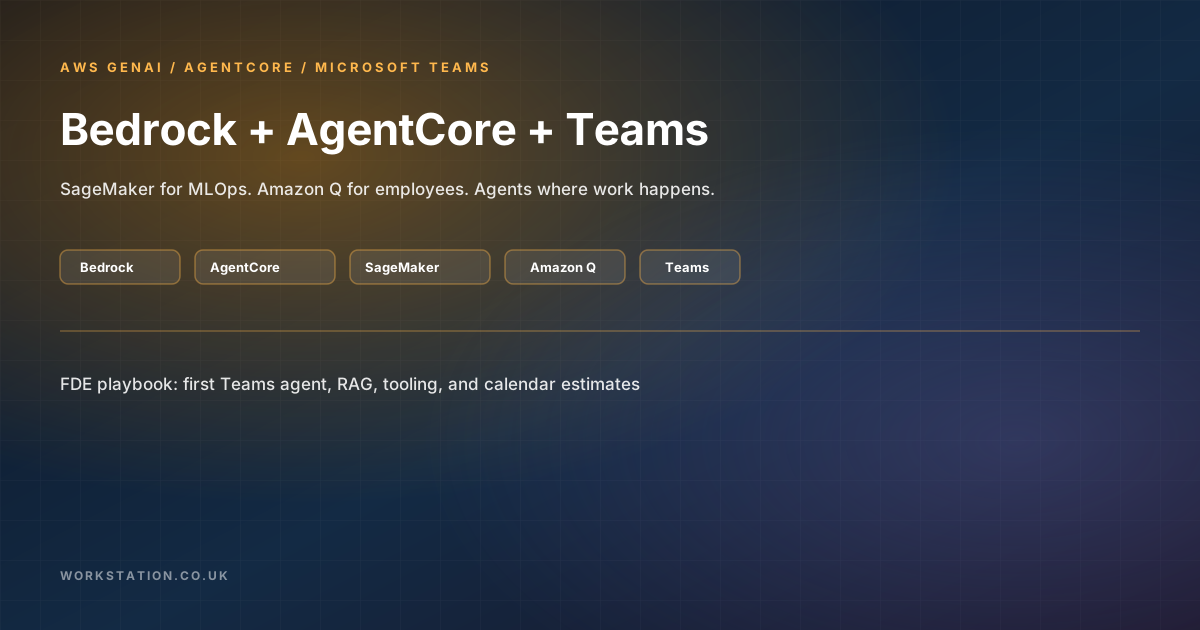
This is an FDE (Forward Deployed Engineer) playbook for implementing Amazon Bedrock, Amazon Bedrock AgentCore, Amazon SageMaker, and Amazon Q, then launching agents into the business through Microsoft Teams. It covers architecture choices, a concrete first-agent setup, tooling, training, and calendar estimates for LLM apps, RAG, and MLOps.
1. Problem statement for the business
Most enterprises do not need “another chatbot.” They need agents that act inside existing workflows: answer from approved knowledge, call tools with identity, keep session memory, and land where employees already collaborate — usually Teams.
An FDE’s job is to compress the gap between a working AWS reference and a governed pilot: one department, one corpus, read-mostly tools first, measurable adoption, then expand.
2. Service map — pick the right AWS surface
2.1 Amazon Bedrock
- Foundation models via a single API (Anthropic Claude, Amazon Nova, Meta Llama, Cohere, etc. — availability by region).
- Guardrails for content filters, topic denial, PII redaction, and grounding checks.
- Knowledge Bases for managed RAG (ingest from S3 / connectors, embeddings, retrieval).
- Bedrock Agents / Flows for orchestration patterns when you stay inside Bedrock’s agent model.
Use Bedrock when: you want managed FMs, RAG, and safety without operating GPUs.
2.2 Amazon Bedrock AgentCore
AgentCore is the production runtime layer for custom agents (framework-agnostic — Strands, LangGraph, CrewAI, custom Python, etc.):
- Runtime — session-isolated, long-running agent invocations.
- Gateway — turn APIs / MCP / OpenAPI into agent tools; includes Microsoft Teams Graph targets (channel messages, chats, meetings, presence, online meetings).
- Memory — short- and long-term conversational / episodic memory.
- Identity — inbound JWT validation and outbound OAuth to tools (including Microsoft Entra ID).
- Observability — traces and metrics into CloudWatch / OpenTelemetry-compatible paths.
Use AgentCore when: you own agent code, need tools + identity + memory, and want a managed runtime instead of DIY ECS/Lambda glue for every concern.
2.3 Amazon SageMaker
- Train / fine-tune / evaluate custom models.
- Host endpoints (real-time, serverless, async).
- Pipelines, Model Registry, Feature Store, Clarify, Model Monitor for MLOps.
- Can feed custom models into Bedrock Custom Model Import or sit beside Bedrock as specialist endpoints.
Use SageMaker when: off-the-shelf FMs are not enough (domain classifiers, ranking, fine-tuned embeddings, regulated model governance).
2.4 Amazon Q
- Amazon Q Business (product naming continues to evolve toward Quick Suite / enterprise assistant packaging) — connectors to SaaS and knowledge, employee Q&A, plugins.
- Amazon Q Developer — IDE / CLI coding assistant for AWS builders.
Use Amazon Q when: you want a productised assistant with less custom agent engineering. Use AgentCore + Bedrock when you need deep custom tools, multi-step workflows, or Teams-native UX you control.
2.5 Decision matrix
| Need | Primary | Secondary |
|---|---|---|
| Chat + RAG on internal docs | Bedrock Knowledge Bases | Amazon Q Business |
| Custom agent + tools + memory | AgentCore + Bedrock | Bedrock Agents |
| Agents in Microsoft Teams | Teams bot → AgentCore Runtime | AgentCore Gateway Teams Graph tools |
| Train / fine-tune / MLOps | SageMaker | Bedrock for inference of imported / FM models |
| Developer productivity on AWS | Amazon Q Developer | — |
3. Reference architecture (business agents in Teams)
Microsoft Teams (user)
        │  Bot Framework activity
        ▼
Azure Bot Service / Teams channel
        │  HTTPS messaging endpoint
        ▼
AWS Lambda / API Gateway  (Bot adapter + JWT mint)
        │  POST /runtimes/{agentRuntimeArn}/invocations
        │  Header: Authorization Bearer <JWT>
        │  Header: X-Amzn-Bedrock-AgentCore-Runtime-Session-Id: teams-{aad}-{conv}
        ▼
Bedrock AgentCore Runtime  (your agent container / code)
        ├── Bedrock InvokeModel (Claude / Nova / …)
        ├── Knowledge Base retrieve (RAG)
        ├── Guardrails
        ├── AgentCore Memory
        └── AgentCore Gateway tools
              ├── Microsoft Graph (Teams channels / chats)  [Entra OAuth]
              ├── Internal APIs (CRM, ITSM, HR)
              └── MCP / OpenAPI targets
        ▼
CloudWatch / X-Ray / OTel traces  +  audit logs (S3)
Session ID rule of thumb: one Teams conversation thread should map to one AgentCore session, e.g. teams-{aadObjectId}-{conversationId}, so memory and tool context stay coherent.
4. First agent available in Teams — step-by-step
Goal: a read-mostly internal knowledge agent in a pilot Teams channel within ~3–6 weeks.
Phase A — AWS foundation (days 1–5)
- Choose region (confirm Bedrock model + AgentCore + Knowledge Bases availability).
- Enable Bedrock model access; create IAM roles for inference, KB, and AgentCore.
- Create S3 bucket for corpus; sync a pilot SharePoint/Confluence export or connector.
- Create Bedrock Knowledge Base + vector store; run sync; test
RetrieveAndGenerate. - Attach a Guardrail (deny off-topic, redact PII, require grounding where supported).
Phase B — Agent on AgentCore (days 5–15)
- Scaffold agent (Python/TypeScript) using your preferred framework or AWS samples.
- Wire model calls to Bedrock; wire retrieval to Knowledge Base.
- Define 2–3 tools only (e.g. search KB, get ticket status read-only, get user profile).
- Configure AgentCore Memory for short-term conversation.
- Configure AgentCore Identity: validate inbound JWT; register Entra ID as IdP for Microsoft tools.
- Deploy to AgentCore Runtime; smoke-test
/invocationswith curl and a test JWT. - Enable observability; define a CloudWatch dashboard (latency, errors, token/cost proxies).
Phase C — Teams surface (days 10–20, parallel)
- Register an Entra ID app; create Azure Bot; enable Teams channel.
- Create Teams app package (manifest, icons); sideload or org publish for pilot security group.
- Implement messaging endpoint (Lambda recommended): Bot Framework adapter → map activity to AgentCore payload.
- Propagate user identity (AAD object id, UPN) into JWT claims AgentCore Identity expects.
- Reply with agent text (and Adaptive Cards later); handle typing indicators and errors gracefully.
- Pilot: one channel, 10–30 users, feedback Form / emoji reactions, weekly FDE office hours.
Phase D — Harden (days 15–30)
- Least-privilege IAM; Secrets Manager for bot app password / certificates.
- Network: private API paths where required; WAF on public endpoints.
- Data: classify corpus; block high-risk write tools until change control exists.
- Evaluation set: 50–100 golden Q&A; measure groundedness / refusal quality.
- Runbook: rotate secrets, roll back Runtime version, disable Teams app.
Minimal Teams → AgentCore invoke shape
POST /runtimes/{agentRuntimeArn}/invocations
Authorization: Bearer <jwt>
X-Amzn-Bedrock-AgentCore-Runtime-Session-Id: teams-{aadObjectId}-{conversationId}
Content-Type: application/json

{
  "input": {
    "prompt": "<user message text>",
    "user": { "aadObjectId": "...", "upn": "..." },
    "channel": { "teamId": "...", "channelId": "..." }
  }
}
Exact payload schema depends on your agent contract — keep it versioned.
5. AgentCore + Microsoft Graph (agents that act in Teams)
Beyond “chat in Teams,” AgentCore Gateway can expose Teams Graph operations as tools (send channel message, manage chats, meetings, presence). Requirements typically include:
- Entra ID application with Graph permissions (start with least privilege; admin consent).
- AgentCore Identity OAuth client for Entra.
- Gateway target for Microsoft Teams / Graph.
- Human-in-the-loop for any write/send until trust is established.
FDE guidance: ship inbound chat agent first; add outbound Graph actions in a second change ticket with explicit allow-lists (channels, teams, message templates).
6. SageMaker in the same programme
Do not block the Teams pilot on SageMaker. Introduce SageMaker when you need:
- Domain-specific classifiers (intent, urgency, PII detection beyond Guardrails).
- Fine-tuned embeddings or rerankers for RAG quality.
- Regulated model training with Model Registry + approval gates.
- Batch inference jobs over large corpora.
Typical MLOps skeleton: SageMaker Pipelines → Model Registry → staging endpoint → canary → prod; monitoring with Model Monitor; promote only via CI (CodePipeline / GitHub Actions) with IaC (Terraform / CDK).
7. Amazon Q in the same programme
- Q Business for broad employee Q&A with managed connectors — often faster than custom RAG for “search the intranet.”
- Q Developer for FDE/platform eng productivity (IaC, Lambda, CDK).
- Pattern: Q for breadth; AgentCore agents for depth (workflow + tools + Teams UX).
8. FDE training curriculum (implement and launch)
| Module | Outcomes | Time |
|---|---|---|
| Bedrock FM + Guardrails | Invoke models; attach guardrail; cost awareness | 1 day |
| Knowledge Bases RAG | Ingest, sync, retrieve, evaluate answers | 2 days |
| AgentCore Runtime/Memory/Identity | Deploy agent; session IDs; JWT auth | 3 days |
| Gateway tools + Entra/Graph | Register tools; OAuth; least privilege | 2 days |
| Teams Bot Framework | Bot + Teams app; Lambda adapter | 2–3 days |
| SageMaker MLOps primer | Pipeline, registry, endpoint | 3–5 days |
| Amazon Q Business admin | Apps, connectors, plugins, access | 1–2 days |
| Security & launch ops | Threat model, runbooks, eval harness | 2 days |
Total FDE ramp: ~2–3 weeks of focused training + paired delivery on the first pilot.
9. Requirements checklist
People
- FDE (agent + integration)
- Cloud/platform engineer (IAM, networking, IaC)
- Microsoft 365 / Entra admin (app consent, Teams publish)
- Security / compliance reviewer
- Business owner + pilot users
Accounts & access
- AWS account(s) with Bedrock, AgentCore, S3, CloudWatch; optional SageMaker / Q
- Entra ID tenant; Azure subscription for Bot Service
- Teams admin rights to upload / approve apps
Data
- Pilot corpus with clear ownership and retention
- Classification labels; PII handling policy
- Golden evaluation questions
10. Tooling checklist
| Layer | Tools |
|---|---|
| IaC | AWS CDK / Terraform; optionally CloudFormation |
| CI/CD | GitHub Actions or CodePipeline; container build to ECR |
| Agent frameworks | Strands Agents, LangGraph, CrewAI, or plain SDK |
| Teams | Bot Framework SDK, Teams Toolkit / M365 Agents Toolkit |
| Secrets | AWS Secrets Manager; Azure Key Vault if split |
| Observability | CloudWatch, X-Ray / OTel; optional Langfuse / custom eval |
| Eval | Golden sets + automated RAGAS-style metrics or Bedrock eval jobs |
| MLOps (if needed) | SageMaker Pipelines, Model Registry, Feature Store |
11. Time estimates (FDE-led, indicative)
Assumes one focused FDE + part-time platform + Entra admin availability. Calendar days, not person-hours alone.
| Deliverable | Optimistic | Typical | With enterprise friction |
|---|---|---|---|
| Bedrock chat + Guardrails MVP | 2–3 days | 3–5 days | 1–2 weeks |
| RAG Knowledge Base (one corpus) | 3–5 days | 1–2 weeks | 3–4 weeks |
| AgentCore agent + 2–3 tools | 1–2 weeks | 2–3 weeks | 4–6 weeks |
| Teams bot pilot (sideload) | 3–5 days | 1–2 weeks | 3+ weeks (admin consent) |
| End-to-end first agent in Teams | 3 weeks | 4–6 weeks | 8–12 weeks |
| Amazon Q Business launch | 1 week | 1–3 weeks | 4–6 weeks |
| SageMaker fine-tune + MLOps v1 | 3–4 weeks | 6–8 weeks | 1–2 quarters |
| Multi-agent + write tools + Graph actions | 6 weeks | 1 quarter | 2+ quarters |
12. Launch checklist (business)
- Named business owner and success metrics (deflection, time-to-answer, CSAT).
- Pilot security group and channel; support hours for FDE.
- Content freshness SLA for Knowledge Base sync.
- Incident path: disable bot, rotate secrets, page on-call.
- Cost budget alerts on Bedrock tokens and AgentCore runtime.
- Decision gate: expand, pause, or productise after 4–6 weeks of usage data.
13. Common failure modes
- Boiling the ocean: multi-agent + write tools + full intranet before a single Teams pilot.
- Identity last: building the agent without Entra/JWT design — rework when Teams arrives.
- No golden set: cannot tell if RAG got better after chunking changes.
- SageMaker too early: training custom models before retrieval quality is good.
- Admin consent surprise: Teams/Graph permissions blocked for weeks — start Entra tickets on day 1.
14. Closing
Bedrock gives you models, RAG, and guardrails. AgentCore gives you a production agent runtime with memory, identity, and tools (including Teams Graph). SageMaker covers custom ML and MLOps. Amazon Q covers productised employee/developer assistants. The FDE path that lands value fastest is: RAG + Guardrails → AgentCore agent → Teams bot relay → measure → expand tools — with SageMaker and Q Business as parallel tracks when the use case demands them.
Published by Workstation — for delivery programmes that put agents where the business already works.