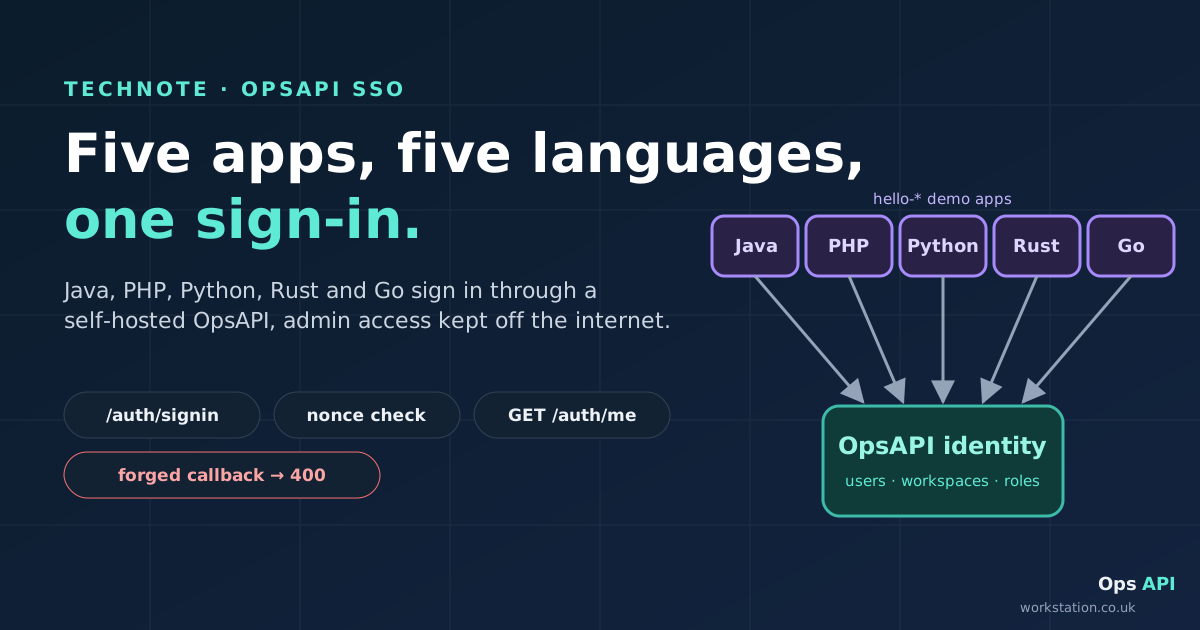
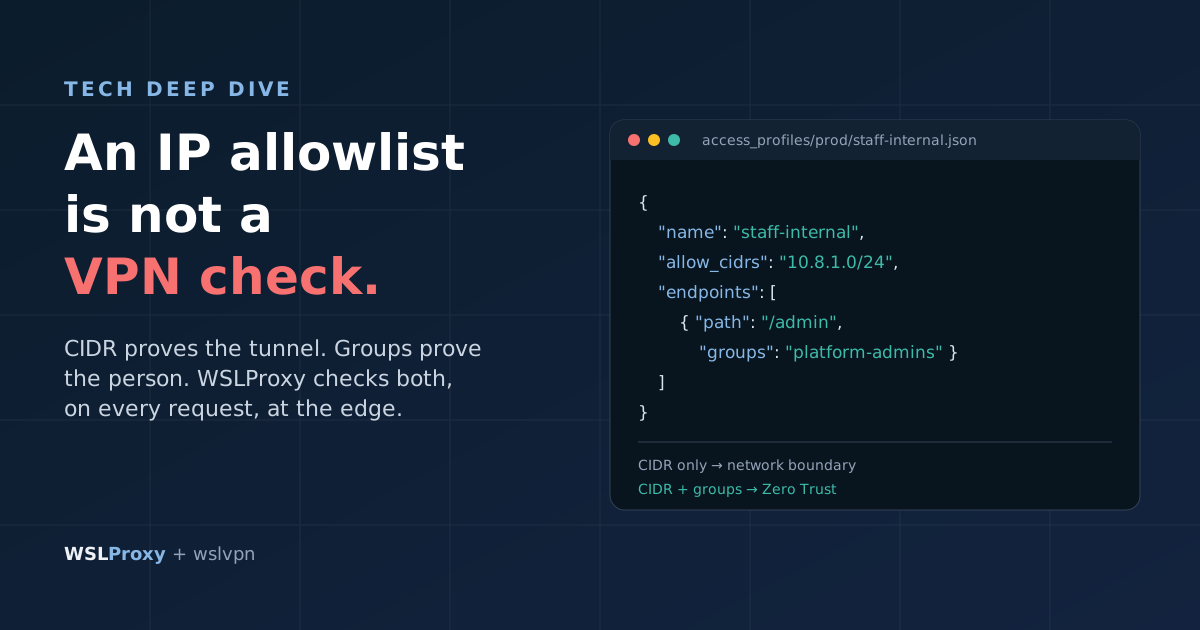
An IP allowlist tells you where a request came from. It doesn't tell you who sent it. This tech note describes how we keep int and test sites private with two independent layers: a WireGuard VPN whose traffic leaves from one office address that the edge proxies allow, and OpsAPI single sign-on in front of each app. It covers the request path, why every failover edge must be both routed and NAT'd, the OpsAPI hosted sign-in contract, silent SSO, what OpsAPI does and doesn't do (including SAML and OIDC), and a test plan you can run. For the business case without the commands, read the companion blog post.
Interactive version: switch edges, turn the VPN off and step through the sign-in to see what each request gets.

AllowedIPs and in the hub's NAT list, because DNS failover can send the site to either edge. Allow only the office egress IP on the int/test vhosts of both edges. Then put OpsAPI in front of each app: redirect to GET /auth/signin?frontend_url=<app>&from=<path>, take the token from <app>/auth/callback, check it with GET /auth/me, and never verify the JWT yourself. Test from off the VPN, on the VPN, and against each edge with curl --resolve.

The components
All names and addresses below are placeholders from the documentation ranges. Substitute your own.
| Piece | Example | What it does |
|---|---|---|
| Staff device | 10.8.0.x | WireGuard client with its own key and mesh address. Its AllowedIPs lists both edge IPs, so traffic to them goes into the tunnel. |
| VPN hub | vpn.example.com | Authenticates each device by public key, then NATs traffic for the edge IPs out as the single office egress IP. |
| Office egress IP | 192.0.2.50 | The one source address the edges allow on the int/test vhosts. |
| DNS failover | int.example.com | Health-checks both edges every 10 s (TTL 60 s, failback after 30 s) and points the site's CNAME at the healthy edge. |
| Edge A / edge B | 203.0.113.10 / 198.51.100.20 | Reverse proxy with an access profile on the int/test vhosts: allow the office egress IP, return 403 to everyone else. |
| OpsAPI | opsapi.example.com | Hosted sign-in, one user directory, MFA and roles per workspace. |
The request path in five steps
- DNS. The device resolves
int.example.com. DNS failover answers with whichever edge passed its last health check. - Routing on the device. The edge's public IP is in the device's WireGuard
AllowedIPs, so the operating system sends the packet into the tunnel instead of out of the local network. - Authentication at the hub. The hub accepts the tunnel only if the device's public key is a configured peer.
- NAT at the hub. The hub rewrites the source to the office egress IP
192.0.2.50and forwards the request to the edge. - The edge decides. The access profile on the vhost sees
192.0.2.50, allows it and proxies to the app. Any other source gets 403.
Then the identity layer starts: the app has no session for this browser, so it sends the person to OpsAPI to sign in. We'll come to that after the network.
AllowedIPs vs hub NAT: why every failover edge needs both
Steps 2 and 4 are two separate lists, on two separate machines, and both must contain every edge the site can be served from:
- Client
AllowedIPsdecides whether traffic to an edge enters the tunnel. If edge B isn't listed, the device sends edge B's traffic out over whatever network it's on. - The hub's NAT list decides whether traffic that arrives in the tunnel leaves as the office IP. If edge B isn't listed, the hub won't masquerade it, and the edge sees the wrong source or nothing at all.
A client config that routes the mesh and both edges looks like this:
[Interface]
Address    = 10.8.0.23/32
PrivateKey = <device private key>

[Peer]
PublicKey  = <hub public key>
Endpoint   = vpn.example.com:51820
# the mesh, edge A, edge B
AllowedIPs = 10.8.0.0/24, 203.0.113.10/32, 198.51.100.20/32
On a Linux hub, the matching NAT is a masquerade rule for traffic from the mesh to the edge IPs, for example:
# forward tunnel traffic for both edges out of the office uplink as 192.0.2.50
sysctl -w net.ipv4.ip_forward=1
iptables -t nat -A POSTROUTING -s 10.8.0.0/24 -d 203.0.113.10,198.51.100.20 -o eth0 -j MASQUERADE
Your hub may use nftables or a router UI instead. What matters is that the destination set is the same on both sides.
The failover lesson
This came from a real incident, anonymised. When DNS failed over from edge A to edge B, staff on the VPN but away from the office started getting 403. Their client configs only routed edge A's IP through the tunnel. Traffic to edge B left from their own broadband connection, arrived at edge B from an address the profile didn't allow, and was refused. People in the office saw no change, because their traffic already left from the office IP whether or not it used the tunnel.
The fix was to add edge B's IP in two places: the client AllowedIPs (so the traffic enters the tunnel) and the hub's NAT list (so it leaves as the office IP). Re-issuing the client configs was the slow part.
| State | Active edge | VPN | Client AllowedIPs | Result |
|---|---|---|---|---|
| 1. Normal | A | On | A + B | 200, via the tunnel and the office IP |
| 2. Failover, done right | B (A down) | On | A + B | 200 |
| 3. Failover, the bug | B | On | A only | 403: traffic skipped the tunnel |
| 4. No VPN | A or B | Off | n/a | 403, same as any public visitor |

The lesson: every edge a site can fail over to must be routed and allowed, and failover must be tested from outside the office, not only on the LAN, where the bug is invisible.
DNS failover and what it means for VPN users
The DNS failover service health-checks both edges every 10 seconds and points the site's CNAME at a healthy one. Records carry a 60-second TTL, and after edge A recovers it must stay healthy for 30 seconds before traffic fails back, so a flapping edge doesn't bounce users back and forth.
Three practical consequences for a VPN set-up:
- Route before you need it. Failover happens automatically, in seconds. Nobody has time to push new client configs during the incident, so every possible edge has to be in every config beforehand.
- Expect a short mixed period. Resolvers and browsers cache the old answer for up to the TTL, so for about a minute some requests still go to the old edge. With both edges routed and allowed, that doesn't matter.
- Keep the profiles identical. Both edges must carry the same access profile on the same vhosts. An edge without the profile would serve the site to anyone; an edge with a stale allowlist would refuse your staff.
Adding identity: the OpsAPI hosted sign-in contract
Everything so far proves that a request came through the VPN. Anyone behind the office IP passes, and the edge logs show the same address for everyone. OpsAPI adds the missing question: who is this?
OpsAPI gives every app one shared sign-in (email and password with an emailed code, or Google or Apple), one user directory and roles per workspace, on infrastructure you host yourself. Since the hosted "Login with OpsAPI" page landed, an app no longer needs its own login form at all.

1. Send the browser to OpsAPI
When the app has no session, it redirects to the hosted page:
GET https://opsapi.example.com/auth/signin?frontend_url=https://int.example.com&from=/frontend_url is the app's origin and must be one OpsAPI trusts (more on that below). from is the app's own state, returned untouched. It defaults to /, must be at most 256 characters, and may only contain URL-safe characters (letters, digits, - . _ ~ /); the demo apps use it as a state nonce. Anything else gets the "malformed request" error page.
The page offers every way OpsAPI signs someone in: email and password (with the emailed code when the workspace requires one) and Google, which OpsAPI federates. The Google button only appears when Google sign-in is configured on the server. Apps that offer Apple send the browser to /auth/apple with the same frontend_url and from, and get the same callback.
2. Take the token from the callback
After sign-in, OpsAPI sends the browser back to the app:
https://int.example.com/auth/callback?token=<JWT>&redirect=/This is the same contract /auth/google already uses, so an app that takes Google sign-ins through OpsAPI needs no new callback.
3. Ask OpsAPI who it is
The app's /auth/callback handler reads token and calls GET /auth/me with it:
curl -s https://opsapi.example.com/auth/me \
  -H "Authorization: Bearer $TOKEN"
A successful response carries the user (including uuid, email, first_name, last_name, active and roles), the workspaces they belong to, and the current workspace from the token. Trimmed:
{
  "user": {
    "uuid": "…",
    "email": "alex@example.com",
    "first_name": "Alex",
    "last_name": "…",
    "active": true,
    "roles": [ { "role_name": "…" } ]
  },
  "namespaces": [ { "slug": "…", "name": "…", "is_owner": false } ],
  "current_namespace": "…"
}
A missing or invalid token gets 401. With a good response, the app starts its own session and sends the person to redirect.
JWT_SECRET_KEY, which must never leave OpsAPI. Copying that secret into every app would turn each app into a place it can leak from. Call GET /auth/me instead.
When the app later calls the OpsAPI API on the person's behalf, it sends the user's token plus an X-Namespace-Slug header, so roles and data stay scoped to that workspace.
Other clients
- Mobile apps skip the redirect and post the Google or Apple ID token to
POST /auth/oauth/validate. - Apps with their own email-and-password form use
POST /auth/login, thenPOST /auth/2fa/verifywhen a code is required.
Silent SSO across apps, and sign-out
The hosted page's first action is POST /auth/refresh. If the browser already has an OpsAPI session (the HttpOnly refresh cookie set by any earlier sign-in), the page goes straight back to the app with a fresh token and no prompt. So a person who signed in to the app on int.example.com and then opens the app on test.example.com goes through one redirect and lands signed in. No form, no code.
To sign out, send the browser to:
GET https://opsapi.example.com/auth/signout?frontend_url=https://int.example.comThe page calls POST /auth/logout, which ends the OpsAPI session, then returns to https://int.example.com/. The next sign-in, in any app, prompts again. Each app's own session is its own business, so an app's "sign out" button should clear its session first and then redirect to /auth/signout.
The security properties
The hosted page adds no login logic of its own. Its script calls the existing endpoints (/auth/login, /auth/2fa/verify, /auth/refresh and /auth/logout), so per-account lockout, MFA, rate limits and the audit trail are exactly what they are for a direct sign-in. What the server side adds:
| Property | How it works |
|---|---|
| Trusted origins only | frontend_url must match CORS_ALLOWED_DOMAINS (a domain and all its subdomains) or the explicit origins OpsAPI already trusts for /auth/google, without any localhost fallback. Because this page can hand out a token without a prompt, it only trusts origins that are actually configured. |
| Refusal, not fallback | An untrusted frontend_url gets a 400 page. It's never replaced with a default, because the token would be handed to whatever origin it ended up at. |
| Nonce CSP | default-src 'none', script and style by per-response nonce, connect-src 'self', form-action 'none', base-uri 'none'. |
| No framing | frame-ancestors 'none' and X-Frame-Options: DENY, since the page takes passwords. |
| No leaks via cache or referrer | Referrer-Policy: no-referrer and Cache-Control: no-store. |
| MFA per workspace | Password sign-in asks for an emailed code unless every active workspace the person belongs to has turned it off. It's on by default; only the workspace owner (or a platform admin) can change it, and the change is written to the workspace audit log. Platform admins are always asked. |
| Rate limits and lockout | Page loads are rate limited, and the sign-in calls keep their own limits and per-account lockout. |
| Deactivated accounts | A deactivated account gets no new session on any sign-in path, and a refresh only succeeds for an active user. |
| Workspace scoping | API calls carry the token plus X-Namespace-Slug, so roles and data stay within that workspace. |
On the OpsAPI side, the set-up is mostly configuration: set CORS_ALLOWED_DOMAINS to cover your apps' origins (here, example.com covers both int. and test.), and if you want Google, register https://<opsapi-host>/auth/google/callback on your Google OAuth client and set GOOGLE_CLIENT_ID, GOOGLE_CLIENT_SECRET and GOOGLE_REDIRECT_URI.
What about SAML and OIDC?
Be clear about this before you plan a rollout. OpsAPI is not a SAML identity provider and not an OpenID Connect provider. There are no client registrations, no /authorize or /token endpoints and no discovery document. A stock OIDC client, such as Spring Security's oauth2Login(), can't use it directly, and neither can a SAML service provider.
What OpsAPI supports today is the contract above: redirect to /auth/signin (or /auth/google / /auth/apple), receive the token at <app>/auth/callback, and check it with GET /auth/me. For an app you control, that's a small callback handler and a session. For a third-party tool that only speaks SAML or OIDC, OpsAPI isn't a drop-in identity provider; plan that tool's access separately and keep it behind the network layer.
Defence in depth and offboarding

| Question | Answered by |
|---|---|
| Is this device one of ours? | WireGuard key per person |
| Did it come through the VPN? | Edge access profile (office egress IP only) |
| Who is this person, and did they pass MFA? | OpsAPI sign-in |
| What may they do in this app? | OpsAPI workspace roles |
| Can we remove them fast? | Remove the VPN peer and deactivate the OpsAPI user |
Each layer fails differently, which is the point. A stolen laptop with a valid VPN key still needs the person's password and code. A phished password still needs a device on the VPN. Neither the allowlist nor the key says what the person may do once inside; workspace roles do.
Offboarding is therefore two actions, and both belong in your leaver checklist:
- Remove the WireGuard peer from the hub, so the device can't build a tunnel.
- Deactivate the OpsAPI user, so no new session or silent refresh is issued for them in any app.
Sessions an app has already started are held by that app, so keep app session lifetimes sensible and end them as part of offboarding where your apps allow it.
Rollout checklist
- List every edge each int/test site can be served from, including failover targets.
- Add every edge IP to the client
AllowedIPstemplate and re-issue configs to existing devices. - Add every edge IP to the hub's NAT list and confirm forwarding is on.
- Attach the same access profile (allow the office egress IP only) to the int/test vhosts on every edge.
- Make sure whatever updates your office IP also updates the allowlist, if your office IP can change.
- Configure OpsAPI's trusted origins (
CORS_ALLOWED_DOMAINS) to cover each app, and nothing more. - Add a
/auth/callbackhandler to each app that callsGET /auth/meand starts the app's session. Don't verify the JWT locally. - Check MFA is on for the workspace (it is by default) and assign workspace roles.
- Add "remove VPN peer" and "deactivate OpsAPI user" to the leaver process.
- Run the test plan below from outside the office.
Test plan
Run these from a device that is not on the office network, first with the VPN off and then with it on.
# 1. Off the VPN: refused at the edge
curl -sI https://int.example.com | head -1        # HTTP/2 403

# 2. On the VPN: the site answers, then the app sends you to OpsAPI sign-in
curl -sI https://int.example.com | head -1        # 200 (or the app's redirect to /auth/signin)

# 3. Force each edge, regardless of what DNS says
curl -sI --resolve int.example.com:443:198.51.100.20 https://int.example.com | head -1   # edge B
curl -sI --resolve int.example.com:443:203.0.113.10  https://int.example.com | head -1   # edge A
#    on the VPN: 200 from both. Off the VPN: 403 from both.

# 4. Which way does traffic to edge B go?
ip route get 198.51.100.20       # Linux: should name the WireGuard interface
route -n get 198.51.100.20       # macOS: interface should be a utun device
Then the identity layer:
# 5. An untrusted origin is refused, not redirected
curl -s -o /dev/null -w '%{http_code}\n' \
  'https://opsapi.example.com/auth/signin?frontend_url=https://untrusted.example.net&from=/'   # 400

# 6. The sign-in page's security headers
curl -sI 'https://opsapi.example.com/auth/signin?frontend_url=https://int.example.com&from=/' \
  | grep -iE 'content-security-policy|x-frame-options|referrer-policy|cache-control'

# 7. A token from the callback resolves to a person
curl -s https://opsapi.example.com/auth/me -H "Authorization: Bearer $TOKEN"
And by hand, in a browser:
- SSO: sign in to the app on
int.example.com, then open the app ontest.example.com. You should land signed in with no prompt. - Sign-out: sign out through
/auth/signout. The next visit to either app should prompt again. - MFA: sign in with a password to a workspace that requires a code. You should be asked for the emailed code.
- Revoke: remove a test peer from the hub and deactivate the test user. The device can no longer reach the site, and the account can no longer sign in.
Lessons
- An IP allowlist is a network check, not a user check. Put sign-in and MFA in front of the app as well.
- If the allowlisted IP can change, make the allowlist follow it. Office broadband addresses do change.
- One VPN hub is one point of failure. Plan a second path before you need it.
- Edge logs see the office IP for everyone. Per-person audit comes from the identity layer (OpsAPI sign-ins) or from per-user tunnel addresses.
- Offboarding means two actions: the VPN key and the identity account.
- Test failover from outside the office. On the office LAN, a missing route is invisible.
Further reading
- OpsAPI README: Single sign-on (SSO) for your apps: the canonical description of what OpsAPI SSO does and doesn't do.
- OpsAPI pull request #819: the hosted "Login with OpsAPI" page,
/auth/signinand/auth/signout. devops/demo/README.md: a worked example with two client apps sharing one sign-in.- The non-technical version of this note: Keep Your Test Sites Private: VPN at the Edge, One Sign-In for Every App.