One Sign-In for Every App, Run on Our Own Cluster
Five demo apps, one self-hosted identity service, and admin access kept off the internet
 Balinder WaliaOctober 28, 20268 min read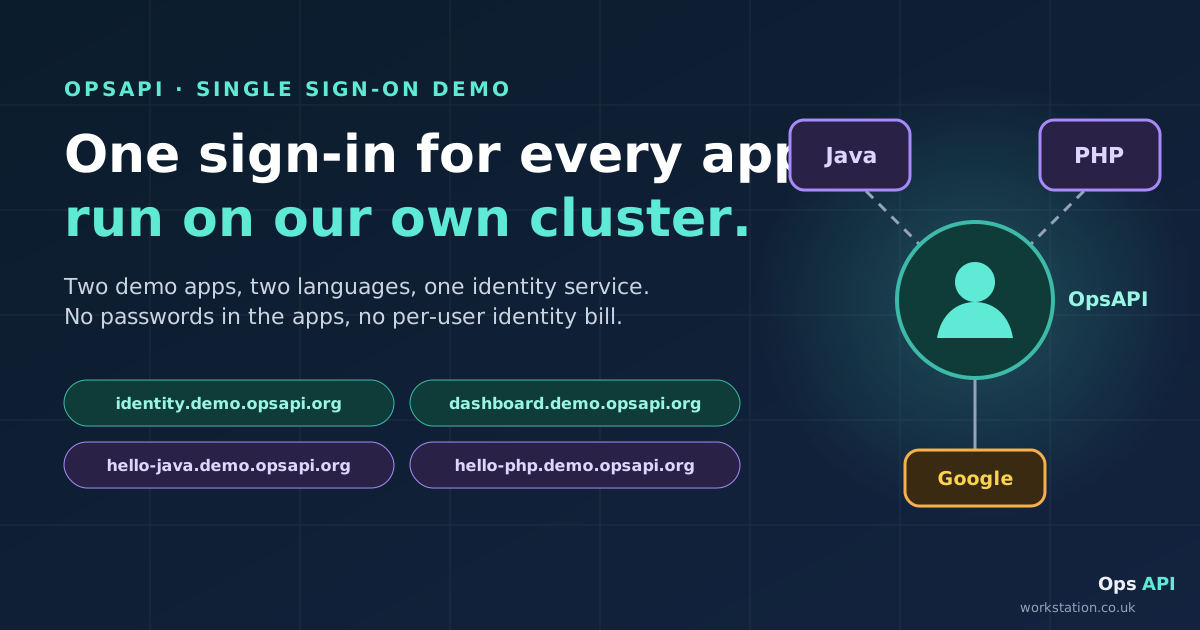
Every new app tends to grow its own login page, its own password reset, its own two-factor codes and its own list of users. This post shows a live demo where five apps written in five languages (Java, PHP, Python, Rust and Go) share one sign-in instead, run by OpsAPI on our own infrastructure. It is written for technical managers and decision makers: what you get, what it costs to add an app, where admin access belongs, and the honest limits. Engineers who want the code, the request path and the test commands should read the technote.
Interactive version: step through a sign-in, try a forged callback and choose who knocks on which door.
Updated 28 October 2026: three more demo apps (Python, Rust and Go) and a public read-only demo login you can use without an account.

The login page nobody budgets for
A login form looks like a day's work. Then come password resets, lockouts after repeated failures, a second factor for administrators, "Sign in with Google", an audit trail of who signed in when, and a way to remove someone who has left. Multiply that by every internal tool, customer portal and side project, and you have several half-finished identity systems, each with its own bugs and its own copy of your users.
The alternative is to do sign-in once, well, and let every app borrow it. That is what the OpsAPI demo shows.
What the demo shows
The five demo apps (hello-java, hello-php, hello-python, hello-rust and hello-go) never see a password and never talk to Google. They send the user to OpsAPI at identity.demo.opsapi.org, which signs them in with Google (or email and a two-factor code), adds new users to the demo workspace, and hands back a token that the app checks with a single API call. Connecting another app takes a login redirect and one small callback page, not a new identity system. Everything runs in our own Kubernetes cluster behind our own edge, so user data and running costs stay with us, and there's no per-user identity bill.
| Host | What it is |
|---|---|
identity.demo.opsapi.org | OpsAPI in a minimal "core only" build: sign-in, users, workspaces and roles. It serves the hosted sign-in page. |
dashboard.demo.opsapi.org | The OpsAPI admin dashboard; look around with the public read-only login |
hello-java.demo.opsapi.org | A Spring Boot (Java) demo app |
hello-php.demo.opsapi.org | A PHP demo app |
hello-python.demo.opsapi.org | A Python demo app, standard library only |
hello-rust.demo.opsapi.org | A Rust demo app |
hello-go.demo.opsapi.org | A Go demo app, standard library only |
The demo has its own database and its own secrets. Nothing is shared with any other OpsAPI deployment.
Look around without an account
opsapi.org/demo publishes a read-only login, so anyone can open the real admin dashboard and see users, roles and workspace settings, then use the same login on any of the five apps. Publishing a password for an admin screen sounds risky, so it is fenced in three ways:
- Nobody real is in view. The login lives in its own workspace of fictional sample users. People who sign in to the apps with their own Google account land in a separate workspace the demo login can't open.
- It can look but not touch. Every page opens; every change is refused.
- It repairs itself. If a visitor changes its password or switches it off, it is put back within 30 minutes.
How it works, in one picture

- The user clicks Login with OpsAPI. The app remembers a random one-time value (a nonce) and sends the browser to OpsAPI's own sign-in page.
- OpsAPI offers email and password (with an emailed six-digit code when two-factor applies) or Continue with Google. If the browser already has an OpsAPI session from another app, the page skips the form and goes straight back. That is the single sign-on: sign in to hello-java, open hello-php (or the Python, Rust or Go app), and you are in without typing anything.
- OpsAPI sends the browser back to the app with a token, but only if the app's address is on its trusted list.
- The app checks the one-time value matches, then asks OpsAPI "who is this?" with one API call, and starts its own session.
Two design choices matter for risk. The apps never hold passwords or Google credentials, so a bug in an app can't leak them. And the apps don't try to validate the token themselves: the key that signs it never leaves OpsAPI, and the apps simply ask.
What it costs to add an app

- Allow the app's address in OpsAPI's settings. One domain entry covers every subdomain.
- A login route in the app that remembers a one-time value and redirects to OpsAPI.
- A callback route that checks the value, asks OpsAPI who the user is, and starts a session.
- Optionally, sign-out: end the app's session, and send the user to OpsAPI's sign-out page to end the shared one too.
There is no client registration in OpsAPI and no SDK to adopt. In the demo, each app's sign-in code is small: a controller class in Java, a class in PHP, and one short file each in Python, Rust and Go, where the Python and Go apps need nothing beyond their standard libraries. A TypeScript client exists for apps that also call the OpsAPI API, but sign-in doesn't need it.
Keep the admin side off the internet
Sign-in answers "who is this?". It does not answer "should this person's laptop be able to reach our admin screens at all?". For that, put the operator surfaces somewhere the public can't knock.

Think of two doors:
- The customer door. End-user apps like hello-java and hello-php stay public. Customers sign in through OpsAPI.
- The staff door. Admin dashboards (the OpsAPI dashboard, the edge proxy's admin screen, the secrets vault's UI, monitoring, and the Kubernetes API) are reachable only through a VPN or a zero-trust network access (ZTNA) broker. Staff still sign in to OpsAPI inside, with an emailed code and their roles.
Anyone else who tries an admin address gets nothing: the name doesn't resolve publicly, or the edge refuses it.
Examples of approaches, not products we've integrated or partner with: Zscaler Private Access (ZPA), Cisco Secure Client (formerly AnyConnect) with Cisco Duo, Cloudflare Access, or a self-hosted WireGuard VPN. The ZTNA style publishes one admin app at a time to named groups rather than opening a whole network, and its connector inside the cluster dials out, so there is no inbound hole. Your staff usually sign in to the broker with the company's workforce directory; OpsAPI holds the app users. They are different populations, and that's fine.
A plain statement about the demo: the public demo's dashboard is reachable from the internet on purpose, so people can try it. It is still protected by sign-in, an emailed code for admins, and roles, and the published login is read-only. In a production deployment, put it behind the staff door.
If you also keep pre-production sites private, our companion post on private test sites behind a VPN with OpsAPI sign-in covers that side.
What you keep
- Your data and keys on your own infrastructure. User records, the token signing key and the Google client secret live in your cluster and your secrets vault, not in a third-party identity service.
- Your running costs. The cost is the compute and database you already run. There is no per-user identity bill that grows with every customer.
- One user directory. One account per person across every app, one place to deactivate someone, one audit trail of sign-ins.
- Roles per workspace. The same person can be an admin in one workspace and a member in another.
Honest limits
- What about SAML and OIDC? OpsAPI is not a SAML identity provider and not an OpenID Connect server. There are no client registrations, no
/authorizeor/tokenendpoints and no discovery document, so off-the-shelf SAML or OIDC clients (for example Spring Security'soauth2Login()) can't use it directly. Apps use OpsAPI's own short redirect flow instead. If you need to plug in tools that only speak SAML or OIDC, plan for that separately. - Open sign-up in the demo is through Google. A first Google sign-in creates the account. The hosted page has no sign-up form, and accounts created through the email sign-up API aren't active unless the caller makes them so.
- App sessions live in each app. The demo apps keep sessions in memory per instance, so running several copies needs sticky sessions or a shared session store.
- It's a demo. It has no object storage, so its database backups are switched off. That is a demo choice, not a recommendation.
Try it
- Start at opsapi.org/demo for the read-only login and a guided tour.
- Sign in to hello-java, then open hello-php, hello-python, hello-rust or hello-go and watch each sign you in without a prompt.
- Engineers: the technote has the full request path, the code from all five apps, the settings and the test commands.
- The OpsAPI README's single sign-on section and the demo apps in bwalia/workflow-examples.