"VPN-only" usually means "the client IP is on a list". That's a network boundary, not a Zero Trust check. This tech note explains how WSLProxy access profiles enforce the wslvpn overlay at the edge in two layers, a cidr match on the client address and an identity lookup against the wslvpn control plane, and how to set them up, verify them and debug them. For the business case without the configuration, read the companion blog post.


"access_profile": "<name>" to a domain. Each protected endpoint expands into an allow rule (path + CIDR + optional groups → proxy) and a deny rule (path only → 403) one priority step below it. Name groups to require a wslvpn identity, not just an overlay address. Every failure denies, no reload is needed, and every decision carries X-WSL-VPN, X-WSL-VPN-Profile and X-WSL-VPN-Reason headers. Then lock the origin to the edge and test from both sides.
Why this note exists
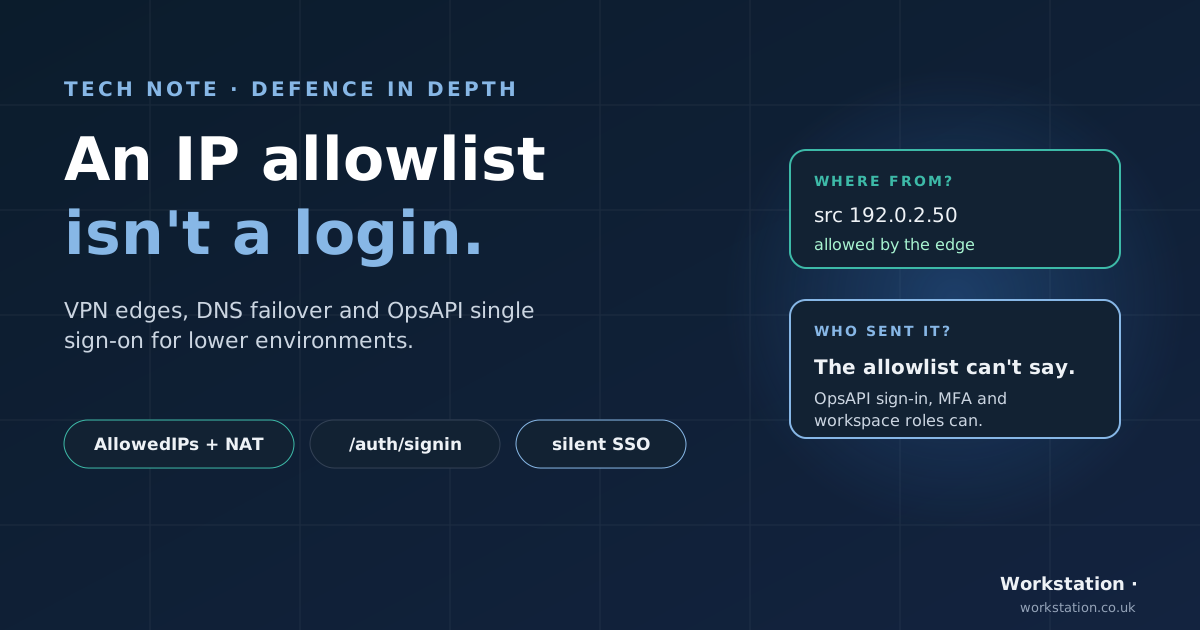
We reviewed a pre-production site described internally as "VPN-only". Its access profile allowed exactly one public address and named no groups. That rule really meant "your traffic must leave the internet from this one IP": anyone on that network got in, VPN client or not, and no user was ever checked. Two follow-up questions mattered just as much: did the origin port answer directly from the internet (a complete bypass of the proxy), and did every edge POP actually carry the profile file?
We found no evidence that anyone had used either gap. But the configuration was doing exactly what it said, which wasn't what people believed it did. The rest of this note is how to make the two match: name groups, lock the origin to the edge, test from both sides, and check every POP.
Two layers: network and identity
| Layer | Question it answers | Mechanism |
|---|---|---|
| Network | "Did this request come over the tunnel?" | cidr match of the client IP against allow_cidrs |
| Identity | "Who sent it, and are they allowed?" | WSLProxy asks the wslvpn control plane GET /api/v1/sessions/by-ip/{ip} and checks groups |
CIDR alone is a network boundary, not Zero Trust. Any device on the overlay, or anything that can send traffic from an allowed address, gets in. When an endpoint names groups, the generated allow rule requires both the IP match and a valid wslvpn session that holds one of those groups.
Access profiles emit both conditions on purpose. They defend different things: the CIDR proves the request came over the tunnel, the group proves who sent it. Keeping both means a leaked service token doesn't by itself grant access from off the overlay. If you write rules by hand, do the same.
The wslvpn side, briefly
wslvpn is a lightweight, self-hosted, WireGuard-based Zero Trust VPN. The user's path is: install the client → sign in with SSO (OIDC) → device registered → posture evaluated → policy determines access → WireGuard connects. Each session gets an overlay address such as 10.8.1.7/32.
wsl-control: the Rust control plane (Axum + PostgreSQL)wsl-gateway: the WireGuard data planewsl-agent/wsl-cli: endpoint agent and CLIwsl-desktop: the desktop app for macOS, Linux and Windowswsl-ios: iPhone and iPad client with its own packet tunnel
Prerequisite: the real client IP
cidr rules match ngx.var.remote_addr. If anything sits in front of WSLProxy (a load balancer, another nginx), that is the front proxy's address, not the client's, and every VPN rule will deny.
Configure data/real_ip/ first. Nothing is enabled by default, deliberately: with no file there, an IP allowlist behind an unconfigured proxy denies everyone rather than trusting a header anyone can set. A minimal data/real_ip/trusted.conf:
set_real_ip_from  10.0.0.5;      # the address of YOUR front nginx — one entry per hop
real_ip_header    X-Forwarded-For;
real_ip_recursive on;
Two things to get right: on the hop directly in front of WSLProxy, overwrite X-Forwarded-For (proxy_set_header X-Forwarded-For $remote_addr;) rather than appending to what the client sent; and list only hosts you control in set_real_ip_from, because every address there may assert who the client is.
Verify before writing any rule:
curl -sI https://internal.example.com/ | grep -i x-origin-ipIt must show a client address, not your front proxy.
The cidr match
"client_ip_key": "cidr",
"client_ip": "10.8.1.0/24"- Accepts one CIDR or a comma-separated list:
"10.8.1.0/24, 10.9.0.0/16". - A bare address is treated as
/32. - IPv4 only. An IPv6 client never matches, so it can't pass an IPv4 allowlist.
- Malformed entries match nothing; one bad entry in a list doesn't affect the others.
Use cidr, not starts_with. String prefix matching isn't subnet matching: a prefix such as "10.8.1." also matches addresses like 10.8.1x.y.z in other ranges, and this is an access decision.
Why rules come in pairs
This is the part to get right, because a single VPN-only rule is a silent bypass.
WSLProxy's rule selector filters to the rules that pass, then ranks them. A rule whose IP condition fails simply drops out of selection; it doesn't deny anything. With only these two rules:
| Rule | Path | Condition | Response |
|---|---|---|---|
| A | /admin starts_with | cidr 10.8.1.0/24 | 305 proxy |
| B | / starts_with | none | 305 proxy |
an off-VPN request to /admin fails rule A, matches the catch-all rule B, and is proxied to /admin anyway. You need an explicit deny that catches what the allow rule drops:
| Rule | Priority | Path | Condition | Response |
|---|---|---|---|---|
| allow | 20 | /admin starts_with | cidr 10.8.1.0/24 | 305 proxy |
| deny | 10 | /admin starts_with | none | 403 page |
| catch-all | 0 | / starts_with | none | 305 proxy |
On the VPN, both /admin rules pass and the higher priority wins, so the request is proxied. Off the VPN, only the deny rule passes, so the response is 403. The catch-all never sees /admin either way, because both /admin rules outrank it.
Give the allow rule an explicitly higher priority than its deny rule. The selector would also break a tie by condition count, but relying on that is fragile.
Access profiles
Writing those pairs by hand across several domains means remembering the pairing every time, and one forgotten deny rule is a silent hole. An access profile is a named bundle of protected endpoints that a domain attaches with one field. It expands into exactly the rules above at load time: same matcher, same selector, same response contract. There's nothing new to reason about at request time, and because rules are evaluated per request, no OpenResty reload is needed.
Attach it
One field on the server record, data/servers/<env>/host:<domain>.json:
{
  "id": "host:internal.example.com",
  "server_name": "internal.example.com",
  "proxy_pass": "http://127.0.0.1:8080",
  "access_profile": "staff-internal"
}
The same profile can be attached to as many domains as you like, and different domains can use different profiles.
Define it
Profiles live at data/access_profiles/<env>/<name>.json, where <env> is the environment profile (prod, acc, dev), the same directory convention as data/rules/ and data/servers/. This is the example profile shipped with WSLProxy:
{
  "name": "staff-internal",
  "allow_cidrs": "10.8.1.0/24",
  "endpoints": [
    { "path": "/admin",         "path_key": "starts_with" },
    { "path": "/api/internal",  "path_key": "starts_with" },
    { "path": "/metrics",       "path_key": "equals" },
    {
      "path": "/admin/billing",
      "path_key": "starts_with",
      "allow_cidrs": "10.8.1.16/28",
      "groups": "finance,platform-admins"
    }
  ]
}
Reading it top to bottom: everything under /admin, /api/internal and the exact path /metrics is reachable from anywhere in the overlay range 10.8.1.0/24. /admin/billing is narrower on both layers: the client must sit in 10.8.1.16/28 and hold an active wslvpn session in finance or platform-admins. Every path not listed falls through to the domain's normal rules.
| Field | Required | Default | Meaning |
|---|---|---|---|
name | yes | — | Profile name; must match the filename |
endpoints | yes | — | Protected endpoints; at least one |
endpoints[].path | yes | — | Path to protect |
endpoints[].path_key | no | starts_with | starts_with, ends_with or equals |
endpoints[].allow_cidrs | no | profile allow_cidrs | Ranges allowed to reach this endpoint |
endpoints[].groups | no | profile groups | wslvpn groups allowed; any-of |
endpoints[].origin | no | profile origin, else server proxy_pass | Where allowed requests are proxied |
allow_cidrs | no | — | Default range for every endpoint |
groups | no | — | Default groups for every endpoint |
origin | no | server proxy_pass | Default origin for every endpoint |
priority_base | no | 1000 | Base priority for generated rules |
deny_code | no | 403 | Status for denied requests |
deny_message | no | built-in "VPN required" page | Base64 HTML shown on deny |
Every endpoint needs a range from somewhere, either its own allow_cidrs or the profile's. A profile with neither is rejected rather than expanded, because an allow rule with no range could never pass. Every endpoint also needs an origin; a missing one fails the profile at load instead of surfacing as a 500 at request time.
What it expands into
Each endpoint becomes an allow/deny pair with the id ap:<profile>:<rank>:allow|deny. Ranks are ordered least specific first:
ap:staff-internal:1:deny    priority 1000   /admin starts_with                     → 403
ap:staff-internal:1:allow   priority 1001   /admin + cidr 10.8.1.0/24              → 305
ap:staff-internal:2:deny    priority 1002   /api/internal starts_with              → 403
ap:staff-internal:2:allow   priority 1003   /api/internal + cidr 10.8.1.0/24       → 305
ap:staff-internal:3:deny    priority 1004   /admin/billing starts_with             → 403
ap:staff-internal:3:allow   priority 1005   /admin/billing + cidr 10.8.1.16/28
                                            + vpn_groups finance,platform-admins   → 305
ap:staff-internal:4:deny    priority 1006   /metrics equals                        → 403
ap:staff-internal:4:allow   priority 1007   /metrics + cidr 10.8.1.0/24            → 305
Here is the generated pair for /admin/billing, as the rule loader sees it:
{
  "id": "ap:staff-internal:3:deny",
  "name": "staff-internal deny /admin/billing",
  "priority": 1004,
  "match": {
    "rules": { "path_key": "starts_with", "path": "/admin/billing" },
    "response": { "allow": false, "code": 403, "message": "<base64 VPN required page>" }
  }
}
{
  "id": "ap:staff-internal:3:allow",
  "name": "staff-internal allow /admin/billing",
  "priority": 1005,
  "match": {
    "rules": {
      "path_key": "starts_with",
      "path": "/admin/billing",
      "client_ip_key": "cidr",
      "client_ip": "10.8.1.16/28",
      "vpn_groups": "finance,platform-admins"
    },
    "response": { "allow": true, "code": 305, "redirect_uri": "http://127.0.0.1:8080" }
  }
}
Both are generated with condition mode and. Two properties are worth knowing:
Priorities follow path specificity. A narrower endpoint's deny (1004) outranks a broader endpoint's allow (1001). That is what makes /admin/billing work: a client on 10.8.1.7 is allowed at /admin but still denied at /admin/billing. Without that ordering, the broader /admin allow would win and the narrower restriction would do nothing. Note that /metrics ranks highest despite being the shortest path: equals is more specific than starts_with, matching how the rule matcher scores path specificity.
The base is 1000. Generated rules sit well above hand-written ones, which use small numbers, so a profile always outranks a domain's catch-all. Raise priority_base if you have hand-written rules that must win over the profile.
When a profile fails to load
If a profile can't be read, parsed or validated, the domain serves a deny-all rule instead of falling back to its normal rules. A server that asks for an access profile has endpoints it means to restrict; serving them unprotected because of a typo is the worst available outcome. The reason is logged at ERR:
access_profile failed, denying all requests for internal.example.com: ...If a domain suddenly returns the "VPN required" page for every path, including public ones, that log line names the cause.
Identity: who is on the tunnel
Configure
Two values, from the environment or per rule:
WSL_CONTROL_URL=https://control.internal.example.com
WSL_CONTROL_SERVICE_TOKEN=<service token>
The identity cache needs a shared dict in the nginx configuration:
lua_shared_dict vpn_identity 10m;Use
On an access-profile endpoint (or as the profile-wide default):
{ "path": "/admin", "groups": "platform-admins" }Or on a hand-written rule:
"vpn_groups": "platform-admins"vpn_groupsis any-of:"staff,platform-admins"passes for either.vpn_required: trueon a rule demands a resolvable session without naming a group.- Group names are matched exactly, and are case sensitive.
vpn_groupsimpliesvpn_required: naming a group requires an identity to check it against.
The sessions/by-ip contract
WSLProxy resolves the client address against the wslvpn control plane:
GET /api/v1/sessions/by-ip/{ip}
Authorization: Bearer <service token>
{
"session_id": "…",
"user_id": "…",
"email": "alice@example.com",
"device_id": "…",
"groups": ["staff", "platform-admins"],
"assigned_ip": "10.8.1.7/32",
"expires_at": "2026-08-15T18:00:00Z"
}Only active, unexpired sessions belonging to active users resolve. Revoked, expired and never-allocated addresses all return 404, so the endpoint can't be used to probe which addresses exist. The address is matched exactly against the allocation, so a client can't assume a neighbour's identity.
Fail closed
Every failure denies:
| Situation | Result |
|---|---|
| Control plane unreachable, times out, or returns 5xx | deny |
| No active session at that address (404) | deny |
Malformed response, or one without groups | deny |
WSL_CONTROL_URL or service token unset | deny |
| Identity resolves but lacks the group | deny |
| Access profile fails to load | deny the whole domain |
An unresolvable identity never degrades to "a user in no groups", which would let a rule requiring no particular group pass.
ANDed even in or mode
For every other condition, or condition mode means "any of these may match". For the VPN gate it doesn't. An OR-mode rule whose path matched would otherwise pass while its identity check failed: an access-control bypass that looks like ordinary rule configuration. So the identity gate is always ANDed with the rest of the rule.
Caching and revocation lag
Lookups are cached per address in the vpn_identity shared dict:
| Entry | TTL | Why |
|---|---|---|
| Resolved identity | 15s | This is the revocation lag |
| Definitive "no session" | 5s | Shorter, so a newly connected user isn't locked out |
| Transient failure | not cached | One blip mustn't deny a user for a whole TTL |
The cache TTL is the revocation lag. A session revoked in the control plane keeps proxy access until its entry expires, up to 15 seconds by default. Group changes propagate on the same delay. If that's too long, call vpn_identity.invalidate(ip) from a revocation webhook.
Separately, a revoked wslvpn session loses its tunnel and with it the overlay address, so network-level access ends when the peer is removed from the gateway.
Identity is resolved once per request and reused across every rule evaluated, so a domain with many protected paths makes one lookup, not one per rule.
Debugging with the response headers
Any request decided by an access profile carries its verdict:
| Header | Values |
|---|---|
X-WSL-VPN | allowed or blocked |
X-WSL-VPN-Profile | the profile name, e.g. staff-internal |
X-WSL-VPN-Reason | only when blocked: client-ip-not-allowed, vpn-<reason> (identity check failed, e.g. vpn-group-not-held, vpn-no-session), profile-load-failed, or unknown |
X-Origin-IP | the address the CIDR was checked against |
The headers are set in the rewrite phase, so they appear on both the 403 page and a proxied response. Domains without an access profile send none of the X-WSL-VPN headers, and paths a profile doesn't cover don't either.
The reason comes from the allow rule that lost: if its IP condition failed, the reason is client-ip-not-allowed; if its identity condition failed, it's vpn- followed by the identity failure in header-safe form.
Off the VPN
$ curl -sI https://internal.example.com/admin | grep -iE '^(HTTP|x-(wsl-vpn|origin-ip))'
HTTP/2 403
x-wsl-vpn: blocked
x-wsl-vpn-profile: staff-internal
x-wsl-vpn-reason: client-ip-not-allowed
x-origin-ip: 203.0.113.24
client-ip-not-allowed with an X-Origin-IP you don't expect usually means the device is off the VPN, or the VPN exits somewhere outside allow_cidrs. If X-Origin-IP shows your load balancer, go back to the real-IP prerequisite.
On the VPN
$ curl -sI https://internal.example.com/admin | grep -iE '^(HTTP|x-(wsl-vpn|origin-ip))'
HTTP/2 200
x-wsl-vpn: allowed
x-wsl-vpn-profile: staff-internal
x-origin-ip: 10.8.1.7
On the VPN, wrong group
A device at 10.8.1.20 is inside 10.8.1.16/28, but its user isn't in finance or platform-admins:
$ curl -sI https://internal.example.com/admin/billing | grep -iE '^(HTTP|x-(wsl-vpn|origin-ip))'
HTTP/2 403
x-wsl-vpn: blocked
x-wsl-vpn-profile: staff-internal
x-wsl-vpn-reason: vpn-group-not-held
x-origin-ip: 10.8.1.20
The same request from 10.8.1.7 would fail earlier, on the CIDR, and report client-ip-not-allowed.
Quick reference
| Reason | Usual cause | First check |
|---|---|---|
client-ip-not-allowed | Off the VPN, VPN exits outside allow_cidrs, or the edge sees a front proxy | X-Origin-IP; data/real_ip/ |
vpn-no-session | The address has no active wslvpn session | wsl status on the client |
vpn-group-not-held | Identity resolved but lacks every listed group | Group names (exact, case sensitive) |
vpn-… (other) | Control plane unreachable, misconfigured or returned an error | WSL_CONTROL_URL, service token, WSLProxy error log |
profile-load-failed | The profile couldn't be read, parsed or validated; the domain is denied | access_profile failed in the error log |
The six-step rollout checklist
- Connect users to wslvpn. SSO, device registration, posture and WireGuard. Each session gets an overlay address.
- Make the edge see that address. Route the property through the tunnel. If a proxy sits in front of WSLProxy, configure
data/real_ip/. Confirm withX-Origin-IP. - Write an access profile.
allow_cidrs, the protectedendpoints, andgroupsfor per-user access. A profile without groups is an IP allowlist, however it's described. - Attach it to the domain.
"access_profile": "<name>"on the server record. It's live on the next request. Make sure every POP has the profile file, and test each one, not just the one your resolver happens to pick. - Lock the origin to the edge. Firewall the origin so it accepts traffic only from your WSLProxy edges. If the origin port answers from the internet, the profile can be bypassed completely. Test it from outside: a direct connection to the origin should fail.
- Verify both sides. Off the VPN: 403 and
X-WSL-VPN: blockedwith a reason. On the VPN: the origin's response andX-WSL-VPN: allowed. Test both, because a broken deny rule looks identical to a working set-up from the VPN side.
# Off the VPN
curl -so /dev/null -w '%{http_code}\n' https://internal.example.com/admin   # 403
curl -so /dev/null -w '%{http_code}\n' https://internal.example.com/        # 200

# On the VPN (address in 10.8.1.0/24)
curl -sI https://internal.example.com/admin | grep -iE '^x-(wsl-vpn|origin-ip)'
Current limitations
These aren't covered today. Plan around them:
- Posture isn't re-checked per request. wslvpn evaluates device posture at session creation; the proxy doesn't re-check it. A device that falls out of compliance mid-session keeps access until its session ends.
- Non-HTTP services aren't covered. Databases, SSH and anything else WSLProxy doesn't proxy are unaffected by these rules. Restrict those on the wslvpn gateway with network routes and the nftables allowlist.
- IPv6 clients never match. The
cidrmatcher is IPv4 only, so an IPv6 client can't pass an IPv4 allowlist and is denied. - Revocation lag. Up to 15 seconds through the identity cache, unless a webhook calls
vpn_identity.invalidate(ip).
Further reading
docs/VPN_ACCESS.md: the canonical reference for CIDR matching, access profiles, identity and debug headers.staff-internal.json: the example profile used above.- github.com/bwalia/wslvpn: the Zero Trust VPN, including
docs/API.md(session identity),docs/ARCHITECTURE.mdanddocs/POSTURE.md. - wslproxy.com and Workstation WSL Proxy.
- The non-technical version: Put Internal Apps Behind Your VPN, Without Rebuilding Them.