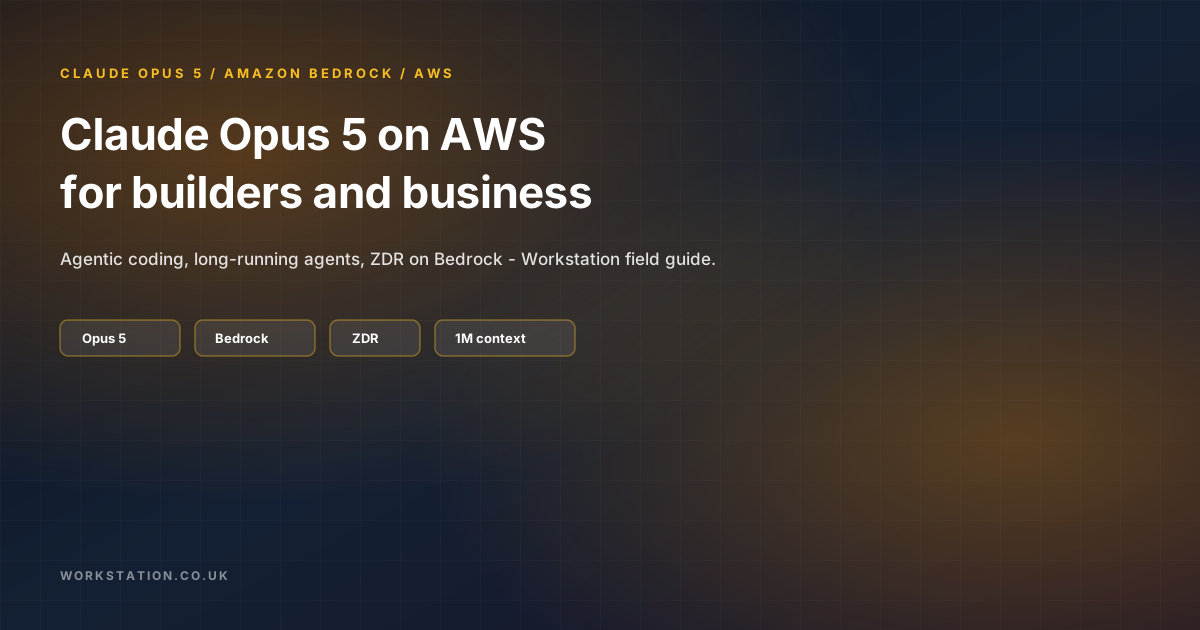
นี่คือคู่มือนักพัฒนา Workstation สำหรับ Claude Opus 5 บน AWS — โมเดล Opus ที่ทรงพลังที่สุดของ Anthropic ตอนนี้อยู่บน Amazon Bedrock และ Claude Platform on AWS ครอบคลุมความสามารถ, Bedrock vs Claude Platform, model ID, โค้ด Invoke/Converse/Mantle, การกำกับดูแล (ZDR), caching และวิธีใส่ Opus 5 ในระบบเอเจนต์โปรดักชันโดยไม่เปลืองงบ token
แหล่งที่มา: AWS Machine Learning Blog — Introducing Claude Opus 5 on AWS (ก.ค. 2026) สเปกตรวจกับ Bedrock model card และหน้า pricing ของ Anthropic ตรวจสอบภูมิภาคและราคาปัจจุบันในเอกสาร AWS/Anthropic ก่อนขึ้นโปรดักชัน
1. สิ่งที่ปล่อยแล้ว
เมื่อวันที่ 24 กรกฎาคม 2026 Claude Opus 5 พร้อมใช้บน AWS ผ่าน:
- Amazon Bedrock — inference รวมกับ Guardrails, Knowledge Bases, IAM และ zero data retention (ZDR) เป็นค่าเริ่มต้น
- Claude Platform on AWS — API/คอนโซลแบบ Anthropic-native, บิลและ auth ของ AWS; ZDR ขอได้ตามต้องการ
Anthropic วางตำแหน่ง Opus 5 เป็นก้าวกระโดดสำหรับ agentic coding, เอเจนต์รันยาว และ งานมืออาชีพที่หนักเอกสาร โดยความฉลาด (ตาม Anthropic) เทียบเคียง Fable 5 ในหลายโดเมนที่ราคา Opus-tier
2. สเปกที่วิศวกรสนใจ
| ความสามารถ | Opus 5 (Bedrock card) |
|---|---|
| Context window | 1M tokens |
| Max output | 128K tokens |
| Reasoning | Adaptive thinking เปิดเป็นค่าเริ่มต้น (ปิดได้; effort จำกัดสูงเมื่อปิด) |
| Knowledge cutoff | พ.ค. 2026 |
| Modalities | ข้อความ + รูปเข้า; ข้อความออก |
| Prompt caching | ได้ — อย่างน้อย 512 tokens/checkpoint; สูงสุด 4 checkpoints; TTL 5น. หรือ 1ชม. |
| APIs | Invoke, Converse, Messages (bedrock-runtime / bedrock-mantle) |
ราคาตามรายการ (Claude Platform / Anthropic): ประมาณ $5 / MTok input และ $25 / MTok output ประหยัดมากจาก cache hits และ batch อัตรา Bedrock อาจต่างตาม tier/ภูมิภาค — ดูหน้า pricing ของ Bedrock
3. ผลลัพธ์ทางธุรกิจ (ภาษาง่าย)
- เอเจนต์ค้างน้อยลง — Opus 5 ถูกสร้างมาให้ผลักงานยาว ฟื้นจาก tool ล้มเหลว และโต้กลับคำสั่งที่ไม่ดี
- ผู้ช่วยเขียนโค้ดที่น่าเชื่อถือกว่า — นำทาง codebase ใหญ่ได้ดีขึ้น; ใกล้พฤติกรรม “วิศวกรอาวุโส” ใน refactor ยาก
- Document ops — แพ็ก compliance, วิเคราะห์การเงิน, รายงานหลายเอกสารที่สอดคล้องลึกขึ้น
- Data governance — Bedrock ZDR + geo ID residency ลดถกเถียงว่า “ใส่ในแชทบอทสาธารณะได้ไหม?”
สำหรับบริการการเงิน ออโตเมชัน workflow และเอเจนต์โปรเจกต์หลายวัน Opus 5 เป็น lead model ที่เหมาะ ยังควรมี human gate สำหรับเงิน auth และ deploy โปรดักชัน
4. ตัวจัดเส้นทางนักพัฒนา — เมื่อไหร่ใช้ Opus 5 vs อื่น
Routine tickets / format / classify     → Haiku / Sonnet
Default product agent / RAG Q&A         → Sonnet 5-class
Hard coding + long agents + docs        → Opus 5  ← you are here
Peak-critical / Mythos-only paths       → Fable 5 / Mythos 5 (if licensed)
กฎของ Workstation: ใส่ Opus 5 ที่ planner และ lead-builder agents; เก็บโมเดลถูกกว่าไว้ที่ fan-out workers ดู คู่มือทีม multi-agent
5. Bedrock vs Claude Platform on AWS
| ประเด็น | Amazon Bedrock | Claude Platform on AWS |
|---|---|---|
| ZDR | ค่าเริ่มต้น | ตามคำขอ |
| AWS Guardrails / KB / AgentCore | Native | ชุดฟีเจอร์ Anthropic-native |
| Auth / billing | IAM + บิล AWS | AWS Console + บิลรวม |
| เหมาะกับ | สภาพแวดล้อม AWS องค์กร | ทีมที่อยู่บน Anthropic APIs อยู่แล้ว |
6. Model ID และ geo routing
บน bedrock-runtime:
global.anthropic.claude-opus-5— throughput สูงสุด ไม่มีข้อจำกัด residencyus.anthropic.claude-opus-5— เส้นทาง residency สหรัฐ/แคนาดาeu.anthropic.claude-opus-5— เส้นทาง residency EUau.anthropic.claude-opus-5— เส้นทาง residency ออสเตรเลีย
บน Messages API ของ bedrock-mantle ใช้ anthropic.claude-opus-5 กับ endpoint ภูมิภาค Mantle เลือก geo ID ใน IaC — อย่า hard-code global. สำหรับ workload ที่ถูกกำกับ
ความพร้อมตามภูมิภาค (ประกาศ): รวม US East (N. Virginia), Asia Pacific (Melbourne), Europe (Ireland), Europe (Stockholm) และอื่นๆ — ยืนยันรายการล่าสุดในเอกสาร Bedrock
7. ข้อกำหนดเบื้องต้น
- บัญชี AWS ที่เปิด Bedrock model access สำหรับ Opus 5
- IAM:
bedrock:InvokeModel,bedrock:InvokeModelWithResponseStream(และสิทธิ์ create/inference ที่เกี่ยวข้อง) - Python 3.8+,
boto3, ทางเลือกanthropic[bedrock] - AWS CLI ตั้งค่าสำหรับภูมิภาคเป้าหมาย
8. โค้ด — InvokeModel
import boto3
import json

bedrock = boto3.client("bedrock-runtime", region_name="us-east-1")

response = bedrock.invoke_model(
    modelId="global.anthropic.claude-opus-5",
    contentType="application/json",
    accept="application/json",
    body=json.dumps({
        "anthropic_version": "bedrock-2023-05-31",
        "max_tokens": 4096,
        "messages": [
            {
                "role": "user",
                "content": (
                    "Design a multi-region AWS architecture in Python that "
                    "supports 100k RPS with graceful degradation."
                ),
            }
        ],
    }),
)

result = json.loads(response["body"].read())
# Content blocks may include thinking + text — print text blocks
for block in result.get("content", []):
    if block.get("type") == "text" or "text" in block:
        print(block.get("text", block))
9. โค้ด — Converse API (รูปแบบ multi-model ที่แนะนำ)
import boto3

bedrock = boto3.client("bedrock-runtime", region_name="us-east-1")

response = bedrock.converse(
    modelId="global.anthropic.claude-opus-5",
    messages=[
        {
            "role": "user",
            "content": [
                {
                    "text": (
                        "Design a multi-region AWS architecture in Python that "
                        "supports 100k RPS with graceful degradation."
                    )
                }
            ],
        }
    ],
    inferenceConfig={"maxTokens": 4096},
)

blocks = response["output"]["message"]["content"]
print("\n".join(b.get("text", "") for b in blocks if "text" in b))
Converse มักเป็นเส้นทางที่สะอาดที่สุดถ้าคุณสลับโมเดลหลัง client เดียวอยู่แล้ว
10. โค้ด — Anthropic Messages ผ่าน Bedrock Mantle
from anthropic import AnthropicBedrockMantle

client = AnthropicBedrockMantle(aws_region="us-east-1")

message = client.messages.create(
    model="anthropic.claude-opus-5",
    max_tokens=4096,
    messages=[
        {
            "role": "user",
            "content": (
                "Design a multi-region AWS architecture in Python that "
                "supports 100k RPS with graceful degradation."
            ),
        }
    ],
)

for block in message.content:
    text = getattr(block, "text", None)
    if text:
        print(text)
ติดตั้งด้วย pip install 'anthropic[bedrock]' Mantle ใช้ SigV4 อัตโนมัติ
11. เครื่องมือกลางบทสนทนา
Opus 5 บน Bedrock รองรับการเพิ่ม/ลบเครื่องมือกลางบทสนทนาผ่าน content blocks tool_addition / tool_removal บนข้อความ role: "system" แทนการส่ง tools array ทั้งก้อนใหม่ สำคัญสำหรับเอเจนต์ยาวที่ปลดล็อกเครื่องมือหลัง risk gate ดู schema ล่าสุดในเอกสาร Bedrock
12. หมายเหตุไซเบอร์ / ความปลอดภัย
AWS ระบุว่า Opus 5 ปรับปรุงความสามารถด้านไซเบอร์เทียบ Opus 4.8 ในพื้นที่เสี่ยงสูง บริการอาจถอยไป Opus 4.8 และแจ้งคุณ; ตั้งค่า fallback ใน API อย่างตั้งใจเพื่อพฤติกรรมโปรดักชันที่คาดได้
13. เช็คลิสต์โปรดักชัน (Workstation)
- เปิด model access; ปัก geo model ID สำหรับ residency
- แนบ Bedrock Guardrails (PII, topics, grounding เมื่อใช้)
- เปิด prompt caching สำหรับ system prompts / tool schemas ใหญ่
- จำกัด
maxTokens; บันทึก input/output tokens ตามบทบาทเอเจนต์ - จัดเส้นทาง: Opus 5 สำหรับเส้นยาก; โมเดลถูกกว่าสำหรับปริมาณ
- Human-in-the-loop สำหรับ write tools, deploys และค่าใช้จ่าย
- ชุด eval (golden tasks) ก่อนเปลี่ยนโมเดลเริ่มต้นในโปรดักชัน
- ต่อ Review Bot + CI — Opus 5 ยังต้องมีเกต (ดู wise-developer workflow)
- เตือนงบบนค่าใช้จ่าย Bedrock; ชอบ cache + batch สำหรับงาน bulk
- บันทึกการเลือกใน ADR: “Default lead model = Opus 5 on Bedrock.”
14. เข้ากับสแต็ก multi-agent ของ Workstation อย่างไร
Brief → Planner (Opus 5) → Builders (Sonnet/Opus mix)
      → Review Bot + Reviewer agent (Opus 5 on hard diffs)
      → Ops / GitOps promote with human gate
พฤติกรรมรันยาวของ Opus 5 เหมาะกับ Planner และ Reviewer ที่ต้องเก็บ Spec + diffs ใหญ่ในบริบท อย่าเผา token Opus 5 กับ lint fix ทุกอัน
15. เริ่มพรุ่งนี้เช้า
- เปิด Bedrock Playground → เลือก Claude Opus 5 → รันพรอมป์ coding ยากหนึ่งอัน
- คัดลอก snippet Converse ด้านบนไป scratch Lambda หรือ notebook
- เทียบคุณภาพกับ Sonnet/Opus 4.x ปัจจุบันบน 10 golden tasks
- ถ้าชนะบนงานยาก ให้สลับเฉพาะ model ID ของ lead-agent ใน config — ไม่ใช่ทั้งกองเรือ
ทางเลือก: ใช้ Bedrock Advanced Prompt Optimization เพื่อเขียนพรอมป์ใหม่ตามเกณฑ์ eval ของคุณ
16. ปิดท้าย
Claude Opus 5 บน AWS ให้เส้นทางที่มีการกำกับดูแลสู่ประสิทธิภาพ coding และเอเจนต์ระดับ Opus แนวหน้า เรื่อง ZDR-by-default ของ Bedrock สำคัญเท่า model card นักพัฒนาควรใช้ Converse หรือ Mantle ปัก geo ID แคชหนัก และเก็บ Opus 5 ไว้บน critical path — ไม่ใช่ทุกแชท นี่คือวิธีที่ Workstation แนะนำให้ส่ง Opus 5: leverage สูง ต้นทุนควบคุม เกตโปรดักชันครบ
เผยแพร่โดย Workstation