Key takeaways
- Buy capacity by the job it does. Cost per token, or per training run, is the number that matters, not the price per GPU.
- Memory capacity and bandwidth decide inference. Compute and the fabric decide training. Size each one with arithmetic before you choose a system.
- Rack density is now the real constraint. A DGX B300 draws about 14 kW, and NVL72 racks are liquid-cooled, so power and cooling come first in the plan, not last.
- There are four common shapes: a single inference node, a small RTX PRO cluster, a DGX BasePOD and an NVL72 SuperPOD scalable unit. Most organisations start with one of the first three.
- Workstation supplies, builds and supports the whole stack. Every system is priced on quote, so your quote matches your site.
1. The business view: what an AI factory buys you
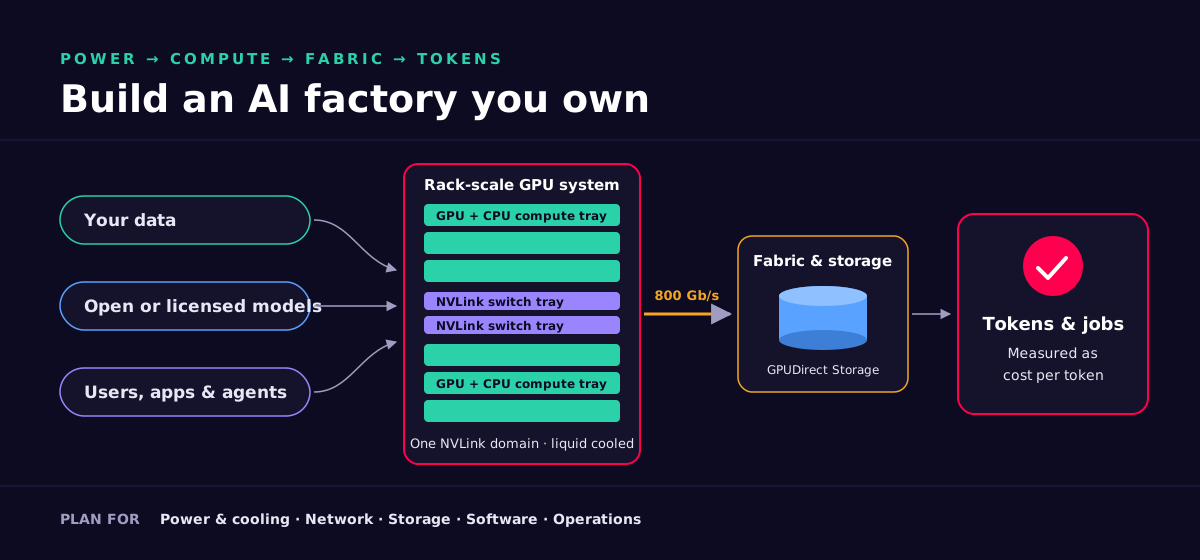
An AI data centre is a production line. Electricity, data and models go in. Tokens, answers, forecasts, designs and finished training runs come out. NVIDIA calls the rack-scale version an AI factory. The name fits, because the questions a board should ask are factory questions. What does each unit of output cost? How quickly can we get it running? What does it need in power and floor space? Who owns the output, and what happens when it breaks?
This section answers those questions without the jargon. The deep dive in part 2 explains the engineering behind each answer.
Cost per token or job
The unit of value is a token served or a model trained. Spread the cost of the hardware, power, space, support and staff over the output you actually produce, at the utilisation you actually reach.
Time to value
Validated reference designs such as DGX BasePOD and DGX SuperPOD, plus pre-built inference containers (NIM), cut the time from delivery to first useful workload from months of integration to a planned build.
Energy and space
Each generation does more work per watt and per rack. NVIDIA projects up to 5x the throughput per megawatt for GB300 NVL72 against Hopper on one reasoning workload. Fewer racks for the same output means less floor space and cooling.
Own or rent
Cloud GPUs are right for bursts and experiments. Owned or co-located systems usually win when utilisation is steady and high, and when data cannot leave your control.
Sovereignty and privacy
On-premises AI keeps client files, patient records and source code inside your walls and under UK data-protection law. Blackwell adds confidential computing that protects data while the GPU is using it.
Risk
The big risks are under-provisioned power, a fabric that starves the GPUs, and software nobody can operate. A survey, a reference design and a proper handover remove most of them.
NVIDIA publishes generation-on-generation multiples, such as GB300 NVL72's projected 50x AI factory output against Hopper on DeepSeek-R1. These come from specific models, precisions and serving set-ups, and NVIDIA labels many of them as projections. Treat them as direction, not as a forecast for your workload. Workstation sizes from your models and your traffic, then proves the result in acceptance testing.
The cost-per-token equation
Every own-or-rent debate comes down to one division. Put your own numbers in. The only constant is the number of seconds in a year.
cost per million tokens =
    ( hardware cost ÷ years in service
    + energy:  average kW × PUE × 8,760 h × £ per kWh
    + space, support, software licences and staff per year )
  ÷ ( measured tokens per second × utilisation × 31,536,000 s ÷ 1,000,000 )

Example energy line, before PUE: one DGX B300 at its ~14 kW system rating
  14 kW × 8,760 h = 122,640 kWh per year at full draw
Utilisation is the lever most business cases ignore. A system that sits idle half the time doubles its cost per token. That is why scheduling software (Slurm, Kubernetes, Run:ai) and a clear plan for who uses the cluster matter as much as the hardware.
Business examples
These are illustrative patterns we see across our sectors, not named client stories. Each one starts from the job to be done and works back to the hardware.
Law firm
- The job
- Search, summarise and draft from decades of privileged case files without sending any of it to a public cloud.
- What we would build
- A single RTX PRO Server or H200 NVL node running a retrieval-augmented assistant from NIM containers, isolated on its own network segment.
- Why it pays
- Client data never leaves the firm. Cost is fixed rather than per query, so lawyers use it freely, and the firm can show regulators exactly where data lives.
Manufacturer
- The job
- Visual quality inspection on several lines, plus a digital twin of the factory floor for layout changes.
- What we would build
- A 4-node RTX PRO cluster. The same GPUs run vision models, simulation and rendering, with Omniverse for the twin.
- Why it pays
- One platform serves AI, graphics and simulation, so it stays busy around the clock. Defects are caught on the line, not at the customer.
University or research lab
- The job
- Hundreds of researchers need fair, scheduled access to GPUs for fine-tuning, simulation and teaching.
- What we would build
- A DGX B300 BasePOD with Slurm for batch jobs and Kubernetes for notebooks and services, managed from Base Command Manager or Mission Control.
- Why it pays
- One shared, scheduled cluster replaces scattered under-used workstations. Grant money buys science, not idle capacity.
Fintech
- The job
- Real-time fraud scoring alongside document AI for onboarding and know-your-customer checks.
- What we would build
- H200 NVL or RTX PRO nodes for low-latency scoring and document models, in a UK colocation suite with BlueField-3 DPUs isolating tenants.
- Why it pays
- Predictable latency, no customer data with third parties, and an audit trail that satisfies the regulator.
AI service provider
- The job
- Sell private model hosting and fine-tuning to UK businesses that need sovereignty.
- What we would build
- One or more NVL72 racks (DGX GB300) on Quantum-X800 InfiniBand, run by Mission Control with Run:ai for multi-tenant scheduling.
- Why it pays
- Rack-scale NVLink serves large reasoning and mixture-of-experts models at high throughput, which is where token economics are won.
Own, rent or hybrid
| Question | Own (on-premises or colocation) | Rent (cloud GPUs) | Hybrid |
|---|---|---|---|
| Utilisation | Best when steady and high | Best when spiky or unknown | Own the baseline, rent the peaks |
| Data control | Full: your racks, your keys | Shared responsibility with the provider | Sensitive data stays on owned systems |
| Time to start | Weeks to months, depending on site work | Minutes, if capacity is available | Start in cloud, move steady work home |
| Cost shape | Capital or lease, then low running cost | Pure operating cost, per hour | Mixed |
| Latest hardware | Refresh on your schedule | Depends on the provider's fleet | Either |
| Skills needed | Operations team, or a managed service | Cloud operations | Both, plus a policy for what runs where |
Most of our clients end up hybrid. They own or co-locate the capacity they use every day, keep regulated data on it, and use cloud for experiments and bursts. We build the owned part, and we can run it for you as a managed service.
2. Technical deep dive
This part is for architects and engineers. Every figure below comes from NVIDIA's published specifications, linked in the sources. NVIDIA quotes Tensor Core figures with sparsity unless it says otherwise, and dense throughput is half the sparse figure for FP8. We say which is which.
The silicon: Blackwell, Blackwell Ultra, Grace and Hopper
- Blackwell GPUs have 208 billion transistors on a custom TSMC 4NP process. Each GPU is two reticle-limited dies joined by a 10 TB/s chip-to-chip link, so software sees one GPU.
- Blackwell Ultra (B300, GB300) has NVIDIA's figure of 1.5x more dense FP4 compute and 2x faster attention layers than Blackwell. It also carries more HBM3E: 2.1 TB in an 8-GPU HGX B300 against 1.4 TB in HGX B200.
- Grace is NVIDIA's Arm CPU with Neoverse V2 cores and LPDDR5X memory. In a GB200 superchip, one Grace pairs with two Blackwell GPUs and up to 480 GB of LPDDR5X. Blackwell's decompression engine pulls data from Grace at 900 GB/s bidirectional.
- Hopper H200 is the proven previous generation with 141 GB of HBM3E at 4.8 TB/s per GPU. It is the natural choice for air-cooled PCIe servers (H200 NVL) and for teams already on Hopper software stacks.
- Blackwell is the first GPU NVIDIA describes as TEE-I/O capable, so it supports confidential computing with inline protection over NVLink.
| System | GPUs | GPU memory | FP4 Tensor (sparse / dense) | FP8 Tensor (sparse) | NVLink | Power / cooling |
|---|---|---|---|---|---|---|
| DGX B300 / HGX B300 | 8× Blackwell Ultra SXM | 2.1 TB | 144 / 108 PFLOPS | 72 PFLOPS | 14.4 TB/s total, 1.8 TB/s per GPU | DGX: ~14 kW, 10U, AC or DC power |
| DGX B200 / HGX B200 | 8× Blackwell SXM | 1.4 TB (64 TB/s) | 144 / 72 PFLOPS | 72 PFLOPS | 14.4 TB/s total | DGX: ~14.3 kW max, 10U |
| GB300 NVL72 (DGX GB300) | 72 Blackwell Ultra + 36 Grace | 20 TB HBM3E (up to 576 TB/s), 37 TB fast memory | 1,440 / 1,080 PFLOPS | 720 PFLOPS FP8/FP6 | 130 TB/s in one domain | Liquid-cooled rack |
| GB200 NVL72 (DGX GB200) | 72 Blackwell + 36 Grace | 13.4 TB HBM3E (576 TB/s) | 1,440 / 720 PFLOPS | 720 PFLOPS | 130 TB/s in one domain | Liquid-cooled rack |
| H200 NVL (per GPU) | PCIe, dual-slot | 141 GB HBM3E (4.8 TB/s) | Not supported (Hopper has no FP4) | 3,341 TFLOPS | 2- or 4-way bridge, 900 GB/s per GPU | Up to 600 W, air-cooled |
| RTX PRO 6000 Blackwell Server Edition (per GPU) | PCIe | 96 GB GDDR7 (1,597 GB/s) | 4 PFLOPS FP4 | Not listed | None: PCIe and the network | Up to 600 W, air or liquid |
NVLink, NVSwitch and the NVL72 domain
NVLink is the GPU-to-GPU interconnect inside a scale-up domain. In an 8-GPU HGX or DGX board, fifth-generation NVLink gives each GPU 1.8 TB/s and the board 14.4 TB/s in total through two NVLink Switch chips. That is many times the 800 Gb/s (100 GB/s) a GPU gets from its network card, which is why work that talks constantly, like tensor parallelism, belongs inside the NVLink domain.
NVL72 stretches that domain to a whole rack. A GB200 or GB300 NVL72 rack holds 18 compute trays, each with two superchips, and nine NVLink switch trays. That joins 72 GPUs into one domain with 130 TB/s of bandwidth. NVIDIA rates this at 9x the GPU throughput of a single 8-GPU system, and fifth-generation NVLink can scale to 576 GPUs. In practice, a model that would have to be split across several 8-GPU servers over the network can live inside one rack and talk over NVLink instead.
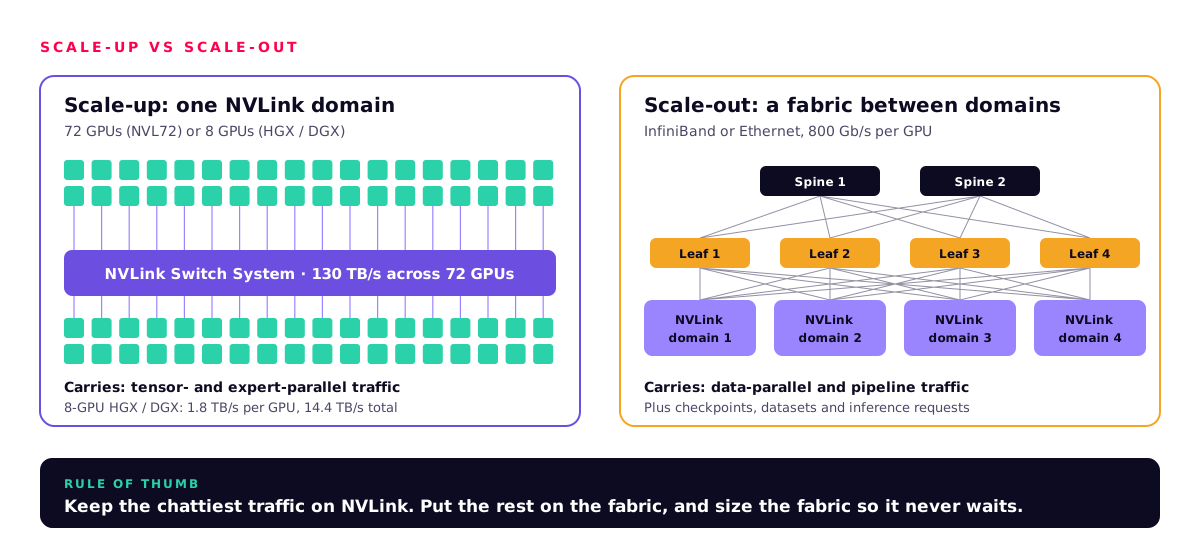
Scale-up (NVLink)
- Tensor parallelism inside a layer
- Expert parallelism for mixture-of-experts models
- Large KV caches shared across GPUs
- Lowest latency per token for big models
Scale-out (fabric)
- Data parallelism across domains
- Pipeline stages between domains
- Checkpoints and dataset streaming
- Serving many independent model replicas
HBM capacity and bandwidth
For inference, memory is the first constraint. The model's weights must fit, and so must the KV cache: the stored attention keys and values for every token of every live conversation. Then, while the model is generating, each new token reads the weights from memory again. At small batch sizes, generation speed is set by memory bandwidth, not by FLOPS.
- Capacity decides what fits: H200 has 141 GB per GPU. HGX B200 has 1.4 TB per 8-GPU board and HGX B300 2.1 TB. GB300 NVL72 has 20 TB of HBM3E in one NVLink domain, plus 17 TB of Grace LPDDR5X.
- Bandwidth decides how fast you can generate: 4.8 TB/s per H200, 64 TB/s across a DGX B200, and up to 576 TB/s across an NVL72 rack.
- Batching spreads one read of the weights across many conversations. That is why throughput rises with batch size until compute or KV cache capacity runs out, and why bigger memory raises tokens per second per pound.
FP4, FP8 and the Transformer Engine
Lower precision means fewer bytes per parameter, so the same memory holds a larger model and each token moves less data. Hopper introduced FP8 through the first Transformer Engine. Blackwell's second-generation Transformer Engine adds FP4. It uses fine-grained micro-tensor scaling, where small blocks of values each get their own scale factor, so 4-bit numbers keep enough accuracy. NVIDIA's NVFP4 format is the production form, and NVIDIA now also uses it for pre-training.
| Precision | Bytes per parameter | 70B-parameter weights | Typical use |
|---|---|---|---|
| BF16 / FP16 | 2 | ~140 GB | Training master weights, high-accuracy serving |
| FP8 | 1 | ~70 GB | Training on Hopper and Blackwell, default serving format |
| FP4 (NVFP4) | 0.5 plus small scale factors | ~35 GB plus scales | High-throughput Blackwell inference |
Spec sheets lead with sparse Tensor Core figures, which assume 2:4 structured sparsity that most production models do not use. Plan with dense numbers. For DGX B300 that is 108 PFLOPS FP4 and 36 PFLOPS FP8. Then measure your own model at your chosen precision before you sign off on accuracy.
Networking: InfiniBand, Spectrum-X, SuperNICs and DPUs
An AI cluster has up to five logical networks. NVIDIA's GB200 SuperPOD reference architecture lists NVLink, compute (east-west), storage, in-band management and out-of-band management. The compute fabric is the expensive, performance-critical one. It carries the collective operations, such as all-reduce, that keep every GPU in step.
| Quantum-X800 InfiniBand | Spectrum-X Ethernet | |
|---|---|---|
| Speed | End-to-end 800 Gb/s; Quantum-X800 switch has 144 ports of 800 Gb/s | 800G switch ports; Spectrum-6 SN6600 has 128 × 800G OSFP ports |
| Key features | SHARP v4 in-network computing (reductions done in the switch), native lossless fabric | RoCE with adaptive routing and telemetry-based congestion control between switch and SuperNIC |
| NVIDIA's performance claim | Lowest-latency path for the largest training clusters | 1.6x AI network performance over off-the-shelf Ethernet |
| Best for | Large training clusters, SuperPODs, HPC | Enterprises standardised on Ethernet, multi-tenant clouds, inference farms |
| Multi-site | Within the data centre | Spectrum-XGS links data centres hundreds of kilometres apart |
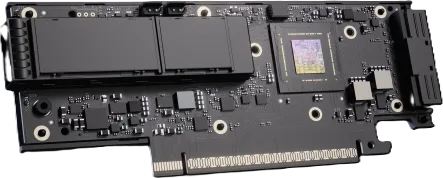
Adapter
ConnectX-8 SuperNIC
800 Gb/s per GPU, with PCIe Gen6 and a built-in PCIe switch. It speaks both InfiniBand and Ethernet, so the same server suits either fabric.
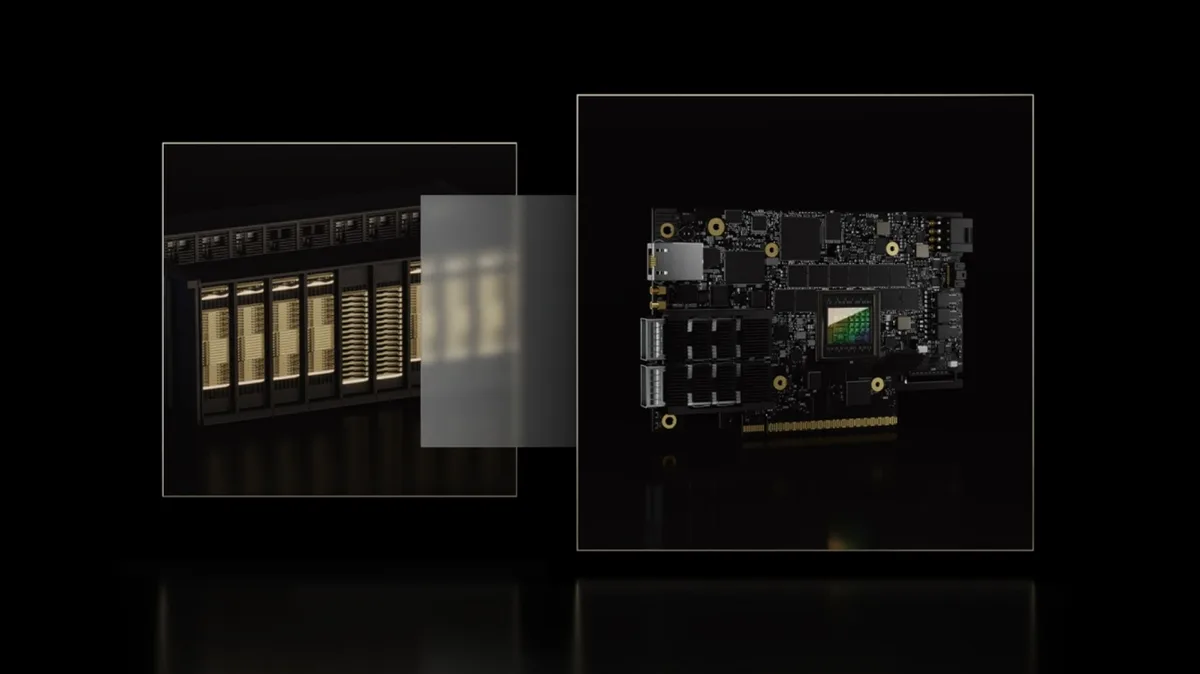
Infrastructure processor
BlueField-3 DPU
A 400 Gb/s processor that offloads and isolates networking, storage and security from the host CPU. Programmed with DOCA. In DGX systems it carries storage and in-band traffic.
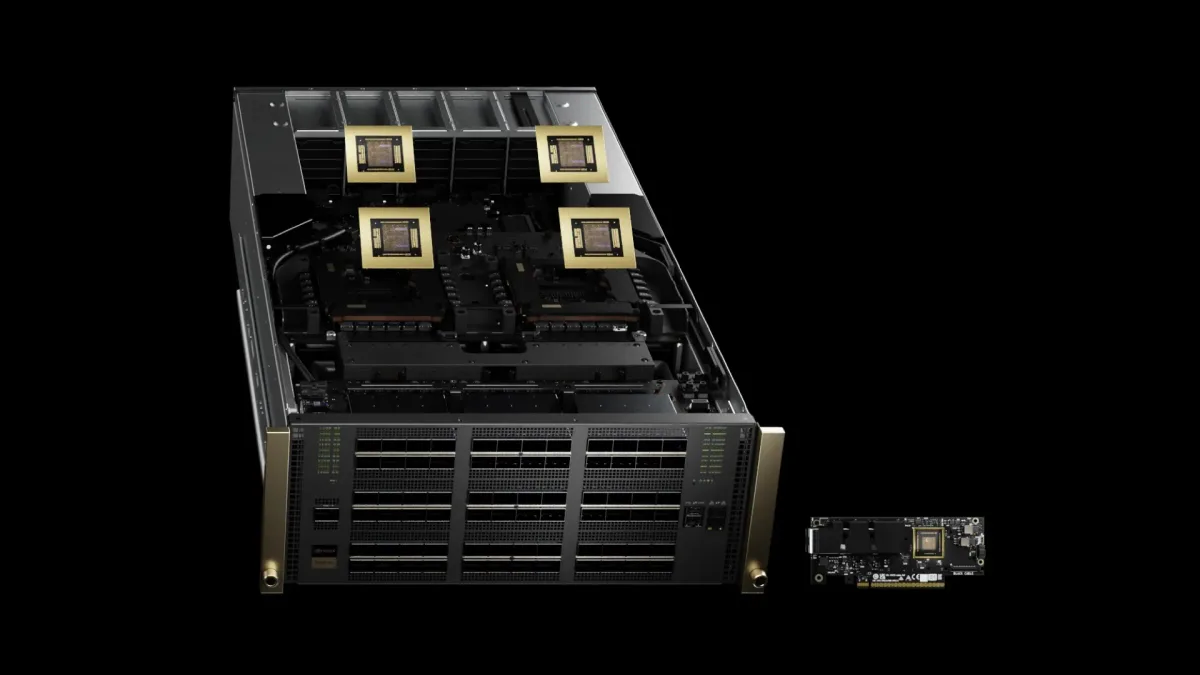
Fabric
Quantum-X800 InfiniBand
144 ports of 800 Gb/s per switch, with SHARP v4. The compute fabric for B300 and GB300 SuperPODs.
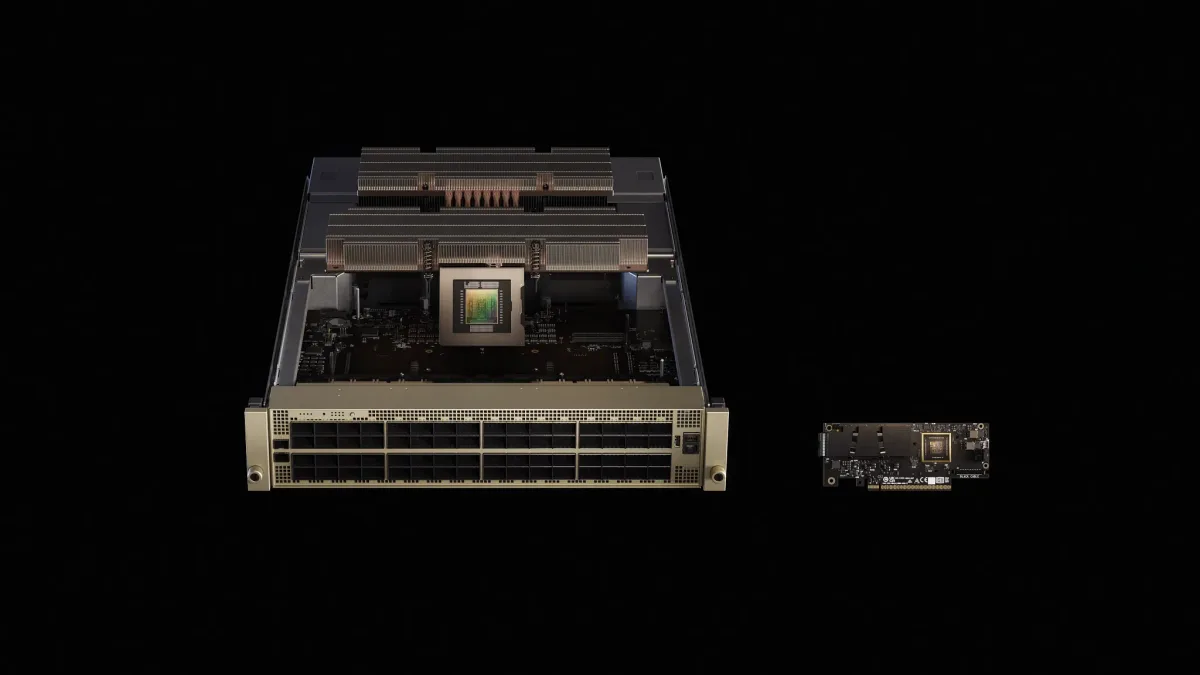
Fabric
Spectrum-X Ethernet
Ethernet tuned for AI: Spectrum switches and SuperNICs working together on routing and congestion. Ideal when your team already runs Ethernet.
Rail-optimised fat-tree, with the arithmetic
In an 8-GPU server, each GPU has its own 800 Gb/s NIC. Rail-optimised wiring sends NIC 1 of every server to leaf switch 1, NIC 2 to leaf 2, and so on. Each leaf is a rail. GPUs with the same local rank, which exchange the most data in collectives, are then one switch hop apart. Spine switches join the rails for everything else.
NVIDIA DGX B300 SuperPOD (Quantum-X800 InfiniBand reference architecture), one scalable unit:
  72 DGX B300 × 8 GPUs                = 576 GPUs, 576 × 800 Gb/s NIC ports
  8 leaf switches (one per rail)      → 72 node ports down per leaf
  576 node-to-leaf + 576 leaf-to-spine cables, 4 spine switches
  72 down + 72 up per leaf            = 144 ports = one Quantum-X800 switch
  equal up and down bandwidth         → non-blocking fat-tree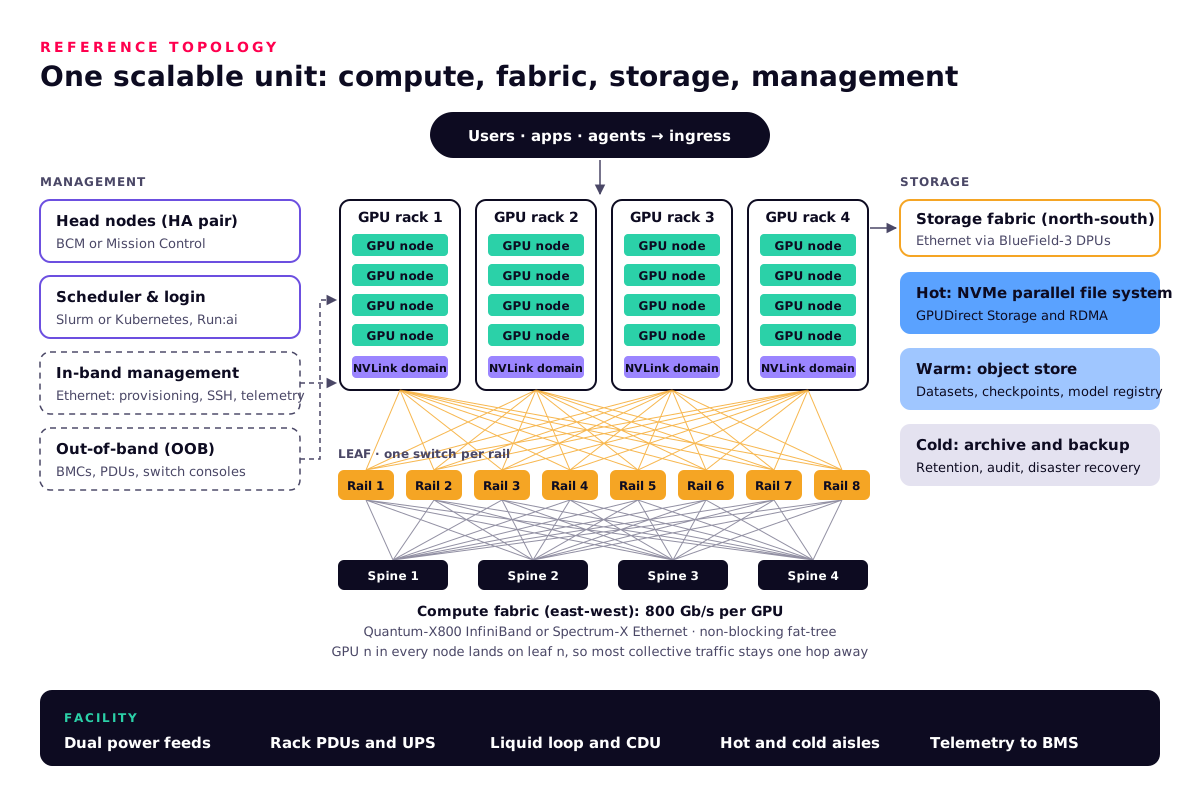
Storage tiers, GPUDirect Storage and RDMA
GPUs are expensive to keep waiting. Storage for AI is tiered, and the hot tier talks to GPU memory directly. GPUDirect Storage opens a direct data path between local or remote NVMe, including NVMe over Fabrics, and GPU memory. It skips the extra copy through a bounce buffer in CPU memory. GPUDirect RDMA lets network adapters read and write GPU memory directly, so GPUs in different servers exchange data without going through either CPU.
Hot: parallel file system
- All-NVMe, on the storage fabric
- GPUDirect Storage for loading and checkpoints
- Sized for checkpoint bursts, not just capacity
Warm: object store
- Datasets, model registry, artefacts
- S3-compatible APIs for pipelines
- Cheaper per terabyte
Cold: archive
- Retention and audit copies
- Disaster recovery off-site
- Immutable backups for ransomware resilience
Certified partners
- DDN, VAST Data, WEKA, NetApp
- Pure Storage, IBM Storage Scale
- Dell PowerScale, HPE, Hitachi Vantara
Power density, liquid and air
This is where most projects meet reality. A single DGX B300 is rated at about 14 kW. NVIDIA's B300 SuperPOD reference architecture puts four of them in a rack at about 56 kW per rack. Many existing enterprise server rooms were designed for a fraction of that. NVL72 racks go further: they are liquid-cooled, with the GPUs and CPUs on cold plates. In the GB200 rack design, eight power shelves each deliver up to 33 kW, from six 5.5 kW supplies per shelf.
| Option | Where it fits | What the site needs |
|---|---|---|
| Air-cooled PCIe (RTX PRO Server, H200 NVL) | Existing rooms, lower density per rack | Good hot- and cold-aisle containment, enough airflow per rack, standard PDUs |
| Air-cooled 8-GPU (HGX / DGX B200, B300) | Dedicated AI rows, about 14 kW per system | High-density PDUs, containment, often rear-door heat exchangers; DGX B300 offers AC or DC power |
| Direct liquid cooling (NVL72) | Rack-scale AI factories | Facility water loop, coolant distribution units (CDUs), leak detection, rack-level power far above enterprise norms, floor loading checks |
NVIDIA projects 25x the energy efficiency of air-cooled H100 for GB200 NVL72 at the same power, and up to 5x the throughput per megawatt for GB300 NVL72 against Hopper. Mission Control adds a power mode that NVIDIA says keeps 93% of throughput at 85% power. For a power-capped site, those figures matter more than raw speed.
The software stack
Foundation
- CUDA and CUDA-X libraries
- DGX OS, Ubuntu, RHEL or Rocky
- GPU and network drivers, NCCL
- DOCA on BlueField
AI platform
- NVIDIA AI Enterprise (supported stack)
- NIM inference microservices with standard APIs
- Engines: TensorRT-LLM, vLLM, SGLang
- NeMo for training and customisation
Cluster operations
- Base Command Manager: provisioning and monitoring
- Mission Control: health checks, autonomous recovery, power and building-system integration
- Run:ai: GPU scheduling and sharing
Schedulers
- Slurm for batch training and HPC
- Kubernetes for services, MLOps and inference
- Both on one cluster, split by node pool
NIM packages a model with an optimised inference engine in a container that exposes industry-standard APIs, so an application written against a hosted API can point at your own servers. NIM is free for development. Production use needs an NVIDIA AI Enterprise licence, which we quote alongside the hardware.
Inference versus training: the sizing maths
These are back-of-envelope formulas we use before any benchmark. They give ceilings and orders of magnitude, not promises. Measured performance depends on the model, the serving engine, batching and the network.
Inference: does it fit, and how fast can it go?
Weights      = parameters × bytes per parameter
               70B at FP8 ≈ 70 GB · 70B at FP4 ≈ 35 GB (+ scales)

KV per token = 2 × layers × KV heads × head dim × bytes
               70B-class GQA model (80 layers, 8 KV heads, dim 128) at FP16:
               2 × 80 × 8 × 128 × 2 B = 327,680 B ≈ 0.33 MB per token
               one 32k-token conversation ≈ 10.7 GB of KV cache

Fit check, 4× RTX PRO 6000 (4 × 96 GB = 384 GB):
               384 GB − 70 GB weights = 314 GB for KV
               314 GB ÷ 10.7 GB ≈ 29 full 32k conversations (before runtime overhead)

Decode ceiling at batch 1 ≈ memory bandwidth ÷ bytes read per token
               one H200, 70B at FP8: 4.8 TB/s ÷ 70 GB ≈ 68 tokens/s per stream (upper bound)
               batching shares each weight read across many streams
Training: how much compute and memory?
Training FLOPs ≈ 6 × parameters × training tokens
               8B model on 1 trillion tokens = 6 × 8e9 × 1e12 = 4.8e22 FLOPs

Time ≈ FLOPs ÷ (dense throughput × model FLOPs utilisation)
               one DGX B300, FP8 dense 36 PFLOPS, assumed 40% utilisation
               4.8e22 ÷ (3.6e16 × 0.4) ≈ 3.3 million s ≈ 39 days
               8 systems with near-linear scaling ≈ 5 days

Full fine-tune memory ≈ 16 bytes per parameter (mixed precision + Adam)
               70B × 16 B ≈ 1.12 TB before activations
               8 × H200 = 1.13 TB (too tight) · DGX B300 = 2.1 TB (fits, sharded)
LoRA adapters cut this to close to the inference footprintInference is a memory problem, so buy capacity and bandwidth. Training is a compute and fabric problem, so buy FLOPS and a non-blocking network. Fine-tuning sits in between and is usually decided by memory.
3. The server classes and what each is good for
NVIDIA's data-centre range falls into four classes. Each card shows the key published specs, a worked example and a link to the product in the Workstation AI Shop. Everything is priced on quote, because the right configuration depends on your site, network and support needs.
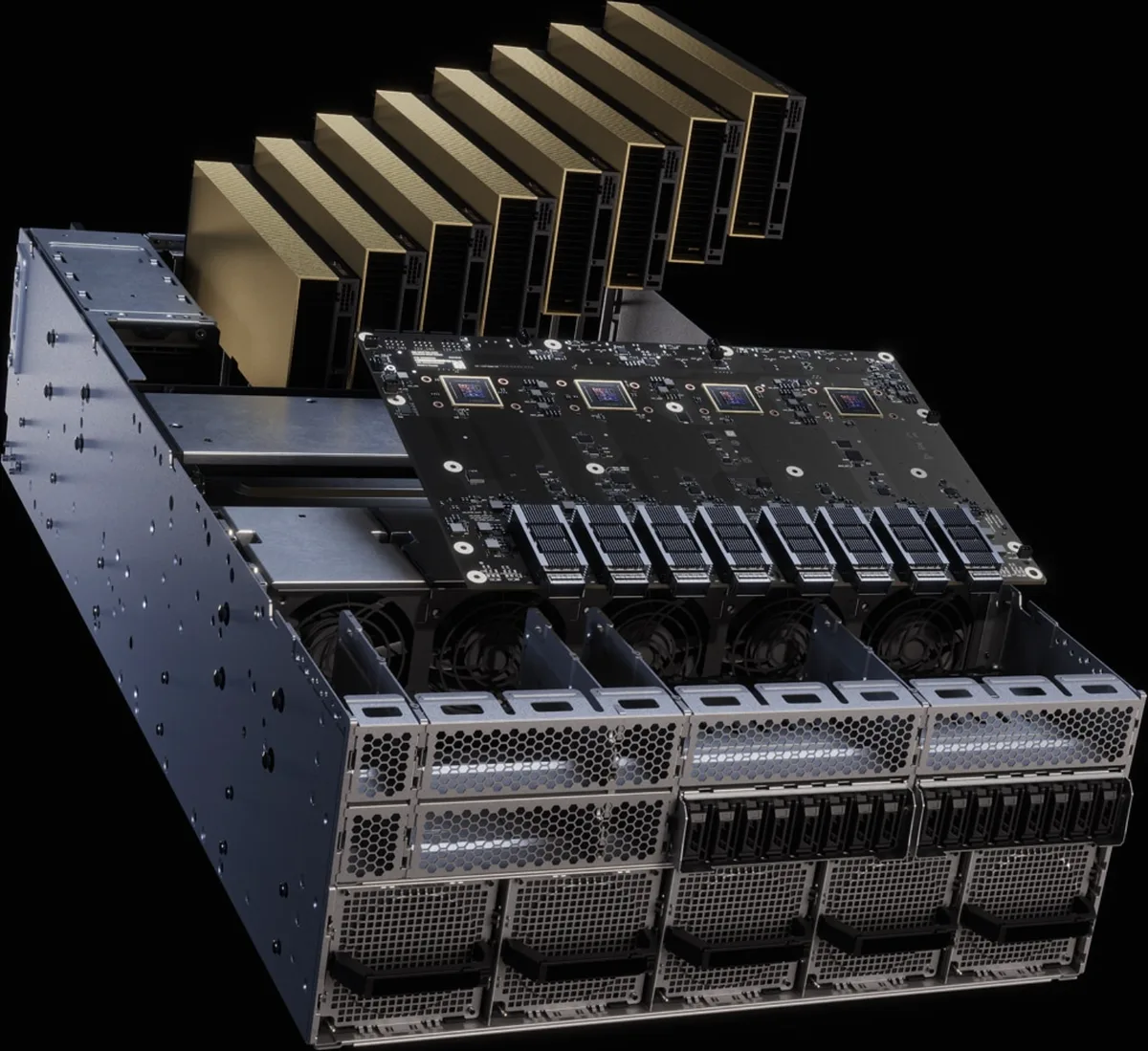
Universal enterprise AI
NVIDIA RTX PRO Server
Up to eight RTX PRO 6000 Blackwell Server Edition GPUs in standard MGX servers, air- or liquid-cooled. The same box runs AI, simulation, rendering and virtual desktops.
- 96 GB GDDR7 per GPU, up to 600 W each
- Multi-Instance GPU: up to four isolated instances per GPU
- ConnectX-8 SuperNICs and a BlueField-3 DPU in 4U and 6U designs
- NVIDIA-Certified, in NVIDIA's AI Factory Validated Design
Worked example An engineering firm runs a private coding and document assistant by day and renders and simulates overnight on the same eight GPUs. Splitting GPUs with MIG gives each team its own isolated slice.
8-GPU workhorse
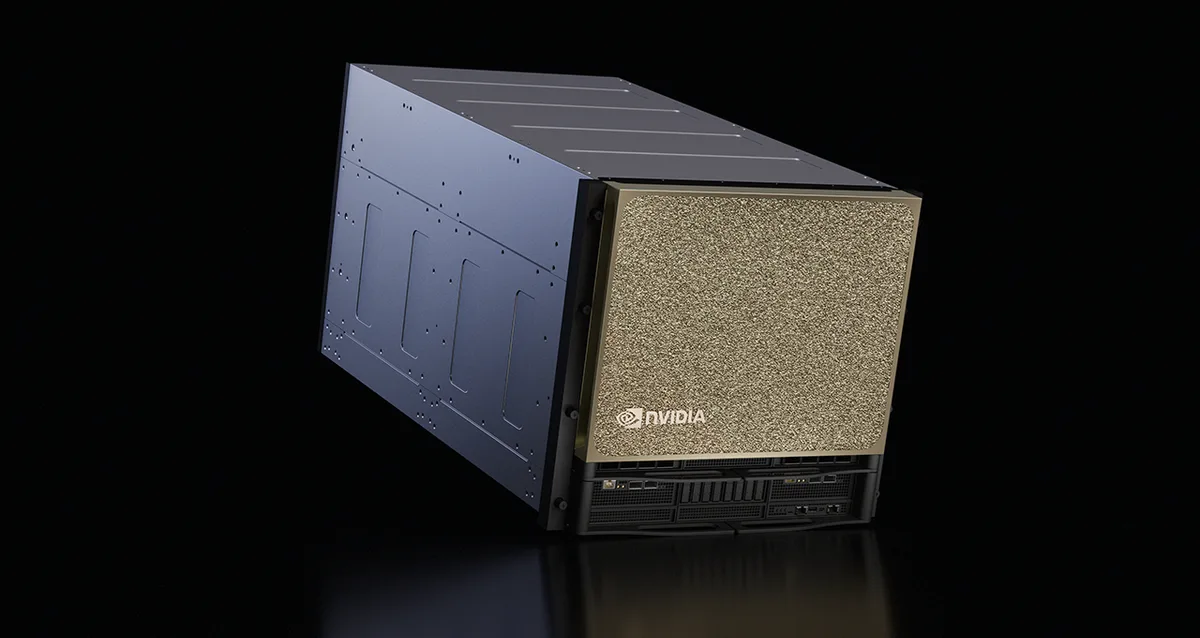
HGX and DGX B200 / B300
Eight SXM GPUs on an NVLink board: the standard building block for fine-tuning, training and high-throughput inference. DGX is NVIDIA's own system. HGX is the same board in partner servers.
- B300: 2.1 TB HBM3E, 144 / 108 PFLOPS FP4 (sparse / dense)
- B200: 1.4 TB HBM3E at 64 TB/s
- 14.4 TB/s NVLink per system
- DGX B300: 8× ConnectX-8 at 800 Gb/s, ~14 kW, 10U
Worked example A pharmaceutical research group fine-tunes a 70B model on its own literature. 2.1 TB of HBM holds the full fine-tune state on one DGX B300 without a multi-node job.
Rack-scale AI factory
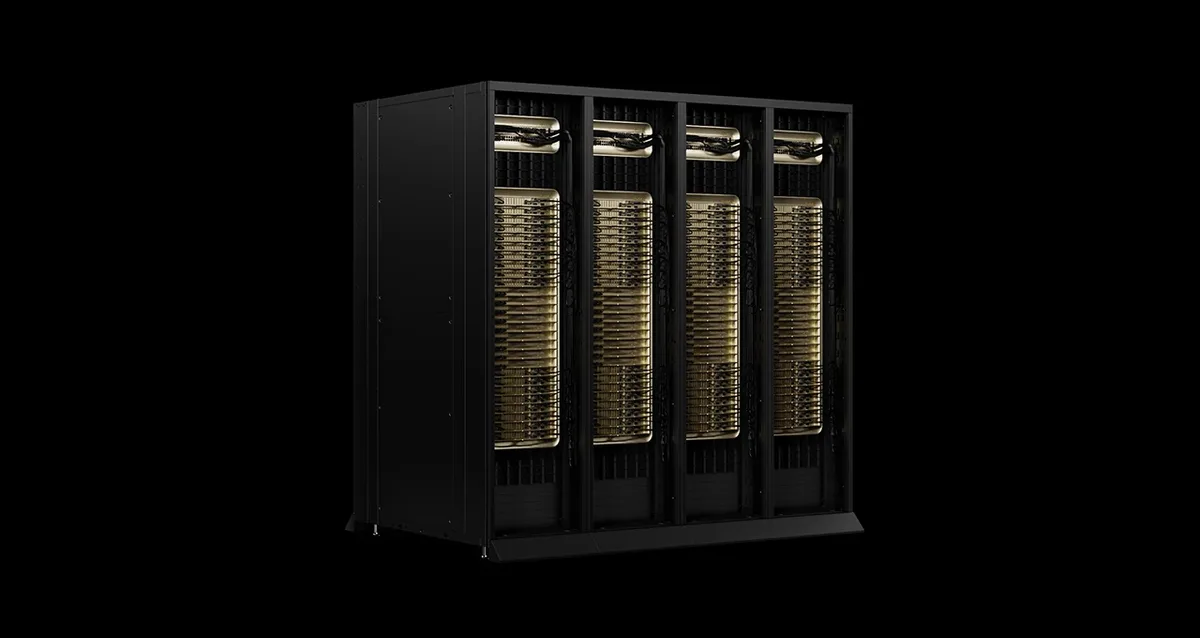
DGX GB200 / GB300 NVL72
72 GPUs and 36 Grace CPUs in one liquid-cooled rack, joined by NVLink into one domain. Built for reasoning models, trillion-parameter mixture-of-experts models and large training runs.
- GB300: 20 TB HBM3E, 37 TB fast memory
- 130 TB/s NVLink across 72 GPUs
- 800 Gb/s per GPU over ConnectX-8 to Quantum-X800 or Spectrum-X
- Run by Mission Control
Worked example A UK AI provider serves a large open mixture-of-experts reasoning model. At FP4, a 1-trillion-parameter model needs about 0.5 TB for weights, which leaves most of the 20 TB for KV cache and batching inside one NVLink domain.
Air-cooled Hopper
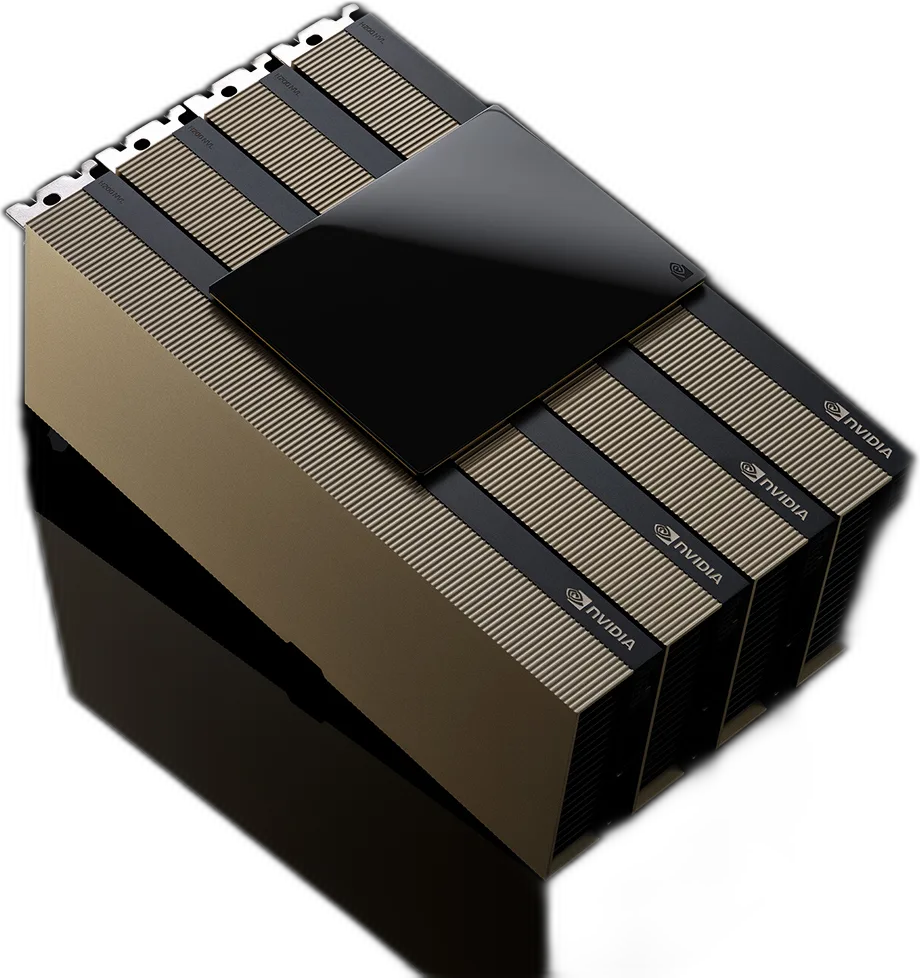
NVIDIA H200 NVL
A PCIe card with 141 GB of HBM3E for air-cooled servers. 2- or 4-way NVLink bridges link the GPUs at 900 GB/s each.
- 141 GB HBM3E at 4.8 TB/s
- 3,341 TFLOPS FP8 (sparse)
- Up to 600 W, dual-slot, air-cooled
- MGX servers with up to eight GPUs
Worked example A bank adds private LLM inference to an existing air-cooled hall. A 4-GPU H200 NVL server with a 4-way bridge holds a 70B model at FP8 with plenty of room left for KV cache.
Compare the 8-GPU options
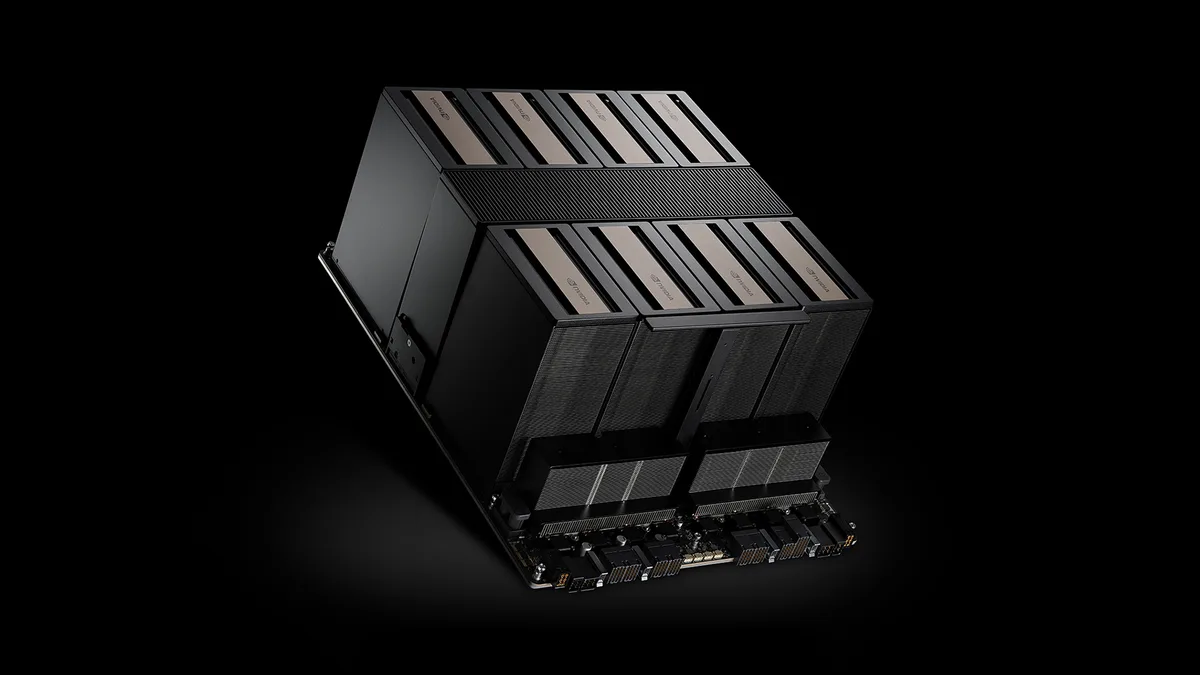
DGX is NVIDIA's own design with NVIDIA support. HGX servers from partners such as Compal, Dell, HPE and Supermicro use the same board with different chassis, cooling and service options. We quote both.
4. Common set-ups in detail
Five designs cover most of what we build. Power figures are NVIDIA's system or GPU ratings, so your site survey sets the final numbers.
Set-up A
Single-node private inference
One server that brings private AI into an existing server room. It is the fastest way to start.
- Compute
- 1× RTX PRO Server with 2 to 8 RTX PRO 6000 GPUs (96 GB each), or 1× MGX server with 4 H200 NVL on a 4-way NVLink bridge
- Rack and power
- 2U to 6U in a standard rack. GPU budget up to 600 W per GPU, so 8 GPUs is 4.8 kW before CPUs, fans and drives
- Cooling
- Air-cooled in most rooms. Check aisle containment and the airflow per rack
- Network
- Dual 100/200 GbE uplinks to your core network. BlueField-3 to isolate AI traffic. No separate compute fabric needed
- Software
- Ubuntu or RHEL, NVIDIA AI Enterprise, NIM containers, an OpenAI-compatible endpoint, a vector database for RAG
- Good for
- Departmental assistants, RAG over private documents, coding assistants, 70B-class models at FP8, proofs of value
Set-up B
4-node RTX PRO enterprise inference cluster
A small cluster shared by many teams, on Ethernet your network team already knows.
- Compute
- 4× RTX PRO Server, 8 GPUs each: 32 GPUs and 3 TB of GDDR7 (4 × 8 × 96 GB)
- Rack and power
- GPUs alone are up to 19.2 kW (32 × 600 W). Plan two racks, or one high-density rack with containment
- Cooling
- Air, or liquid-cooled 6U MGX servers where the room allows
- Network
- Spectrum-X Ethernet: a redundant pair of 800G leaf switches, ConnectX-8 SuperNICs with RoCE for east-west traffic, BlueField-3 for storage and tenant isolation, plus a 1 GbE out-of-band switch
- Storage
- NVMe-over-Fabrics or a certified partner file system on the same Ethernet, with GPUDirect Storage
- Software
- Kubernetes with the NVIDIA GPU and Network Operators, NIM per model, Run:ai or Kubernetes quotas for fair sharing, Base Command Manager for provisioning
- Good for
- Many models side by side, agents, vision, digital twins, rendering, virtual workstations, multi-department platforms
Set-up C
DGX B300 BasePOD
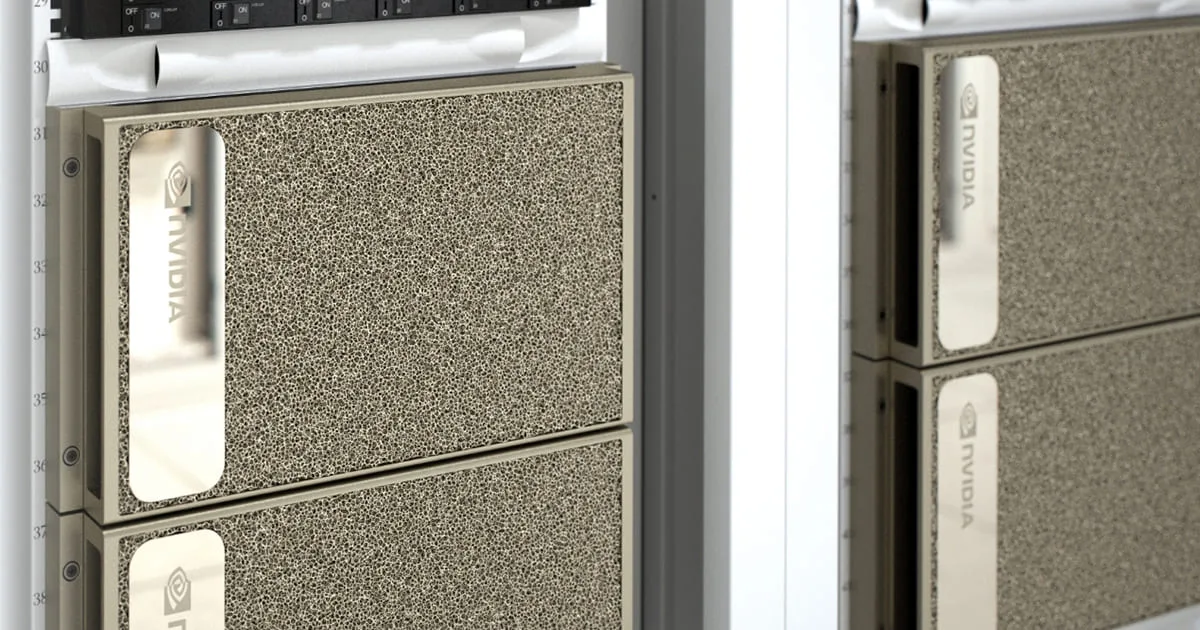
NVIDIA's prescriptive enterprise reference architecture. It scales from 2 to 8 DGX nodes and lists DGX B300 among its systems.
- Compute
- 4 or 8× DGX B300: 32 or 64 Blackwell Ultra GPUs with 2.1 TB HBM3E per node
- Rack and power
- 10U and about 14 kW per node. Four nodes per rack is about 56 kW. AC or DC power options
- Cooling
- High-density air with containment or rear-door heat exchangers. Confirm at survey
- Compute fabric
- 8× ConnectX-8 at 800 Gb/s per node, so plan an 800 Gb/s XDR fabric on Quantum-X800 with eight rails. NVIDIA's published BasePOD design for B200 uses two Quantum QM9700 NDR switches
- Other networks
- A redundant Ethernet pair for storage and in-band management on BlueField-3, plus SN2201-class out-of-band switches
- Control plane
- Five management servers: two Base Command Manager head nodes in HA, three for Slurm login or Kubernetes. Mission Control on Blackwell
- Storage
- A certified BasePOD partner design: DDN, Dell PowerScale, HPE, Hitachi Vantara, IBM, NetApp, Pure Storage, VAST Data or WEKA
- Good for
- Fine-tuning and continued pre-training, shared research clusters, large-batch inference, an enterprise AI centre of excellence
Set-up D
NVL72 SuperPOD scalable unit
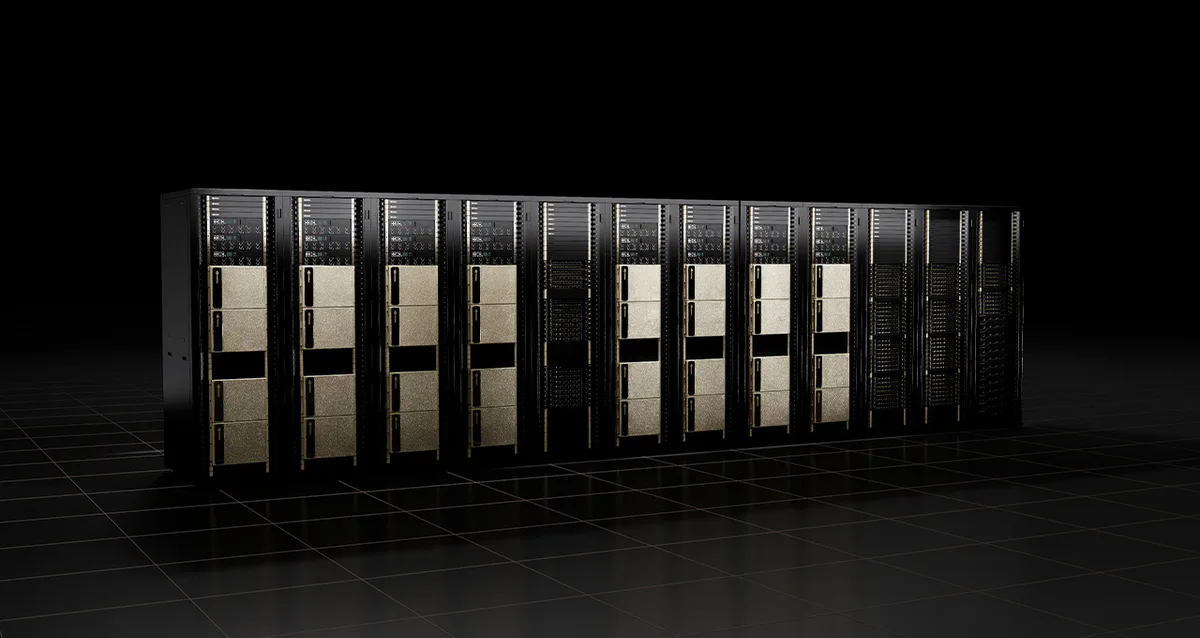
The building block of a gigascale AI factory. NVIDIA's GB200 SuperPOD reference architecture defines a scalable unit as eight NVL72 compute racks, which is 576 GPUs.
- Compute
- 8× DGX GB300 (or GB200) racks: 576 GPUs and 288 Grace CPUs. Each rack is an NVLink domain of 72 GPUs at 130 TB/s
- Rack
- 18 compute trays and 9 NVLink switch trays per rack, in MGX racks
- Power
- Rack-level power far above enterprise norms. In the GB200 design, eight power shelves each deliver up to 33 kW. Usually a purpose-built hall or AI-ready colocation
- Cooling
- Direct liquid cooling of GPUs and CPUs through CDUs on a facility water loop. Air handles the remaining components
- Compute fabric
- 800 Gb/s per GPU through ConnectX-8 into a rail-aligned Quantum-X800 fat-tree with one leaf group per rack and a non-blocking spine. Spectrum-X is the Ethernet option
- Other networks
- BlueField-3 for storage and in-band traffic, with a separate out-of-band network. NVIDIA fully tests two scalable units and builds larger by design
- Software
- Mission Control with Run:ai, Slurm or Kubernetes, NVIDIA AI Enterprise
- Good for
- Frontier-scale training, serving trillion-parameter mixture-of-experts and reasoning models, sovereign AI and GPU-as-a-service
Set-up E
Partner HGX B300 pod in an air-cooled hall
The same 8-GPU board as DGX B300 in a partner chassis. A good fit when you need a particular vendor's support or racks.
- Compute
- 2 to 8× HGX B300 servers, 8 Blackwell Ultra GPUs each, 2.1 TB HBM3E per server
- Network
- Up to 1.6 TB/s of networking per HGX B300 board. Quantum-X800 or Spectrum-X, rail-optimised like the BasePOD
- Power and cooling
- Plan in line with DGX B300 (~14 kW per 8-GPU system). Air-cooled chassis are available; check rack density at survey
- Good for
- Organisations with an existing server-vendor standard, or colocation providers adding AI capacity
5. How we build it: the workflow
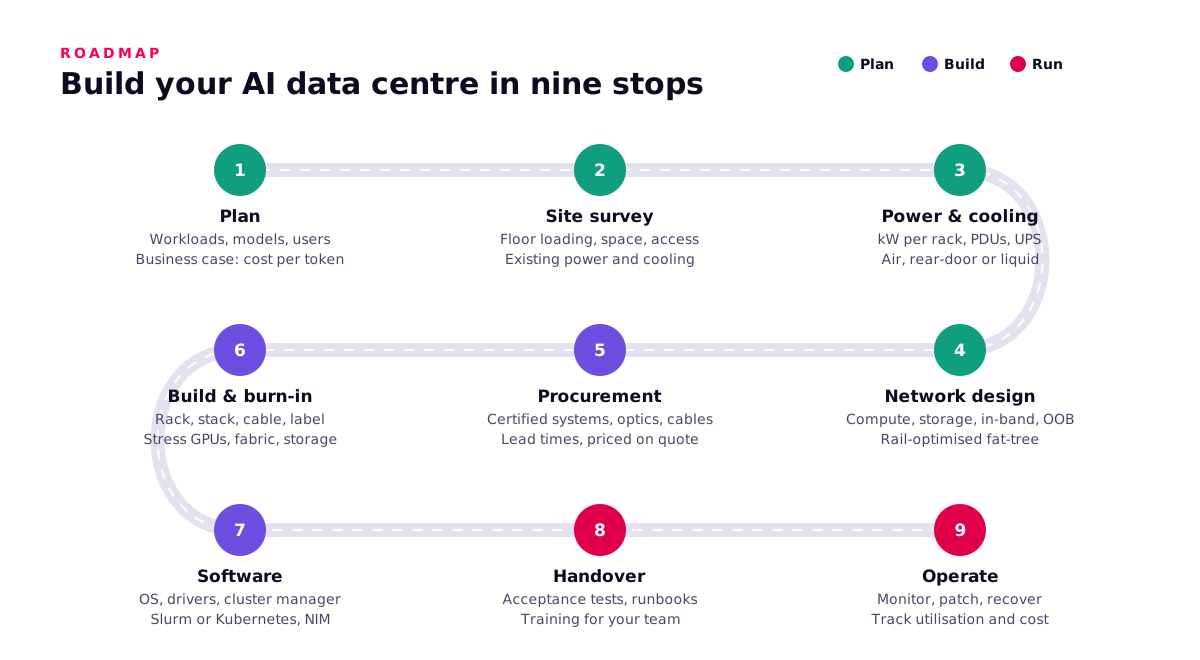
- PlanList the workloads, models, users and service levels. Do the sizing maths. Agree the business case in cost per token or per training run, and decide own, rent or hybrid.
- Site surveyMeasure the space, floor loading, delivery route, incoming power, existing cooling and network. A 10U DGX on a pallet has to physically reach the rack.
- Power and coolingSet kW per rack, PDUs, UPS and generator cover. Choose air, rear-door or direct liquid cooling. Design CDUs, the water loop and leak detection for NVL72.
- Network designDesign the compute fabric (InfiniBand or Spectrum-X, rail-optimised), the storage and in-band Ethernet, out-of-band management and the north-south ingress. Count the optics and cables.
- ProcurementChoose NVIDIA-Certified systems, NICs, switches, optics, storage and software licences. Plan around lead times. Everything is priced on quote against the final bill of materials.
- Build and burn-inRack, stack, cable and label. Update firmware. Burn in the GPUs, NVLink, fabric and storage under sustained load, and record a performance baseline.
- SoftwareInstall the OS, drivers, NCCL and DOCA, then Base Command Manager or Mission Control, Slurm or Kubernetes, NVIDIA AI Enterprise and your first NIM endpoints.
- HandoverRun acceptance tests against agreed numbers. Hand over runbooks, diagrams and credentials through your vault. Train your administrators and users.
- OperateMonitor health and utilisation. Patch on a schedule. Recover automatically where Mission Control allows. Track cost per token every month, and plan the next expansion from the data.
Pre-order checklist
- Workloads, models and precisions agreed, with sizing maths written down
- Power per rack confirmed with the facility, including redundancy
- Cooling method chosen, and liquid loop capacity checked for NVL72
- Floor loading and delivery route checked for the heaviest system
- Fabric choice made (InfiniBand or Spectrum-X), with optics and cable counts in the bill of materials
- Storage tiers sized for checkpoints as well as capacity
- Scheduler chosen (Slurm, Kubernetes or both) and a GPU sharing policy agreed
- Software licences included: NVIDIA AI Enterprise, Mission Control where relevant
- Acceptance tests and service levels agreed before delivery
- An operations owner named, in-house or Workstation managed service
Interactive: walk the build journey
Interactive
Build your AI data centre, stop by stop
Click a stop, or use the arrow keys, to see what happens at each stage, what you get from it and the mistake to avoid.
- Plan
- Build
- Run
Start from the workload
- What happens
- List models, users, latency targets and data rules. Run the sizing maths for memory, compute and fabric.
- What you get
- A sizing note and a business case in cost per token or per training run.
- Watch out for
- Picking a GPU first and finding a workload for it afterwards.
Next steps
NVIDIA has already published the next platform, Vera Rubin. HGX Rubin NVL8 lists 2 TB of HBM4 and sixth-generation NVLink, and Vera Rubin NVL72 is the next rack-scale system. Everything in this guide carries over: memory-first sizing, rail-optimised fabrics, liquid-ready facilities and a run book your team can operate. We design sites so the next generation drops in.
Talk to Workstation about your AI data centre
Send us your workloads and site details. We will come back with a sizing, a reference design and a quote. All NVIDIA systems are priced on quote.
Related on Workstation
- AI data centre planner — Size racks, power and GPUs interactively
- AI factory solutions — Packaged AI factory designs
- NVIDIA at Workstation — The full NVIDIA range we supply
- GPU clusters
- Private AI
- What an HGX B300 AI factory delivers — Blog
- How to choose the right AI model — Pick the model before the hardware
Sources
- NVIDIA: Data centre solutions overview — Product families, software and architectures.
- NVIDIA GB300 NVL72 — Rack specs and projected AI factory output claims.
- NVIDIA GB200 NVL72 — Rack and superchip specs, energy-efficiency projection.
- NVIDIA DGX B300 — System specs, power, networking.
- NVIDIA DGX B200 — System specs, power, networking.
- NVIDIA DGX GB300 — Rack system specs and networking.
- NVIDIA HGX platform — HGX B300, B200 and Rubin NVL8 spec table.
- NVIDIA H200 — H200 SXM and H200 NVL specs (preliminary).
- NVIDIA RTX PRO Server — Configurations, networking, software.
- NVIDIA RTX PRO 6000 Blackwell Server Edition — GPU memory, power, MIG.
- NVIDIA Blackwell architecture — Transformer Engine, FP4, NVLink, confidential computing.
- NVIDIA Quantum-X800 InfiniBand — Port counts, SHARP v4.
- NVIDIA Spectrum-X Ethernet — Switches, SuperNICs, Spectrum-XGS.
- NVIDIA BlueField DPU — BlueField-3 and DOCA.
- NVIDIA GPUDirect — GPUDirect Storage and RDMA.
- NVIDIA Mission Control — AI factory operations, Run:ai, Slurm and Kubernetes.
- NVIDIA NIM microservices — Inference containers and licensing.
- NVIDIA DGX SuperPOD — Turnkey AI data centre, storage partners.
- DGX SuperPOD reference architecture: DGX GB200 — Scalable unit, rack composition, network fabrics.
- DGX SuperPOD reference architecture: DGX B300 with Quantum-X800 InfiniBand — 72-node scalable unit, ~56 kW racks, leaf and spine counts.
- NVIDIA DGX BasePOD — Systems and certified storage partners.
- DGX BasePOD reference architecture — 2–8 nodes, switches, control plane.