Gateway API Replaces Ingress

Introduction to Gateway API
For years, the Ingress resource has been the de facto standard for managing inbound traffic to Kubernetes services. While it served a vital role in the early days of container orchestration, its simplicity often comes at the cost of flexibility and fine-grained control. As platforms mature, the need for more sophisticated traffic management, role-based access controls, and broader feature support has grown.
Enter the Gateway API. Designed to provide a more flexible, extensible, and powerful way to manage traffic to your services, the Gateway API represents the next evolution in Kubernetes networking [1]. It offers a standard Kubernetes API for ingress traffic control, bringing extended functionality, improved customization, and greater flexibility to developers and operators alike [1]. Unlike the monolithic nature of traditional Ingress objects, the Gateway API introduces a modular approach that aligns better with modern organizational structures and complex application architectures.
The core philosophy behind the Gateway API is one of separation of concerns. It moves away from a single resource that tries to handle everything, towards a model where specific roles—such as cluster administrators, network administrators, and application developers—can manage their respective parts of the network configuration independently. This not only improves security but also streamlines the operational workflow for large-scale Kubernetes deployments.
Replacing Ingress with Gateway API
Transitioning from Ingress to Gateway API is not merely about swapping one resource type for another; it is about adopting a new mental model for how traffic is handled within the cluster. The Gateway API employs a role-oriented approach that aligns with the conventional roles within organizations involved in configuring Kubernetes service networking [1]. This means that instead of every developer needing to understand and configure the underlying infrastructure, they can focus on defining how their specific services should be exposed, while infrastructure teams manage the actual gateways and listeners.
The primary driver for replacing Ingress is the need for features that Ingress simply cannot provide without vendor-specific extensions. While Ingress is ubiquitous, its specification is limited. The Gateway API provides standard, Kubernetes-backed support for a wide range of features, such as header-based matching, traffic splitting, weight-based routing, request mirroring, and more [1]. These features, which were previously locked behind specific Ingress controller implementations (like NGINX or Traefik specific annotations), are now part of the core specification. This standardization reduces lock-in and ensures that your traffic rules are portable across different environments.
Furthermore, the Gateway API is designed to be more portable across different implementations, clusters, and environments [1]. With more than 20 API implementations, the Gateway API ensures that your configuration remains consistent whether you are running on bare metal, a managed service provider, or a cloud-native platform. This portability is a significant advantage for teams that operate multi-cloud or hybrid setups, as it allows them to define their traffic policies once and apply them consistently across various infrastructure backends.
The move from Ingress to Gateway API also addresses security concerns. By separating the definition of the gateway (the entry point) from the definition of the routes (the specific service paths), the Gateway API allows for more granular control over who can modify which part of the network. This reduces the risk of misconfiguration and enhances the overall security posture of the cluster.
Concrete Migration Example
To illustrate the difference, consider a typical migration scenario. In a traditional Ingress setup, a single Ingress resource might define both the host, TLS termination, and the backend service routing. In the Gateway API model, this is decomposed:
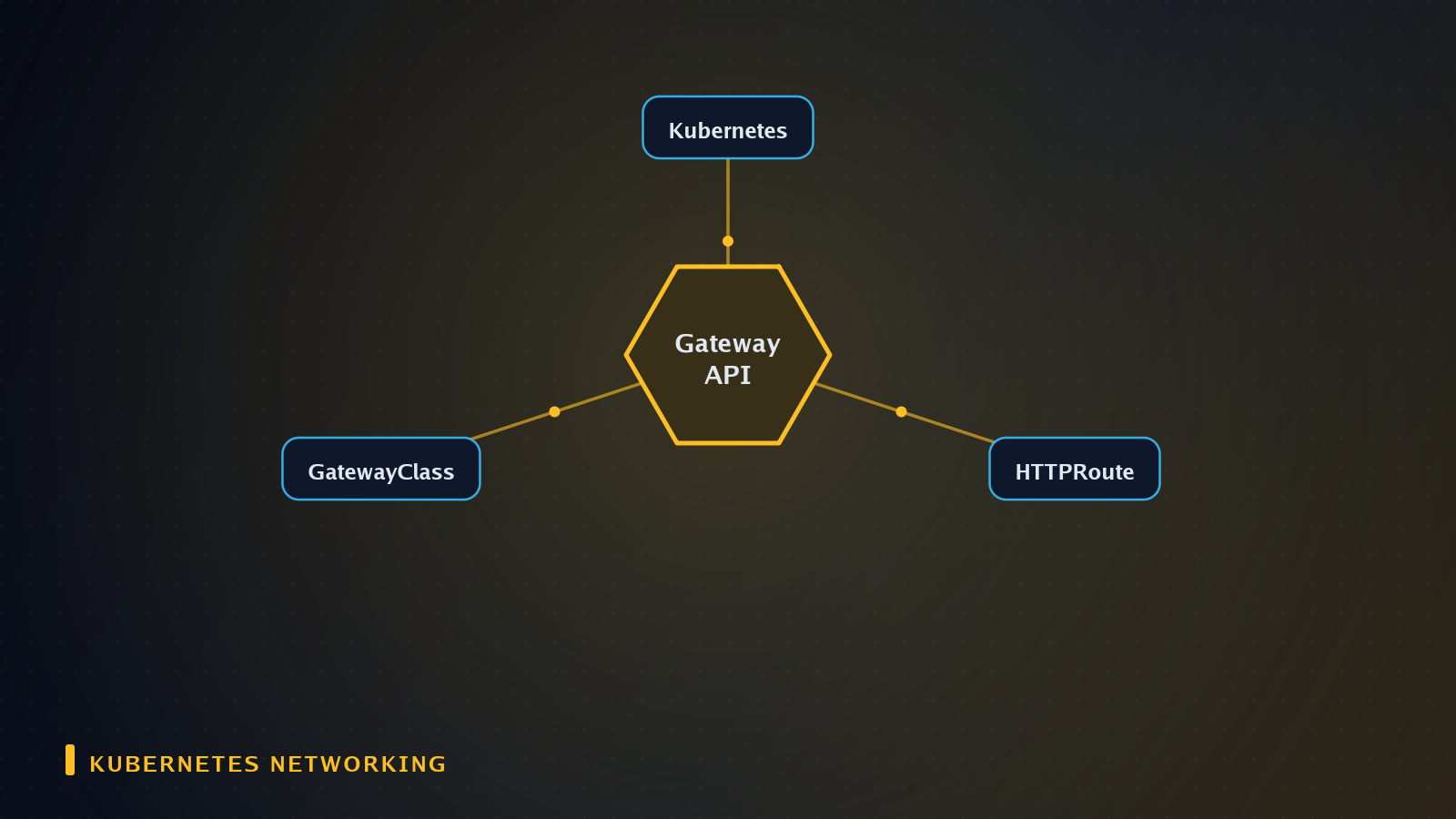
- GatewayClass: Defines the implementation-specific behavior (e.g., using an NGINX or Envoy backend).
- Gateway: Defines the listener (e.g., port 443, TLS certificate) and the hostname.
- HTTPRoute: Defines the specific path matching (
/api/v1) and backend references.
This separation allows a platform team to manage the Gateway (infrastructure) while an application team manages the HTTPRoute (service logic) without requiring access to the other's resources.
Key Features of Gateway API
The Gateway API introduces several key features that set it apart from the traditional Ingress resource. At its core, it provides standard, Kubernetes-backed support for advanced traffic management capabilities [1]. Let's look at some of the most significant features.
Role-Based Access Control
As mentioned earlier, the Gateway API is role-oriented [1]. This is not just a philosophical difference; it has practical implications for how resources are managed. The API defines distinct roles for different types of users:
- Cluster Managers: Responsible for creating the Gateway class and managing the infrastructure that supports the gateways.
- Gateway Administrators: Responsible for creating Gateways and configuring listeners. They define the entry points for traffic.
- Service Developers: Responsible for creating routes (HTTPRoute, TCPRoute, etc.) that map incoming traffic to specific services. They do not need to interact with the Gateway or Listener objects directly.
This separation ensures that developers can focus on their applications without needing to understand the underlying network infrastructure, while administrators can maintain control over the network topology.
Advanced Routing Capabilities
The Gateway API supports a wide range of routing features that were previously unavailable or non-standard in Ingress [1]. These include:
- Header-based matching: Routing traffic based on specific request headers.
- Traffic splitting: Distributing traffic across multiple backend services based on weights.
- Request mirroring: Copying requests to a second service for testing or analysis without impacting the primary response.
- Weight-based routing: Controlling the proportion of traffic sent to different backends.
These features allow for more sophisticated traffic management strategies, such as canary deployments, A/B testing, and gradual rollouts, all within a standard, portable framework.
Portability and Extensibility
The Gateway API is designed with portability in mind [1]. It is intended to work across different implementations, clusters, and environments. This means that a Gateway API configuration defined in one cluster can be easily moved to another, provided the target cluster supports the Gateway API. This is a significant improvement over Ingress, where vendor-specific extensions often made configurations non-portable.
The extensibility of the Gateway API also allows for the addition of custom features without breaking the core specification. This ensures that the API can evolve to meet new requirements while maintaining backward compatibility.
Benefits of Using Gateway API
Adopting the Gateway API offers several tangible benefits for developers and organizations.
Improved Flexibility
The most immediate benefit is the increased flexibility in how traffic is managed. With features like header-based matching and traffic splitting, teams can implement complex routing logic that was previously difficult or impossible to achieve with standard Ingress resources [1]. This flexibility allows for more agile development and deployment practices.
Enhanced Security
The role-oriented approach of the Gateway API enhances security by ensuring that different users have access only to the resources they need to manage [1]. This reduces the risk of accidental misconfiguration and improves the overall security posture of the cluster. By separating the gateway configuration from the route configuration, the Gateway API also makes it easier to audit and monitor network changes.
Better Portability
The Gateway API is designed to be portable across different implementations and environments [1]. This means that teams can define their traffic policies once and apply them consistently across various infrastructure backends. This reduces the complexity of managing multi-cloud or hybrid setups and ensures that applications behave consistently across different environments.
Standardization
By providing a standard API for ingress traffic control, the Gateway API reduces the need for vendor-specific extensions [1]. This standardization simplifies the development and operations processes, as teams no longer need to learn different configuration syntaxes for different Ingress controllers. It also makes it easier to switch between implementations if needed.
| Feature | Ingress | Gateway API |
|---|---|---|
| Flexibility | Limited to basic routing | Advanced routing (headers, weights, mirroring) [1] |
| Security | Single resource, shared access | Role-based access control [1] |
| Portability | Vendor-specific extensions common | Standard, portable across implementations [1] |
| Extensibility | Limited | Highly extensible, standard core [1] |
| Complexity | Simple but limited | Modular, complex but powerful |
Deploying Gateway API in Kubernetes
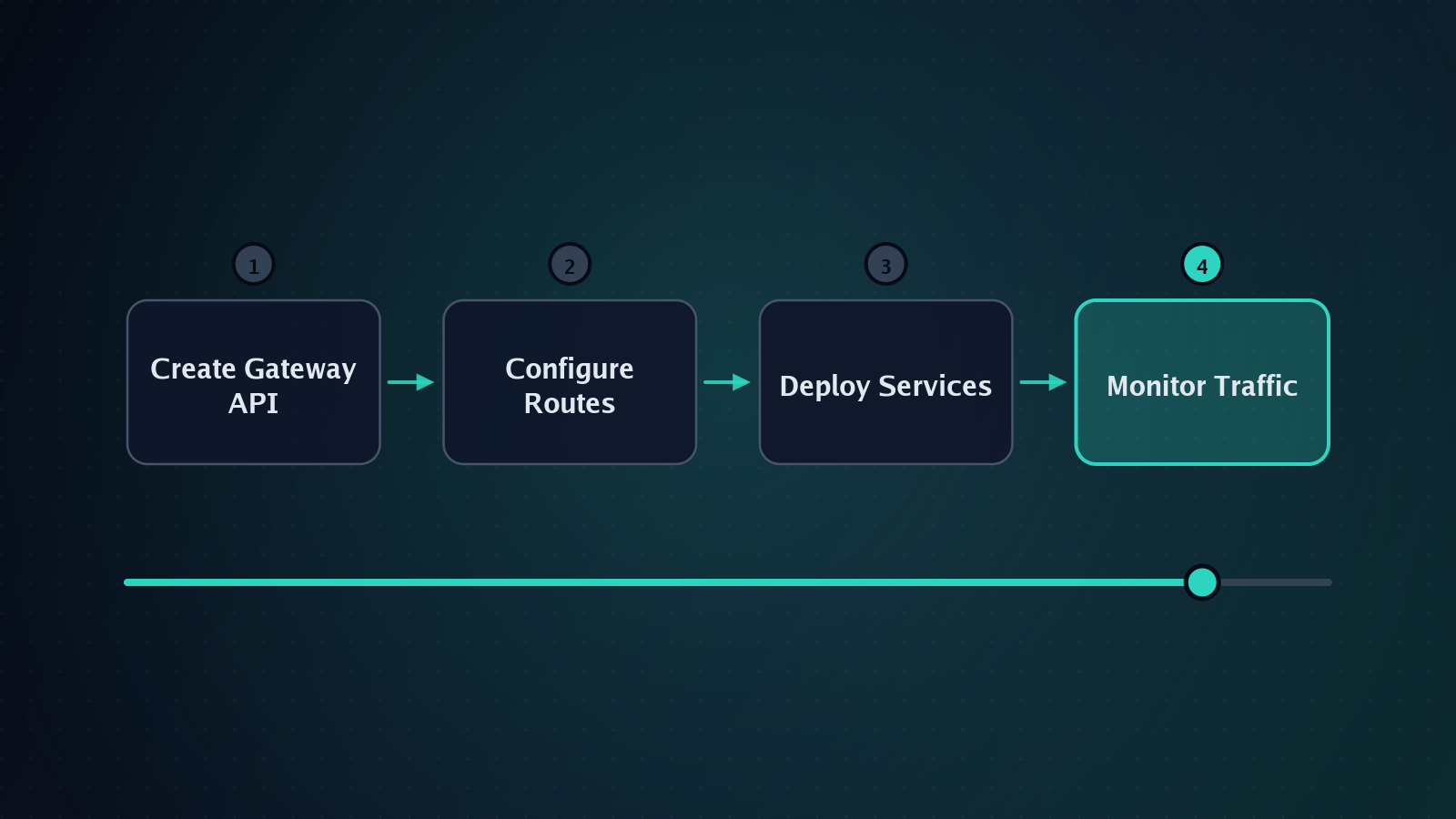
Deploying the Gateway API in a Kubernetes cluster involves several steps. While the specific implementation details may vary depending on the Gateway API implementation you choose, the general process is consistent.
Installing the Gateway API Implementation
First, you need to install a Gateway API implementation. There are more than 20 API implementations available [1], so you can choose one that best fits your needs. Popular options include implementations that pass the Kubernetes Gateway API conformance tests, which help ensure that your implementation is compliant with the standard.
Once you have chosen an implementation, you can install it using the provided installation methods. This may involve applying a YAML manifest, using a Helm chart, or leveraging a cloud provider's managed service. For example, if deploying in a restricted environment like GKE Autopilot, ensure the implementation supports those constraints, as some deployments can be executed with a single command in such environments [2].
Configuring the Gateway
After the implementation is installed, you need to configure the Gateway. This involves creating a GatewayClass and a Gateway object. The GatewayClass defines the behavior of the Gateway, such as the type of infrastructure it uses. The Gateway object defines the actual entry point for traffic, including the listeners and ports.
For example, you might create a Gateway that listens on port 80 for HTTP traffic and port 443 for HTTPS traffic. You would then configure the listeners to accept traffic and define the routes that map incoming requests to specific services.
Defining Routes
Once the Gateway is configured, you can define routes. Routes are the core of the Gateway API, as they specify how incoming traffic should be handled. You can create HTTPRoute, TCPRoute, or other types of routes depending on the protocol you are using.
For example, you might create an HTTPRoute that matches requests to the /api path and routes them to the api-service service. You can also configure more advanced routing logic, such as header-based matching or traffic splitting, using the Gateway API's rich set of features [1].
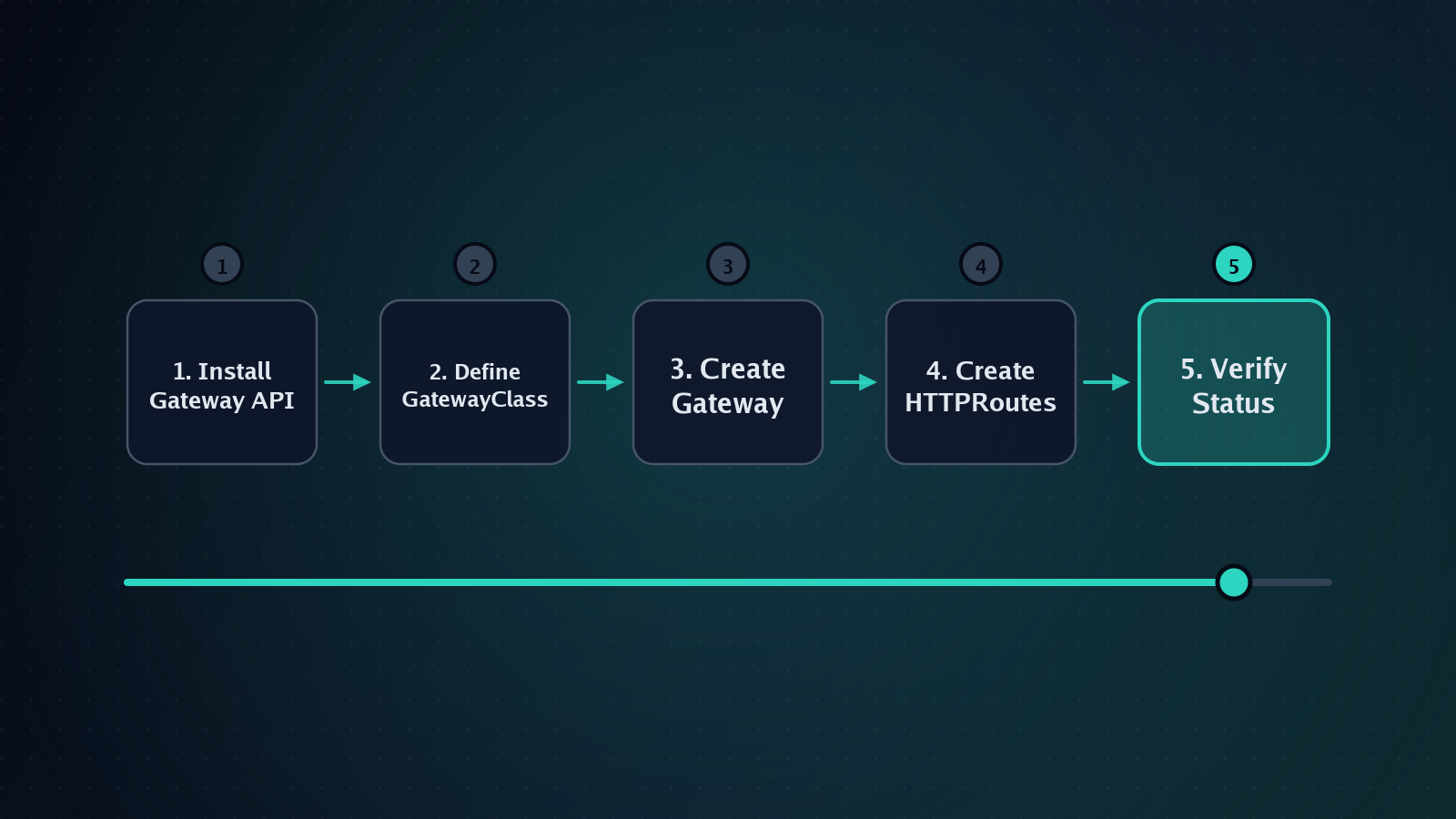
Testing and Monitoring
After deploying the Gateway and routes, rigorous testing and continuous monitoring are essential to ensure reliability.
Functional Testing
You can use tools like curl or kubectl to send test requests and verify that they are being handled as expected. For instance, to test header-based routing, you can send a request with a specific header and verify that it reaches the intended backend service. To test traffic splitting, you can send a large number of requests and verify the distribution ratio matches the configured weights [1].
It is crucial to check the status field of your Gateway and Route resources. The Gateway API provides standard status conditions that indicate whether the resources are accepted, programmed, or failed. These conditions help you quickly identify if your configuration is valid and active.
Observability and Metrics
Set up monitoring and logging for the Gateway. This will help you track the performance of your traffic routing and identify any issues that may arise. Many Gateway API implementations provide built-in metrics and logging capabilities that you can leverage for this purpose.
Key metrics to monitor include:
- Request Latency: Time taken for requests to traverse the gateway and reach the backend.
- Error Rates: 4xx and 5xx response codes to detect misconfigurations or backend failures.
- Throughput: Requests per second to assess capacity.
Integrating these metrics with your existing observability stack (such as Prometheus and Grafana) ensures that you have visibility into the traffic flow across your Kubernetes cluster.
Troubleshooting
Common issues with Gateway API configurations can often be diagnosed by examining resource status and implementing logs.
Common Errors
- Route Not Accepted: This usually indicates a mismatch between the Route's hostnames and the Gateway's listeners. Ensure that the
hostnamesfield in your Route matches one of the hostnames defined in the Gateway's listener [1]. - Implementation-Specific Errors: Some features may be optional in a specific implementation. Check the conformance profile of your chosen implementation to ensure the features you are using are supported.
- Namespace Scope Issues: Ensure that the Routes are in the correct namespace and that the Gateway is accessible from that namespace. The
allowedRoutesfield in the Gateway resource controls which namespaces can attach routes to the gateway.
Debugging Techniques
Use kubectl describe to inspect the status and events of your Gateway and Route resources. Events often contain detailed error messages explaining why a resource was not programmed. Additionally, check the logs of the gateway implementation pod to see if there are any runtime errors or warnings related to your configuration.
Security
Security in the Gateway API is enhanced through its architectural separation and support for standard Kubernetes security features.
RBAC Integration
The role-oriented design allows for fine-grained RBAC (Role-Based Access Control) policies. You can restrict developers to only creating Routes in their specific namespace, while restricting Gateway and GatewayClass creation to platform administrators. This minimizes the blast radius of misconfigurations or malicious actions.
TLS and Termination
The Gateway API provides standard fields for TLS configuration on listeners. You can define which TLS versions are accepted, which ciphers are used, and which certificates are presented to clients. This ensures that encryption in transit is handled consistently and securely, reducing the risk of weak encryption configurations.
Authentication and Authorization
While the Gateway API focuses on routing, it integrates seamlessly with external authentication providers. You can use the gateway as an entry point to enforce authentication headers or JWT validation before traffic reaches your services. The header-based matching capabilities [1] can be used to inspect authentication tokens or user IDs for routing decisions.
Scaling
The Gateway API is designed to scale with your infrastructure needs.
Horizontal Scaling
Since the Gateway is an abstraction over underlying infrastructure (such as Envoy, NGINX, or cloud load balancers), scaling is typically handled by the implementation. You can scale the gateway implementation pods or increase the capacity of the underlying load balancers. The API itself is stateless, meaning the configuration can be replicated across multiple instances without conflict.
Traffic Management for Scalability
The traffic splitting and weight-based routing features [1] are particularly useful for scaling strategies. You can gradually shift traffic from old service versions to new ones, or distribute load across multiple geographic regions or availability zones. This allows for smooth scaling events and zero-downtime deployments.
Integration
The Gateway API is designed to be integrated with a wide range of tools and services within the Kubernetes ecosystem.
Service Mesh Integration
The Gateway API can be used in conjunction with service meshes like Istio or Linkerd. In such setups, the Gateway API often handles ingress traffic (North-South) while the service mesh handles inter-service traffic (East-West). This separation of concerns allows for optimized performance and security policies for each type of traffic.
Observability Tools
As mentioned in the Monitoring section, the Gateway API integrates with Prometheus for metrics. It also supports structured logging, which can be shipped to centralized log management systems like Elasticsearch or Splunk. This provides end-to-end visibility into request lifecycle and performance.
Multi-Cloud and Hybrid Environments
One of the strongest arguments for the Gateway API is its portability [1].
Consistent Configuration
Because the Gateway API is a standard Kubernetes API, the same YAML definitions for Gateways and Routes can be applied across different cloud providers (AWS, GCP, Azure) or on-premise clusters. This eliminates the need to write separate Ingress configurations for each provider, reducing operational overhead.
Hybrid Setups
In hybrid environments, where some services run in a data center and others in the cloud, the Gateway API allows for a unified view of ingress traffic. You can define routes that point to services in different locations, provided the underlying network connectivity is established. This simplifies the management of distributed applications.
Summary
The Gateway API represents a significant advancement in Kubernetes networking. By providing a more flexible, extensible, and standardized way to manage traffic, it addresses the limitations of the traditional Ingress resource. Its role-based approach enhances security, while its rich feature set [1] enables complex traffic management strategies. With over 20 implementations [1], it offers the portability needed for multi-cloud and hybrid environments.
For developers and operators, adopting the Gateway API is a strategic move towards more scalable, secure, and maintainable Kubernetes deployments. By understanding its core concepts and leveraging its features, you can build robust ingress solutions that evolve with your infrastructure needs.
References
- Introducing ingress2gateway; Simplifying Upgrades to Gateway API | Kubernetes — kubernetes.io (29 October 2023)
- l7mp/stunner — github.com (30 October 2026)